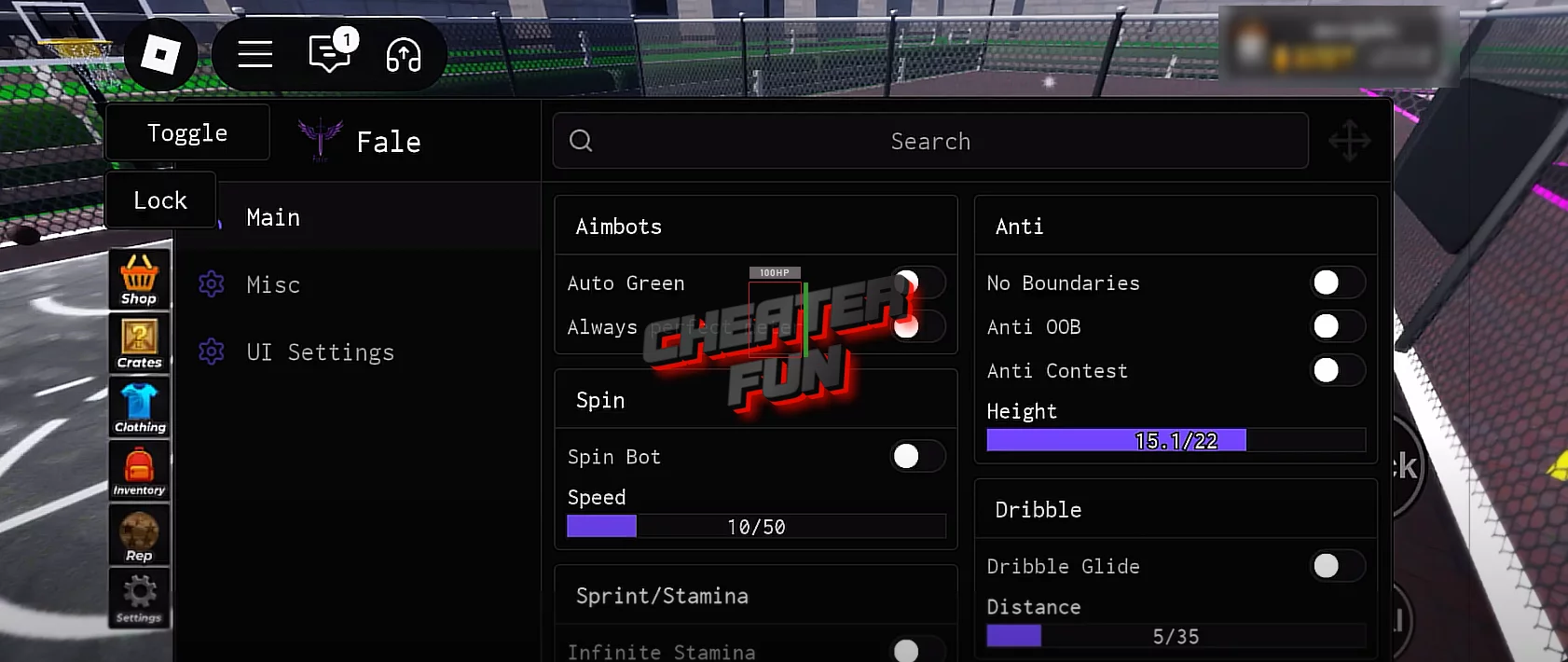
This is one of the best available Arcade Basketball Roblox scripts, packed with features like Auto Green, Ball Mag, Auto Win, Infinite Stamina, Speed, and much more. It includes a full GUI menu, allowing you to enable, disable, and customize functions easily—even if you’re a beginner.
With this script, you can completely transform your gameplay in Arcade Basketball. Your friends will be shocked by your skills as you:
- Hit perfect shots automatically with Auto Green
- Magnetize the ball with Ball Mag for easier scoring
- Win games instantly with Auto Win
- Play without limits using Infinite Stamina
- Boost your speed for faster movement
Arcade Basketball is a new Roblox sports game inspired by basketball classics like Basketball Zero. The goal is straightforward: compete in 1v1 or 2v2 matches, earn points, and claim victory. Because of its popularity, players are actively searching for Roblox Arcade Basketball scripts and hacks to surprise their friends and gain an advantage.
Here, we’ve posted the latest working scripts for Arcade Basketball, safe from bans and requiring no key.
Arcade Basketball Skii Hub - Auto Green, Auto Guard, Speed Modifier, OP Dribble Moves
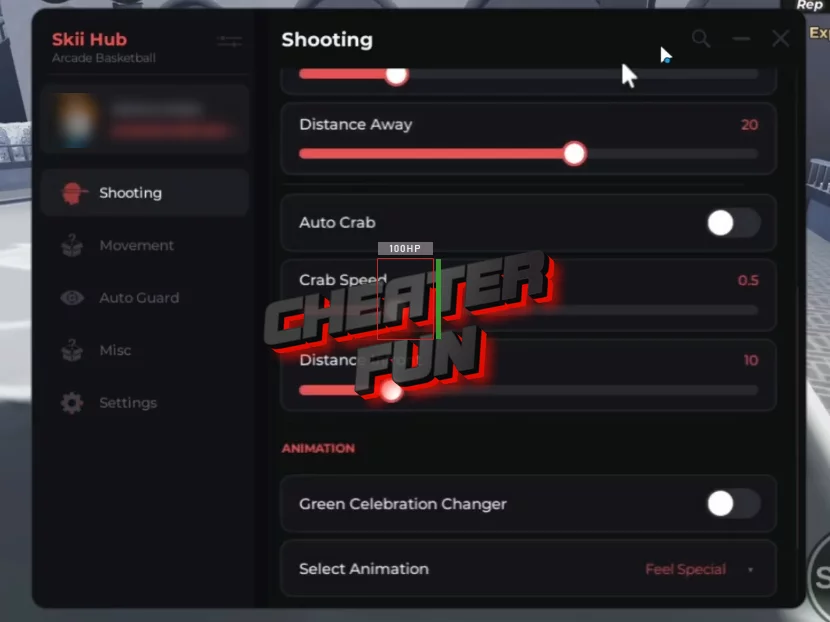
loadstring(game:HttpGet("https://api.jnkie.com/api/v1/luascripts/public/060161570de96205f4a8c93d9d0974990d61f099687e599edc0040a9e48bf23f/download"))()Arcade Basketball 🏀2026 Script - Auto Block v2 [NO KEY]
-- SERVICES
local Players = game:GetService("Players")
local RunService = game:GetService("RunService")
local player = Players.LocalPlayer

local GROUP_ID = 928089015

-- ================= VERIFY GUI =================
local verifyGui = Instance.new("ScreenGui", player.PlayerGui)
verifyGui.ResetOnSpawn = false

local vf = Instance.new("Frame", verifyGui)
vf.Size = UDim2.fromScale(0.45,0.35)
vf.Position = UDim2.fromScale(0.275,0.32)
vf.BackgroundColor3 = Color3.fromRGB(0,0,0)
vf.Active = true
vf.Draggable = true
Instance.new("UICorner", vf).CornerRadius = UDim.new(0,16)
Instance.new("UIStroke", vf).Color = Color3.fromRGB(255,0,0)

local title = Instance.new("TextLabel", vf)
title.Size = UDim2.fromScale(1,0.25)
title.BackgroundTransparency = 1
title.Text = "Join Scrįpt. HUB to Verify"
title.TextScaled = true
title.Font = Enum.Font.GothamBold
title.TextColor3 = Color3.new(1,1,1)

local warn = Instance.new("TextLabel", vf)
warn.Size = UDim2.fromScale(0.9,0.2)
warn.Position = UDim2.fromScale(0.05,0.25)
warn.BackgroundTransparency = 1
warn.TextWrapped = true
warn.TextScaled = true
warn.Font = Enum.Font.GothamBold
warn.TextColor3 = Color3.fromRGB(255,255,0)
warn.Text = "Make sure į is not I or you will get wrong group\nUse Scrįpt. HUB"

local verify = Instance.new("TextButton", vf)
verify.Size = UDim2.fromScale(0.7,0.22)
verify.Position = UDim2.fromScale(0.15,0.5)
verify.Text = "Verify"
verify.TextScaled = true
verify.Font = Enum.Font.GothamBold
verify.BackgroundColor3 = Color3.fromRGB(25,25,25)
verify.TextColor3 = Color3.fromRGB(0,255,0)
Instance.new("UICorner", verify)

local status = Instance.new("TextLabel", vf)
status.Size = UDim2.fromScale(0.9,0.15)
status.Position = UDim2.fromScale(0.05,0.75)
status.BackgroundTransparency = 1
status.TextScaled = true
status.Font = Enum.Font.Gotham
status.TextColor3 = Color3.fromRGB(255,0,0)

-- ================= AUTO BLOCK =================
local follow = false
local targetPlayer

local function loadAutoBlock()
    local gui = Instance.new("ScreenGui", player.PlayerGui)
    gui.ResetOnSpawn = false

    local main = Instance.new("Frame", gui)
    main.Size = UDim2.fromScale(0.42,0.36)
    main.Position = UDim2.fromScale(0.29,0.32)
    main.BackgroundColor3 = Color3.fromRGB(0,0,0)
    main.Active = true
    main.Draggable = true
    Instance.new("UICorner", main).CornerRadius = UDim.new(0,16)
    Instance.new("UIStroke", main).Color = Color3.fromRGB(255,0,0)

    local title = Instance.new("TextLabel", main)
    title.Size = UDim2.fromScale(1,0.25)
    title.BackgroundTransparency = 1
    title.Text = "Auto Block V2"
    title.TextScaled = true
    title.Font = Enum.Font.GothamBold
    title.TextColor3 = Color3.new(1,1,1)

    local box = Instance.new("TextBox", main)
    box.Size = UDim2.fromScale(0.85,0.2)
    box.Position = UDim2.fromScale(0.075,0.3)
    box.PlaceholderText = "Username or Display Name"
    box.TextScaled = true
    box.Font = Enum.Font.Gotham
    box.BackgroundColor3 = Color3.fromRGB(20,20,20)
    box.TextColor3 = Color3.new(1,1,1)
    Instance.new("UICorner", box)

    local toggle = Instance.new("TextButton", main)
    toggle.Size = UDim2.fromScale(0.6,0.2)
    toggle.Position = UDim2.fromScale(0.2,0.55)
    toggle.Text = "FOLLOW : OFF"
    toggle.TextScaled = true
    toggle.Font = Enum.Font.GothamBold
    toggle.BackgroundColor3 = Color3.fromRGB(30,30,30)
    toggle.TextColor3 = Color3.new(1,1,1)
    Instance.new("UICorner", toggle)

    toggle.MouseButton1Click:Connect(function()
        follow = not follow
        toggle.Text = follow and "FOLLOW : ON" or "FOLLOW : OFF"

        if follow then
            targetPlayer = nil
            for _,plr in ipairs(Players:GetPlayers()) do
                if plr.Name:lower() == box.Text:lower()
                or plr.DisplayName:lower() == box.Text:lower() then
                    targetPlayer = plr
                end
            end
        end
    end)

    -- ✅ CORRECT FRONT-FACING LOGIC
    RunService.Heartbeat:Connect(function()
        if not follow or not targetPlayer then return end
        if not player.Character or not targetPlayer.Character then return end

        local hrp = player.Character:FindFirstChild("HumanoidRootPart")
        local thrp = targetPlayer.Character:FindFirstChild("HumanoidRootPart")
        if not hrp or not thrp then return end

        local distance = 3.5
        local height = 1.5

        local frontPos =
            thrp.Position
            + thrp.CFrame.LookVector * distance
            + Vector3.new(0, height, 0)

        hrp.CFrame = CFrame.lookAt(frontPos, thrp.Position)
    end)
end

verify.MouseButton1Click:Connect(function()
    status.Text = "Checking group..."
    task.wait(0.6)

    if player:IsInGroup(GROUP_ID) then
        verifyGui:Destroy()
        loadAutoBlock()
    else
        status.Text = "Join Scrįpt. HUB to continue"
    end
end)
Script [🔥 DUNKS] Arcade Basketball 🏀 Roblox - Auto Green, Auto Guard, Unlock All
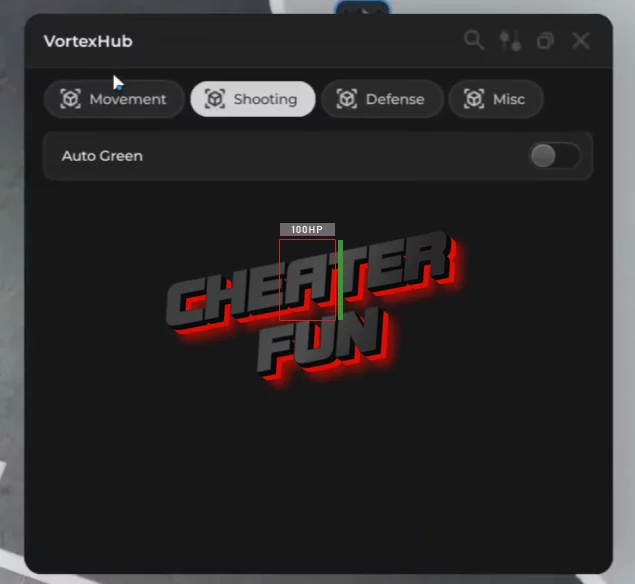
[❄️ SZN 4] Basketball Script - Infinite Stamina, Auto Green, Anti-Contest, Spin Bot and More
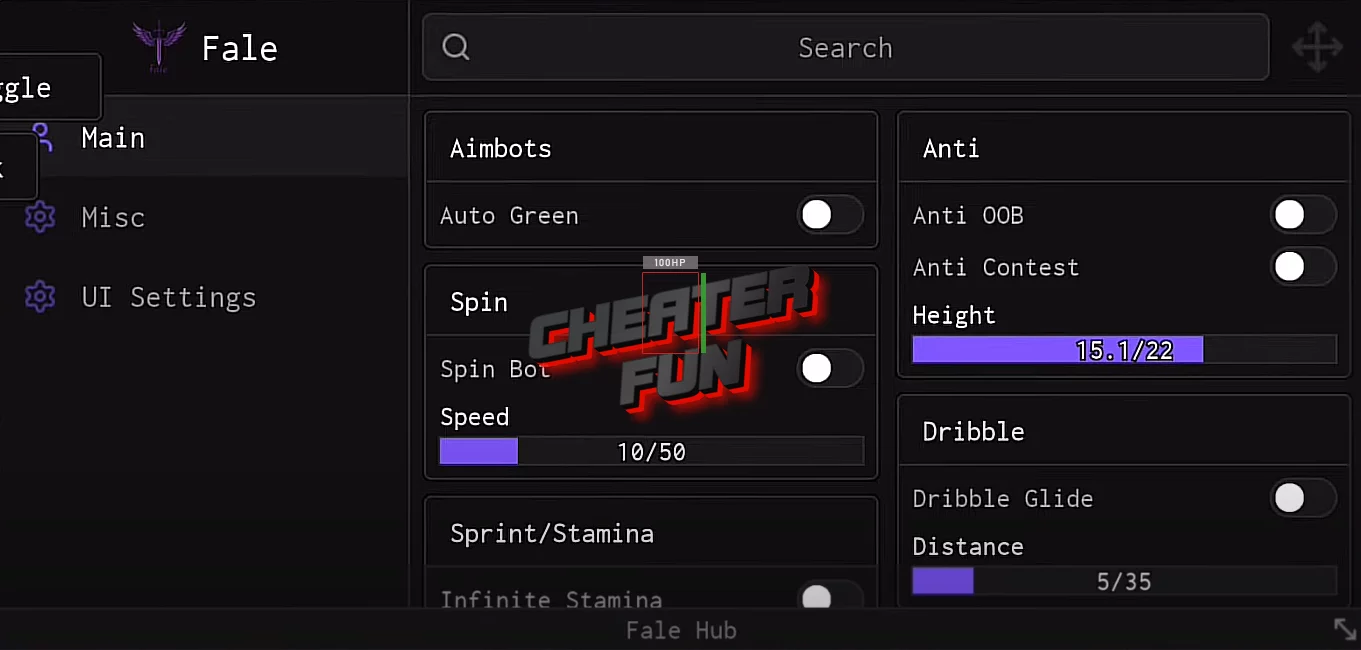
loadstring(game:HttpGet('https://raw.githubusercontent.com/Dejaunisgood/Fale-arcade-basketball-/refs/heads/main/1fa9a8b35da657c5.lua.txt'))()[❄️ SZN 4] Arcade Basketball Script Fale Hub - Auto Green, Ball Mag, Speed, Auto Win, Anti OOB
loadstring(game:HttpGet("https://pastefy.app/jkfw0rLa/raw", true))()
