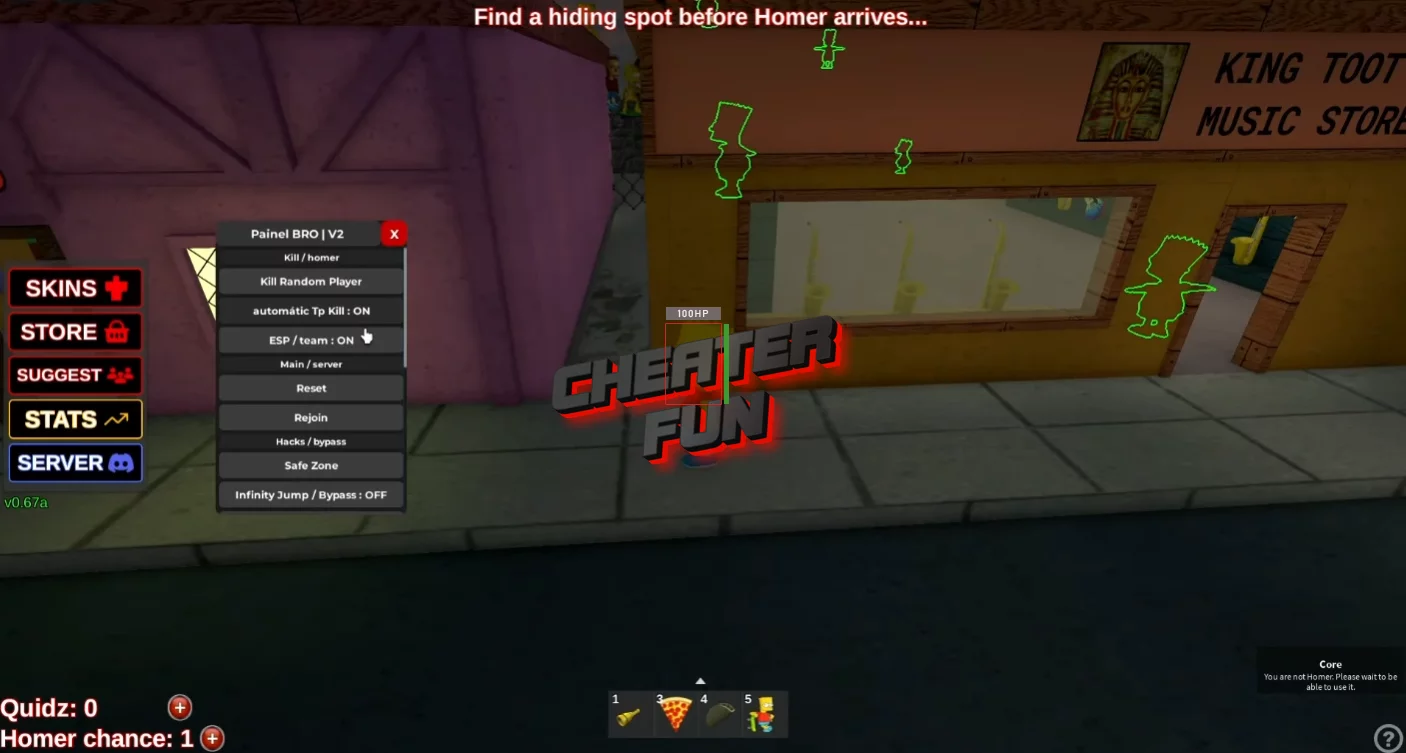
I am posting the best scripts for You VS Homer (Roblox) with features such as Homer ESP, Bart ESP, Auto Farm, Coin Farm, Bypass, Full Bright, and others that will help you in the game and improve your gameplay. These scripts work on all devices, PC, Mobile, Talbet, and support all known script runners. Surprise your friends and get all the rewards in the game You VS Homer using these scripts.
This script gives you full awareness and faster progression in You VS Homer, whether you’re hiding as Bart or hunting as Homer. Homer ESP and Bart ESP let you track players easily, while Auto Farm and Coin Farm stack rewards automatically. Perfect for surviving longer, catching every Bart, and farming coins efficiently in this intense beta hide-and-seek experience.
You VS Homer Script Best Rat Hub X Hub - ESP, Auto Hide + Teleport, Check Team
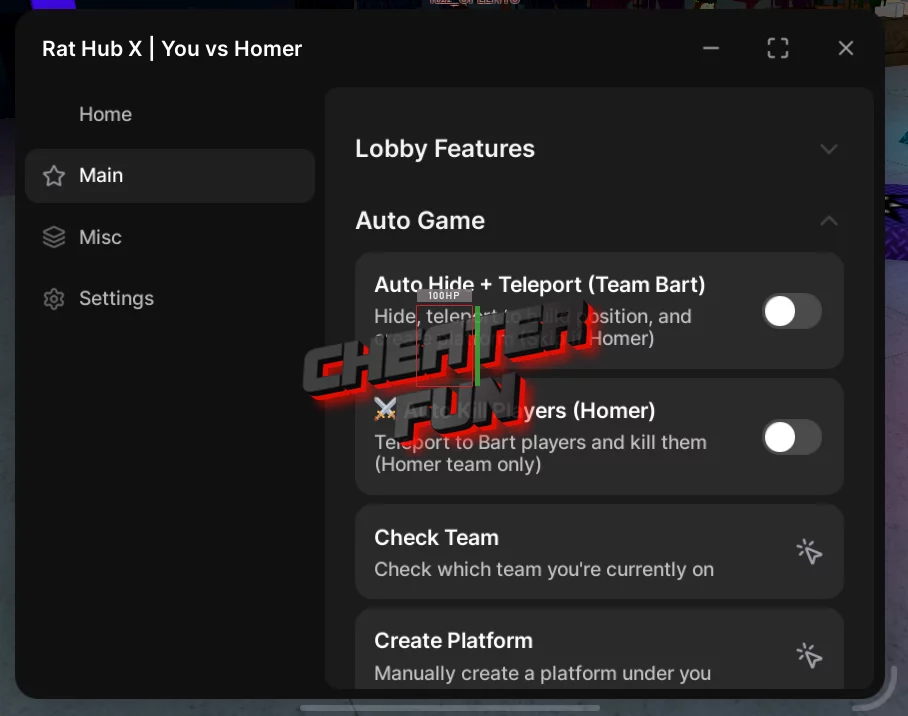
loadstring(game:HttpGet("https://raw.githubusercontent.com/Ratkinator/RatX/refs/heads/main/Loader.lua",true))()You VS Homer Script NEW GUI Nutho Hub - WalkSpeed, ESP, Jump Power, Wallhop
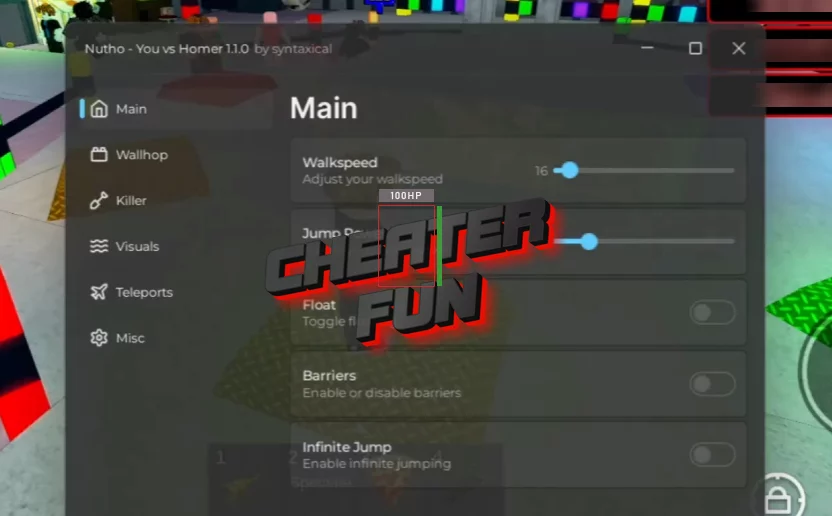
loadstring(game:HttpGet("https://api.jnkie.com/api/v1/luascripts/public/f16e21c48a1e0b90d457be002638beb6be7ade1d4813e04c44cbe59d53841cb4/download"))()You VS Homer Script GUI - Auto Kill, ESP, Coin Farm, NoClip, Inf Jump
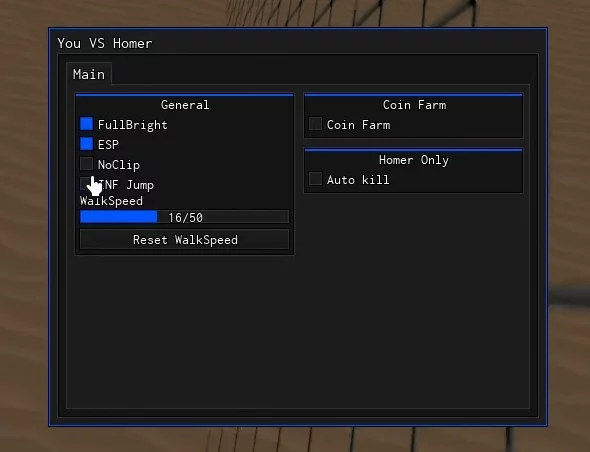
loadstring(game:HttpGet("https://raw.githubusercontent.com/Camoboy72/YvH/main/YouVsHomer.lua", true))()You VS Homer Roblox Script NEW NO KEY - Auto Farm Coins
local Players = game:GetService("Players")
local player = Players.LocalPlayer
local targetPos = CFrame.new(-33.09382247924805, 207.9499969482422, 111.34393310546875)

getgenv().autofarm = true

local function bypassanticheat()
    local Anticheats = {
player.PlayerScripts:FindFirstChild("QuitsAntiCheatChecker"),
player.PlayerScripts:FindFirstChild("QuitsAntiCheatLocal"),
game:GetService("StarterPlayer").StarterPlayerScripts:FindFirstChild("QuitsAntiCheatChecker"),
game:GetService("StarterPlayer").StarterPlayerScripts:FindFirstChild("QuitsAntiCheatLocal"),
    }
    for _, v in ipairs(Anticheats) do
        if v then v:Destroy() end
    end
end

local function autofarm()
    task.spawn(function()
        while getgenv().autofarm do
            local character = player.Character
            if character and character:FindFirstChild("HumanoidRootPart") then
                character.HumanoidRootPart.CFrame = targetPos
            end
            task.wait()
        end
    end)
end

local function toggleautofarm(value)
    getgenv().autofarm = value
    if getgenv().autofarm then
        bypassanticheat()
        task.wait(0.5)
        autofarm()
    end
end

toggleautofarm(getgenv().autofarm)
You VS Homer Script Best Floppa Hub - Bypass Anti Cheat, Auto Farm Bart/Homer, Quidz Farm, ESP
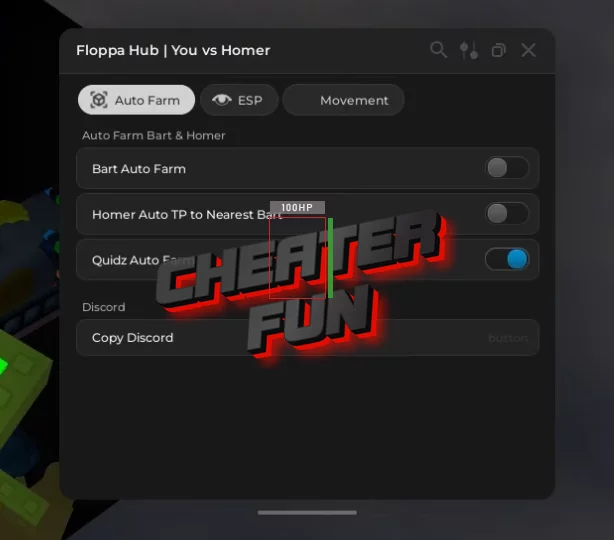
loadstring(game:HttpGet("https://raw.githubusercontent.com/Floppa1x1/Floppa-Hub/refs/heads/main/lua.lua"))()[UPD] You VS Homer Script Onionware - Homer ESP, Bart ESP, Auto Farm, Coin Farm
loadstring(game:HttpGet("https://raw.githubusercontent.com/NaityHS/Onionware/refs/heads/main/OnionwareVsHomerWIP.lua"))()Script You VS Homer - Full Bright Optimized
local Lighting = game:GetService("Lighting")

local function applyLight()
    Lighting.Brightness = 1.4
    Lighting.ClockTime = 13
    Lighting.FogEnd = 1e9
    Lighting.GlobalShadows = false
    Lighting.OutdoorAmbient = Color3.fromRGB(160,160,160)
    Lighting.Ambient = Color3.fromRGB(150,150,150)
    Lighting.ExposureCompensation = -0.1
end

applyLight()

Lighting.Changed:Connect(function()
    applyLight()
end)
You VS Homer Script No Key - Auto Coin Farm
-- 🌈 NYAN BART OBBY SPAMMER - DARK & SMALL FINAL VERSION (Jan 2026)
-- Dark sleek theme | Small (300x380) | Buttons SIDE BY SIDE (no overlap)
-- Nyan Bart center | Fire Once + Loop Toggle | Perfect layout
-- Draggable | Neon glows | Clean & professional

local Players = game:GetService("Players")
local RunService = game:GetService("RunService")

local player = Players.LocalPlayer
local playerGui = player:WaitForChild("PlayerGui")

-- Winpad Part
local winpad = workspace:WaitForChild("lobbyCage"):WaitForChild("obby"):WaitForChild("landawnObby"):WaitForChild("winpad")
local touchPart = winpad

-- HRP (respawn safe)
local hrp
if player.Character then
    hrp = player.Character:FindFirstChild("HumanoidRootPart")
end
player.CharacterAdded:Connect(function(char)
    hrp = char:WaitForChild("HumanoidRootPart")
end)

-- === DARK GUI ===
local screenGui = Instance.new("ScreenGui")
screenGui.Name = "NyanBartFinal"
screenGui.ResetOnSpawn = false
screenGui.Parent = playerGui

local mainFrame = Instance.new("Frame")
mainFrame.Size = UDim2.new(0, 300, 0, 380)
mainFrame.Position = UDim2.new(0.5, -150, 0.5, -190)
mainFrame.BackgroundColor3 = Color3.fromRGB(15, 15, 25)
mainFrame.BorderSizePixel = 0
mainFrame.Parent = screenGui

local mainCorner = Instance.new("UICorner")
mainCorner.CornerRadius = UDim.new(0, 20)
mainCorner.Parent = mainFrame

local gradient = Instance.new("UIGradient")
gradient.Color = ColorSequence.new{
    ColorSequenceKeypoint.new(0, Color3.fromRGB(25, 25, 40)),
    ColorSequenceKeypoint.new(1, Color3.fromRGB(10, 10, 20))
}
gradient.Rotation = 135
gradient.Parent = mainFrame

local outerStroke = Instance.new("UIStroke")
outerStroke.Color = Color3.fromRGB(100, 255, 200)
outerStroke.Thickness = 3
outerStroke.Transparency = 0.3
outerStroke.Parent = mainFrame

-- Title
local title = Instance.new("TextLabel")
title.Size = UDim2.new(1, 0, 0, 50)
title.BackgroundTransparency = 1
title.Text = "NYAN BART SPAMMER"
title.TextColor3 = Color3.fromRGB(200, 255, 255)
title.TextScaled = true
title.Font = Enum.Font.GothamBlack
title.Parent = mainFrame

-- Nyan Bart Image
local nyanImg = Instance.new("ImageLabel")
nyanImg.Size = UDim2.new(0, 240, 0, 240)
nyanImg.Position = UDim2.new(0.5, -120, 0, 60)
nyanImg.BackgroundTransparency = 1
nyanImg.Image = "rbxassetid://66346721"
nyanImg.ScaleType = Enum.ScaleType.Fit
nyanImg.Parent = mainFrame

local imgCorner = Instance.new("UICorner")
imgCorner.CornerRadius = UDim.new(0, 18)
imgCorner.Parent = nyanImg

local imgStroke = Instance.new("UIStroke")
imgStroke.Color = Color3.fromRGB(255, 255, 150)
imgStroke.Thickness = 2
imgStroke.Transparency = 0.4
imgStroke.Parent = nyanImg

-- Shadow under image
local shadow = Instance.new("Frame")
shadow.Size = UDim2.new(0, 240, 0, 240)
shadow.Position = UDim2.new(0.5, -120, 0, 72)
shadow.BackgroundColor3 = Color3.new(0, 0, 0)
shadow.BackgroundTransparency = 0.6
shadow.ZIndex = nyanImg.ZIndex - 1
shadow.Parent = mainFrame

local shadowCorner = Instance.new("UICorner")
shadowCorner.CornerRadius = UDim.new(0, 18)
shadowCorner.Parent = shadow

-- === BUTTONS SIDE BY SIDE (Smaller & No Overlap) ===
-- Fire Once Button (Left)
local fireBtn = Instance.new("TextButton")
fireBtn.Size = UDim2.new(0.42, 0, 0, 50)  -- Smaller width
fireBtn.Position = UDim2.new(0.075, 0, 0, 315)
fireBtn.BackgroundColor3 = Color3.fromRGB(40, 40, 60)
fireBtn.Text = "FIRE ONCE"
fireBtn.TextColor3 = Color3.fromRGB(0, 255, 200)
fireBtn.TextScaled = true
fireBtn.Font = Enum.Font.GothamBold
fireBtn.Parent = mainFrame

local fCorner = Instance.new("UICorner")
fCorner.CornerRadius = UDim.new(0, 12)
fCorner.Parent = fireBtn

local fStroke = Instance.new("UIStroke")
fStroke.Color = Color3.fromRGB(0, 255, 200)
fStroke.Thickness = 2
fStroke.Transparency = 0.2
fStroke.Parent = fireBtn

-- Loop Button (Right)
local loopBtn = Instance.new("TextButton")
loopBtn.Size = UDim2.new(0.42, 0, 0, 50)
loopBtn.Position = UDim2.new(0.525, 0, 0, 315)  -- Side by side
loopBtn.BackgroundColor3 = Color3.fromRGB(40, 40, 60)
loopBtn.Text = "LOOP: OFF"
loopBtn.TextColor3 = Color3.fromRGB(255, 150, 0)
loopBtn.TextScaled = true
loopBtn.Font = Enum.Font.GothamBold
loopBtn.Parent = mainFrame

local lCorner = Instance.new("UICorner")
lCorner.CornerRadius = UDim.new(0, 12)
lCorner.Parent = loopBtn

local lStroke = Instance.new("UIStroke")
lStroke.Color = Color3.fromRGB(255, 150, 0)
lStroke.Thickness = 2
lStroke.Transparency = 0.2
lStroke.Parent = loopBtn

-- === FUNCTIONALITY ===
local looping = false
local loopConn

fireBtn.MouseButton1Click:Connect(function()
    if hrp then
        pcall(function()
            firetouchinterest(touchPart, hrp, 0)
            firetouchinterest(touchPart, hrp, 1)
        end)
        print("Bart: Fired once!")
    end
end)

loopBtn.MouseButton1Click:Connect(function()
    looping = not looping
    if looping then
        loopBtn.Text = "LOOP: ON"
        loopBtn.BackgroundColor3 = Color3.fromRGB(20, 80, 20)
        lStroke.Color = Color3.fromRGB(0, 255, 0)
        loopConn = RunService.Heartbeat:Connect(function()
            if hrp then
                pcall(function()
                    firetouchinterest(touchPart, hrp, 0)
                    firetouchinterest(touchPart, hrp, 1)
                end)
            end
        end)
        print("Bart LOOP ON!")
    else
        loopBtn.Text = "LOOP: OFF"
        loopBtn.BackgroundColor3 = Color3.fromRGB(40, 40, 60)
        lStroke.Color = Color3.fromRGB(255, 150, 0)
        if loopConn then
            loopConn:Disconnect()
            loopConn = nil
        end
        print("Nyan Bart LOOP OFF")
    end
end)

-- Draggable
local dragging = false
local dragStart, startPos

mainFrame.InputBegan:Connect(function(input)
    if input.UserInputType == Enum.UserInputType.MouseButton1 then
        dragging = true
        dragStart = input.Position
        startPos = mainFrame.Position
    end
end)

mainFrame.InputChanged:Connect(function(input)
    if dragging and input.UserInputType == Enum.UserInputType.MouseMovement then
        local delta = input.Position - dragStart
        mainFrame.Position = UDim2.new(startPos.X.Scale, startPos.X.Offset + delta.X, startPos.Y.Scale, startPos.Y.Offset + delta.Y)
    end
end)

mainFrame.InputEnded:Connect(function(input)
    if input.UserInputType == Enum.UserInputType.MouseButton1 then
        dragging = false
    end
end)

print("BART FINAL GUI LOADED!")
print("Dark theme | Buttons side by side | No overlap | Clean & small")
You VS Homer Script GUI - ESP, Bypass, Auto Farm
loadstring(game:HttpGet("https://raw.githubusercontent.com/Floppa1x1/Floppa-Hub/refs/heads/main/lua.lua"))()
