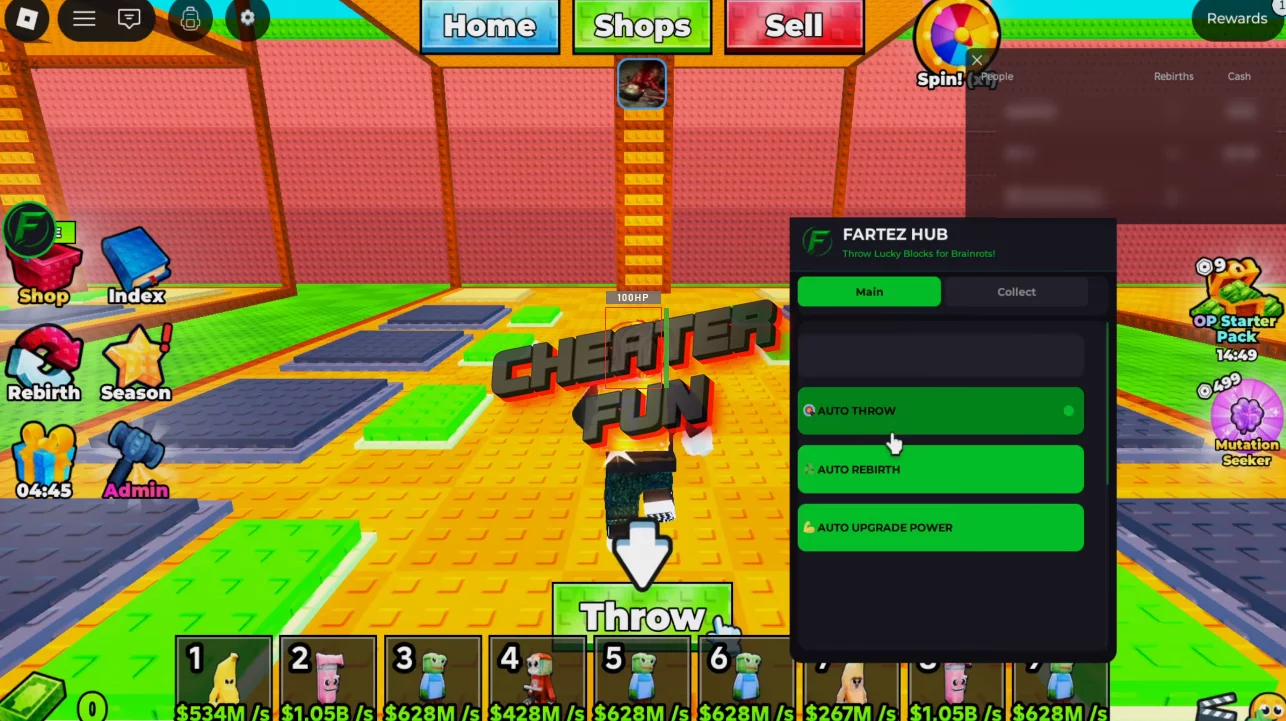
Throw Lucky Blocks for Brainrots Script – Auto Throw, Auto Rebirth, Auto Upgrade

Project Information

Developer: FartezHub
Status: UNDETECTED
Updated: April 21, 2026 at 6:54 AM
Version: 1.0.0
Compatibility: PC (Windows, MacOS) - Mobile (iOS, Android)
Updates & Support:

Throw Lucky Blocks for Brainrots Script

This script is designed to free you from repetitive tasks and ensure continuous progress. Instead of constantly throwing blocks, leveling up, and respawning manually, it automates the entire cycle, allowing you to level up faster with minimal effort. 

Throw Lucky Blocks for Brainrots is a simulator where you throw lucky blocks to earn rewards—the farther you throw, the more you earn. You also need to avoid guards, return safely to base, and upgrade your strength to increase your throw range and earnings. Like most Brainrots games, it includes offline earnings for passive progress.

The script ensures the entire process runs smoothly. “Auto Throw” controls the core mechanics, constantly generating rewards. “Auto Upgrade Power” increases your power over time, making each throw more valuable. “Auto Rebirth” ensures you always reset your progress at the right moment to maximize multipliers and long-term profits.

Script Throw Lucky Blocks for Brainrots (FartezHub) GUI Roblox - Auto Throw, Auto Upgrade Power and More
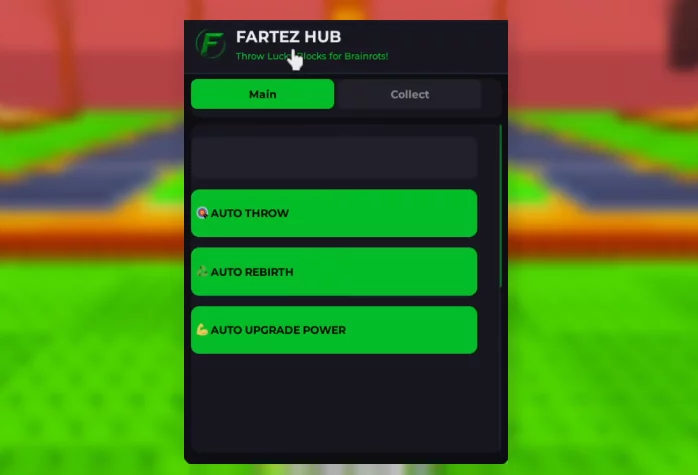
Script Throw Lucky Blocks for Brainrots (FartezHub) GUI Roblox - Auto Throw, Auto Collect and More

loadstring(game:HttpGet("https://raw.githubusercontent.com/fartez127-design/FARTEZHUB/refs/heads/main/FARTEZ%20HUB%20X%20Throw%20Lucky%20Blocks%20for%20Brainrots!"))()

Throw Lucky Blocks for Brainrots Script Features:

Auto Throw

Auto Rebirth

Auto Upgrade Power

Free Download Throw Lucky Blocks for Brainrots Script – Auto Throw, Auto Rebirth, Auto Upgrade

Only authorized users can download files. Please Log in or Register on the website.
Comments: 0 Views: 1 821

0 comments

No Comments
New Comments
all
mysticdragonwolff89 mysticdragonwolff89

Or for something things in general - like completing deliveries, fishing (imagine getting 500,000 for a single fish)

Or even paw heist coins (as there's no weekly limit).

mysticdragonwolff89 mysticdragonwolff89

Aura kill - it does work however against certain enemies that have an intro animation, suggest you have it turned off as it will kill the boss mid animation and you will be stuck in the realm with no exit.

Esp - suggest using it for missions that have very little as if there's a lot of loot (such as in Paws Heist) it will FLOOD your screen and make it near impossible to see

Noclip - I suggest you set it as a (hold toggle) and as a key you don't already use - that way you can use it alongside the movement keys

Multihit - set to 12 or less, as any higher could trip the anti-cheat logs

Speedhack - only you use when playing alone in single player.

mysticdragonwolff89 mysticdragonwolff89

New game update 05/13/2026 - recommend all users to refrain from downloading/using cheat menu until updated

For cheat menu dev - thank you for your hard work!!

Cheat Menu request:

Auto aura/loot farming w/ range modifier 

Timer stop 

Loot fons/other currency/multiplier


argariel argariel

we need a new update bro plz!