Supported platform
Confirm the operating system and device type listed by the publisher. Do not assume mobile and desktop builds are interchangeable.
Explore the executor-related publications listed on CHEATER.fun. Use each entry to review its stated platform, version, update date, requirements, and publisher details before making a decision.
Executor compatibility can change when Roblox or a third-party tool is updated. A listing or recent date is not a guarantee that a tool is functional, secure, or permitted by Roblox. Check the individual publication and use caution with files and code from sources you do not know.
Account and device safety: Third-party executors are not official Roblox products and may violate Roblox rules, potentially leading to account restrictions or bans. Never share your password, session cookies, or authentication tokens. Avoid downloads that ask you to disable security protections without a clear, trusted reason.
Use the publication details to compare entries on a consistent basis.
Confirm the operating system and device type listed by the publisher. Do not assume mobile and desktop builds are interchangeable.
Check the version and last updated date. Changes to Roblox can affect compatibility even if a tool was previously working.
Read any stated key system, installation steps, dependencies, and configuration notes before proceeding.
Review developer attribution and recent comments for reported issues. Treat community reports as signals, not guarantees.
Open an entry that matches the platform and requirements you are researching.
Check its version, status, update notes, publisher details, and any compatibility caveats.
Inspect source and files where possible. Do not run unknown code or provide account credentials.
In third-party communities, “executor” commonly refers to a tool designed to run user-provided scripts in or alongside a Roblox experience. These tools are not official Roblox software, and their use may violate Roblox rules.
Check the platform and system requirements stated on its individual publication. A Windows entry should not be presumed compatible with Android, iOS, or macOS.
Roblox client changes, operating system updates, or changes to the third-party tool can affect compatibility. Review the latest notes and community reports; a date alone does not confirm functionality.
No. Third-party tools can carry account, device, and privacy risks and may violate Roblox rules. Be wary of claims that promise guaranteed safety or no bans.
Avoid pages asking for your Roblox password, session cookie, authentication token, or unnecessary personal information. Be cautious of unexpected surveys, suspicious installers, and instructions to disable antivirus protections.
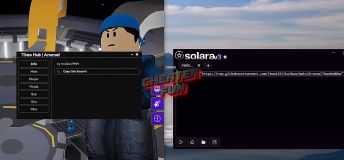
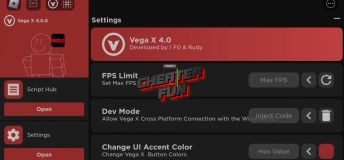
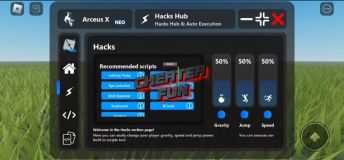
Review each post's source, status and compatibility notes. Never share your game account password or download unknown files blindly.
New comments
loadstring(game:HttpGet("https://gist.githubusercontent.com/spiritualgaming112
3-beep/c19f5337a92d5c39a5f22e5138965d61/raw/03d75600f4f7c01a0d5aec7c03a1983cadc
3779f/BreakAndStealAnEgg"))()
Acaba de morir hace 15 minutos.
We need new update.
Its now November 23rd 2026
Is it safe to say this dead?
hello friends.
Open the offsets.json file with Notepad, delete everything, paste this.
{
"dwViewMatrix": 39207888,
"dwLocalPlayerPawn": 39185080,
"dwEntityList": 40977840,
"m_hPlayerPawn": 2348,
"m_iHealth": 844,
"m_lifeState": 852,
"m_iTeamNum": 999,
"m_vOldOrigin": 5284,
"m_pGameSceneNode": 816,
"m_modelState": 320,
"m_boneArray": 128,
"m_nodeToWorld": 16,
"m_sSanitizedPlayerName": 2168
}
Don't you know how to read? Anyway, the password is 123