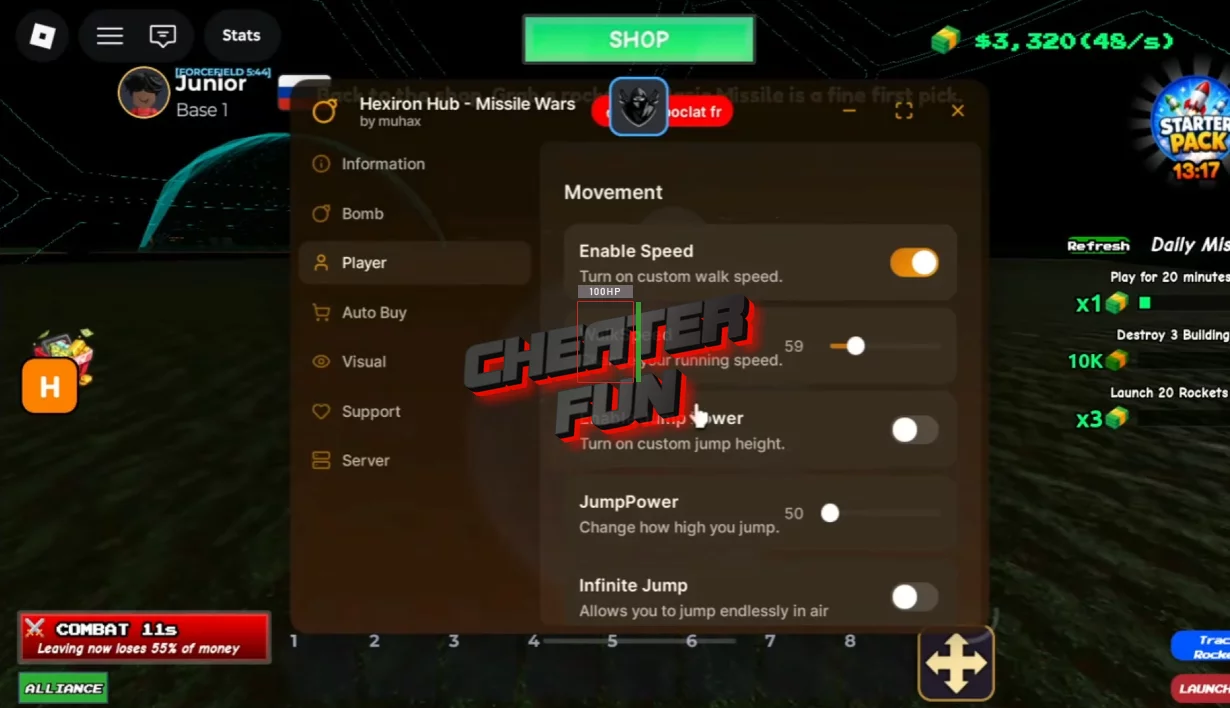
I’m sharing with you a new script for the updated version of Missile Wars from the Roblox universe, featuring functions like Auto Buy, Auto Bomb, ESP, and more, as well as a user-friendly and intuitive GUI where you can manage the features and settings you need. Tested on PC and mobile, it works flawlessly and doesn’t require a key!
The feature I used the most was definitely Auto Bomb. Launching missiles manually over and over gets repetitive fast, especially during large server fights. With automation enabled, you can constantly pressure enemy bases while still upgrading your own systems in the background.
Another really useful feature is Auto Buy, since the game revolves heavily around scaling your income and unlocking stronger missiles. Instead of standing around collecting upgrades manually, your base keeps progressing automatically while you focus on PvP and strategy.
I also liked using ESP because it helps track enemy players and bases much easier during attacks. In a game where timing and positioning matter, being able to quickly locate targets gives a huge advantage during missile wars.
Get Script Hexiron Hub for Missile Wars GUI Roblox - Auto Buy, Auto Bomb, ESP
loadstring(game:HttpGet("https://raw.githubusercontent.com/Benmuhammed7/Hexiron/refs/heads/main/Missile%20Wars/Main.lua"))()