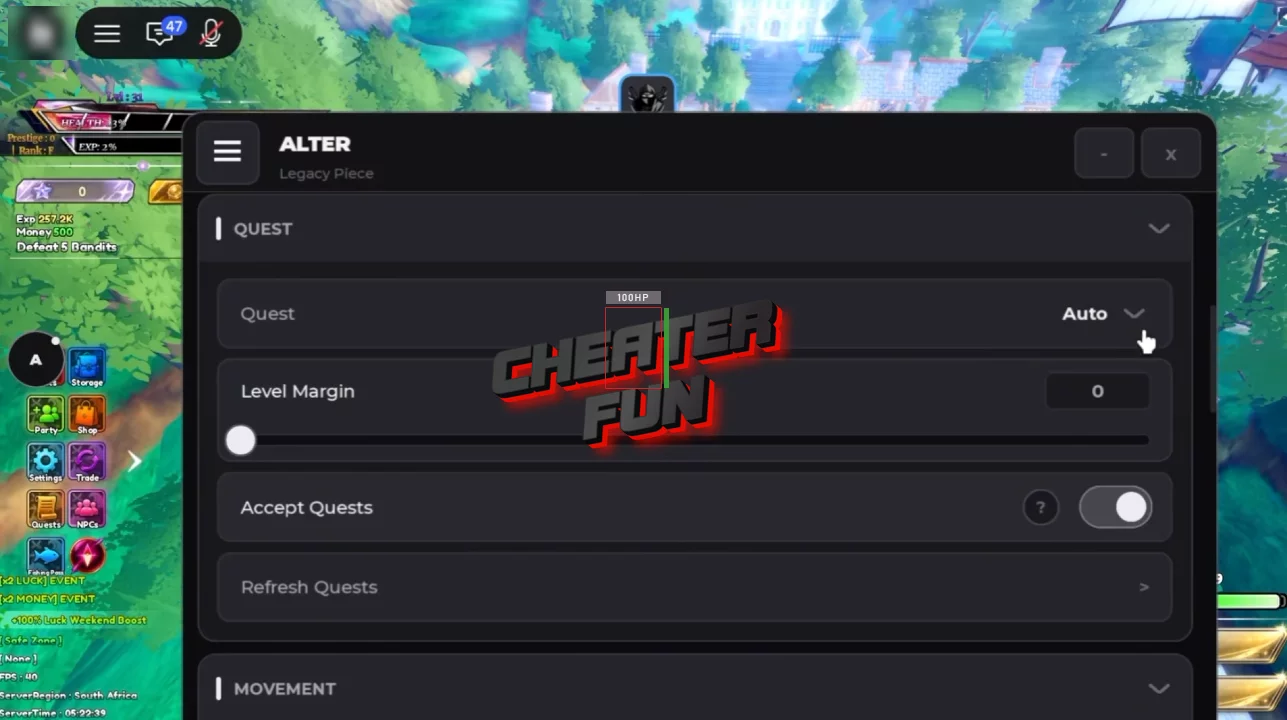
The Legacy Piece Script is designed as a complete automation toolkit for farming, combat, quests, bosses, dungeons, fishing, mining, shops, rerolls, and character progression.
It includes separate controls for leveling, Haki farming, boss hunting, Infinite Tower runs, dungeon automation, fruit and race rerolls, gacha, enhancement, shop purchases, and automatic quest handling. The large number of selectors and filters also lets you decide exactly what should be farmed, bought, equipped, rerolled, or kept.
About Legacy Piece
Ready for a long grind? Legacy Piece is built for players who want to take their character from the early game all the way toward the 12000 level cap.
The game focuses heavily on progression: fight enemies, level up your stats, master powerful Haki abilities, hunt bosses, complete quests, explore islands, collect gear, and keep upgrading your character. There's also plenty to do outside of standard combat, including fishing, mining, meteor farming, dungeons, the Infinite Tower, shops, rerolls, gacha systems, and more.
Legacy Piece Script ZD Hub | Auto Farm, OP Farming, Mob Bringer
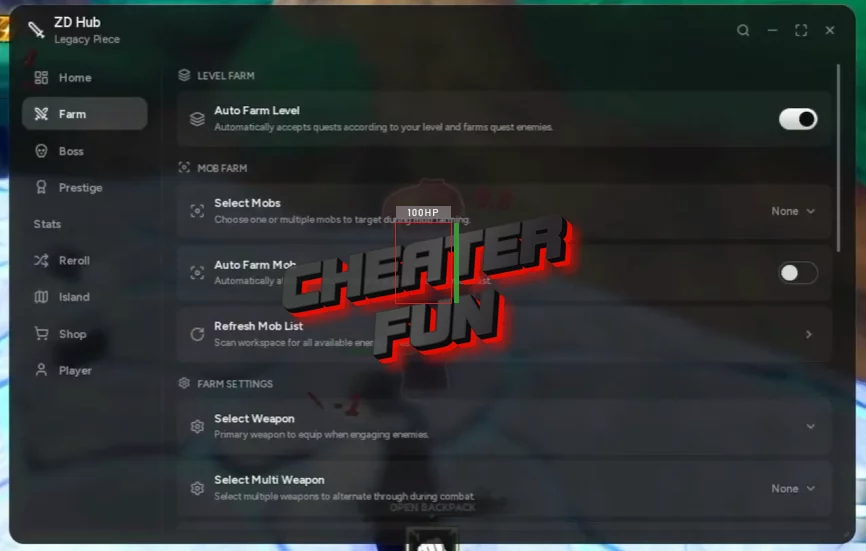
loadstring(game:HttpGet("https://raw.githubusercontent.com/vxr-zd/ZD-Hub/refs/heads/main/Loader"))()Legacy Piece Script Sable Hub | AUTO FARM LEVEL, AUTO MOBS, AUTO YUTA RAID
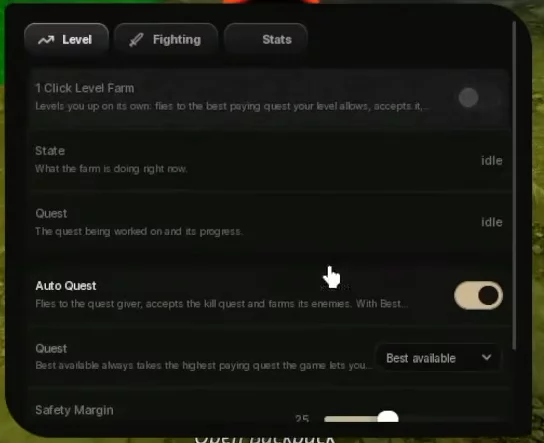
loadstring(game:HttpGet("https://raw.githubusercontent.com/raphaelmaboi/wayout/refs/heads/main/loader.lua"))()Legacy Piece Script NS HUB | Auto Farm, Auto Quest, Attack Aura, Boss Farm, Auto Dungeon
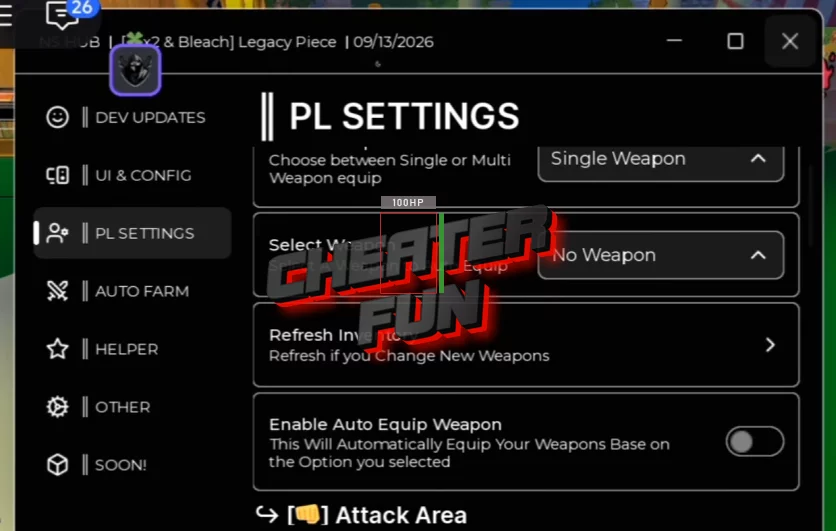
loadstring(game:HttpGet("https://raw.githubusercontent.com/OhhMyGehlee/sh/refs/heads/main/a"))()Legacy Piece Script Alter Hub | Auto Farm, Auto Dungeon
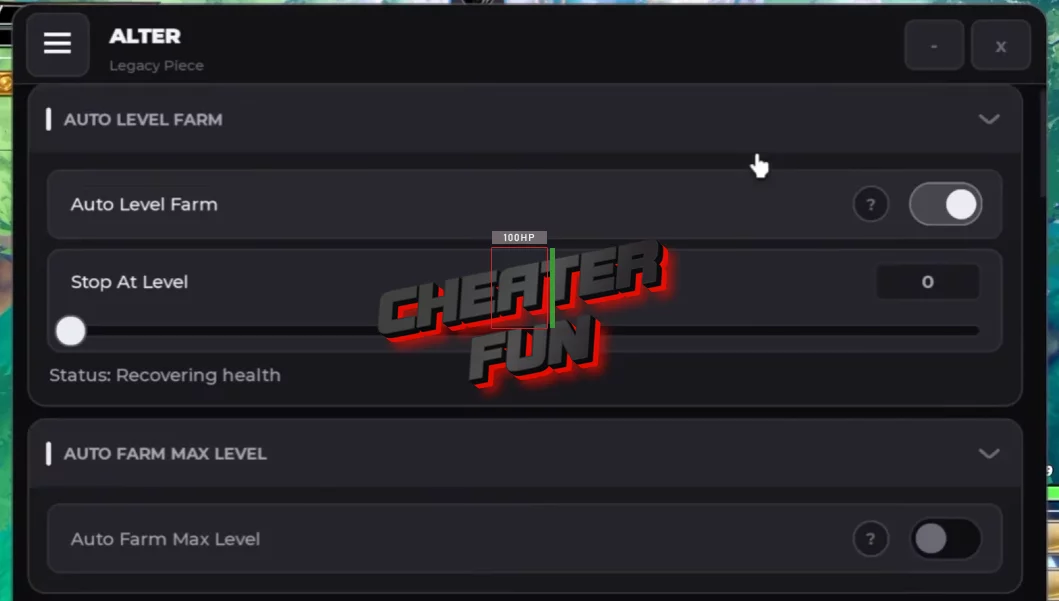
loadstring(game:HttpGet("https://alterhub.site/loader.lua"))()Legacy Piece Script Features
⚔️ Combat & Auto Farm
Auto Attack — Automatically attack nearby enemies.
Auto Hit — Automate repeated hits.
Auto Use Skills — Automatically use selected abilities.
Skill Keys (Z / X / C / V / F / B) — Select which skill keys should be automated.
Attack Range — Configure the combat range.
Attack Distance — Set the preferred attack distance.
Retreat When Hurt — Automatically retreat when HP becomes low.
Retreat Below — Set the HP threshold for retreating.
Auto Level Farm — Automate level farming.
Auto Farm Max Level — Continue farming toward the maximum level.
Auto Farm Tool — Automate tool-based farming.
Tool Type (Style / Weapon / Ability / Clan) — Choose the tool category used for farming.
Stat Weights (Strength / Defense / Weapon / Ability) — Control how stat points are distributed.
Stop At Level — Stop farming at a selected level.
Level Margin — Configure the level margin for targets.
Resume At — Set where farming should resume.
Height Offset — Adjust farming height.
Travel Speed — Configure movement speed during farming.
Noclip While Moving — Use noclip while traveling.
Server Corrections Counter — Track server correction events.
👑 Haki & Abilities
Auto Armament Haki — Automatically farm Armament Haki.
Auto Observation Haki — Automatically farm Observation Haki.
Auto Conqueror Haki — Automatically manage Conqueror Haki.
Auto Haki Quest — Automate Haki-related quests.
Haki Picker (Armament / Observation / Conqueror) — Select the Haki type.
Auto Potential Reroll — Automatically reroll potential.
Potential Stats — Manage potential stats.
👹 Boss Farming & Summons
Auto Boss — Automatically farm selected bosses.
Boss Picker — Choose which boss to target.
Auto Summon — Automatically summon bosses.
Fight Summoned Bosses — Fight summoned bosses automatically.
Skip Summoned Bosses — Skip selected summoned bosses.
Summon Difficulty (Normal / Medium / Hard / Extreme) — Choose summon difficulty.
Summon Boss Picker (incl. Sacrifice Table) — Configure summoned boss targets.
Max Levels Above You — Limit boss targets based on level difference.
Max Drop Level Above You — Control acceptable drop targets above your level.
Summon Required Bosses — Automatically summon bosses required for progression.
Live Boss HP — Display current boss HP.
Hunt Bosses For Quests — Target bosses needed for quests.
🗼 Infinite Tower & Dungeons
Auto Infinite Tower — Automatically farm the Infinite Tower.
Tower Mode (Next / Replay) — Choose whether to advance or replay.
Auto Dungeon — Automate dungeon runs.
Dungeon Picker — Select the dungeon to farm.
Start Floor — Choose the starting floor.
Difficulty Vote (Easy / Medium / Hard / Extreme) — Select dungeon difficulty.
After The Run (Replay / Leave / Stay) — Choose what happens after a run.
Live Dungeon Wave — Display the current dungeon wave.
🎣 Fishing & Mining
Auto Fishing — Automatically fish.
Reel Delay — Configure the fishing reel delay.
Fishing Pass — Manage fishing-pass features.
Auto Mine — Automatically mine resources.
Auto Meteor — Automatically farm meteors.
Stay In Whale Zone — Stay inside the whale zone.
Auto Equip Best Fish — Automatically equip your best fish.
🎒 Equipment & Gear
Auto Equip — Automatically equip selected equipment.
Auto Equip Best — Automatically equip the strongest available gear.
Auto Equip Best Fish — Equip your best fish.
Auto Equip Best Aura — Equip your strongest aura.
Auto Equip Best Accessory — Equip your best accessory.
Auto Equip Best Title — Equip your preferred title based on progression.
Accessory Priority (Damage / Health / Balanced) — Choose accessory priorities.
Aura Priority (Damage / Health / Money / Luck / Balanced) — Choose aura priorities.
Title Priority (Money / Luck / Shards / Balanced) — Set title priorities.
Equip After Buying — Automatically equip newly purchased items.
🍎 Fruits, Races, Traits & Gacha
Auto Fruit Reroll — Automatically reroll fruits.
Target Fruits — Choose target fruits.
Auto Race Reroll — Automatically reroll races.
Target Races — Select target races.
Auto Trait Reroll — Automatically reroll traits.
Target Traits — Select desired traits.
Auto Gacha — Automate gacha rolls.
Banner Picker — Choose the gacha banner.
Roll Mode (Single / Multi) — Select single or multi-roll mode.
Auto Enhancement — Automatically enhance selected equipment.
Enhance (Style / Ability / Weapon) — Choose what category to enhance.
Target Rank — Stop at a selected rank.
🏪 Shops & Purchases
Auto Buy — Automatically purchase selected items.
Buy Items (Multi Select) — Select multiple items to purchase.
Amount Per Buy — Set the purchase quantity.
Auto Shard Shop — Automatically manage the Shard Shop.
Shard Shop Items — Select Shard Shop items.
Auto Gold Shop Boss Tickets — Automatically purchase boss tickets with gold.
Keep Boss Tickets At — Maintain a selected number of boss tickets.
Auto Whale Shop — Automatically manage Whale Shop purchases.
Whale Shop Items — Select items from the Whale Shop.
Keep Money Above — Keep a minimum amount of money.
Keep Shards Above — Maintain a minimum number of shards.
Pay With (Money / Shards) — Choose which currency to use.
Refresh Shop List — Refresh available shop items.
Live Shop Status — Display current shop information.
🗺️ Islands & Teleports
Island Teleport — Teleport to selected islands.
NPC Teleport — Quickly move to NPCs.
Use Island Portals — Use available island portals.
Portal Above — Configure portal travel behavior.
Teleport Loader — Load supported teleport locations.
🎯 Quests & Rewards
Auto Quests (Daily / Weekly / Monthly) — Automatically manage different quest types.
Quest Picker (Auto / Any Quest) — Choose which quest logic to use.
Accept Quests — Automatically accept available quests.
Refresh Quests — Refresh quest information.
Daily Reward — Manage daily rewards.
Auto Claim — Automatically claim available rewards.
Auto Redeem Codes — Automatically redeem active codes.
Live Periodic Quest Progress — Track periodic quest progress.
Live Requirements Display — Display current requirements.
🔄 Prestige & Progression
Auto Prestige — Automatically prestige when available.
Auto Prestige Quest — Automate prestige-related quests.
Level Cap Display — Show the current level cap.
Live Level / Cap / Prestige — Track level, cap, and prestige information.
Live Stat Points — Display available stat points.
🧰 Settings, Profiles & UI
Auto Save Config — Automatically save your configuration.
Auto Load Profile On Execute — Load your selected profile automatically.
Saved Profiles — Store multiple configurations.
Save Profile — Save the current setup.
Load Profile — Load a saved setup.
Delete Profile — Remove a saved profile.
Profile Name — Set the profile name.
Menu Keybind — Choose the menu key.
Theme Picker — Customize the interface theme.
UI Scale — Adjust interface size.
Unload Hub — Unload the interface.
Live Farm Status — Monitor current farming activity.
Live Gear Status — View current gear information.
Live Roll Results — Display recent roll results.
Live Meteor Fragments — Track meteor fragments.
🛠️ Utility
Auto Save Config
Auto Load Profile On Execute
Anti AFK — Helps prevent inactivity kicks.
Noclip While Moving — Allow noclip during automated travel.
Refresh NPC List — Refresh available NPC targets.
Refresh Quests — Update quest information.
Refresh Shop List — Update shop information.
