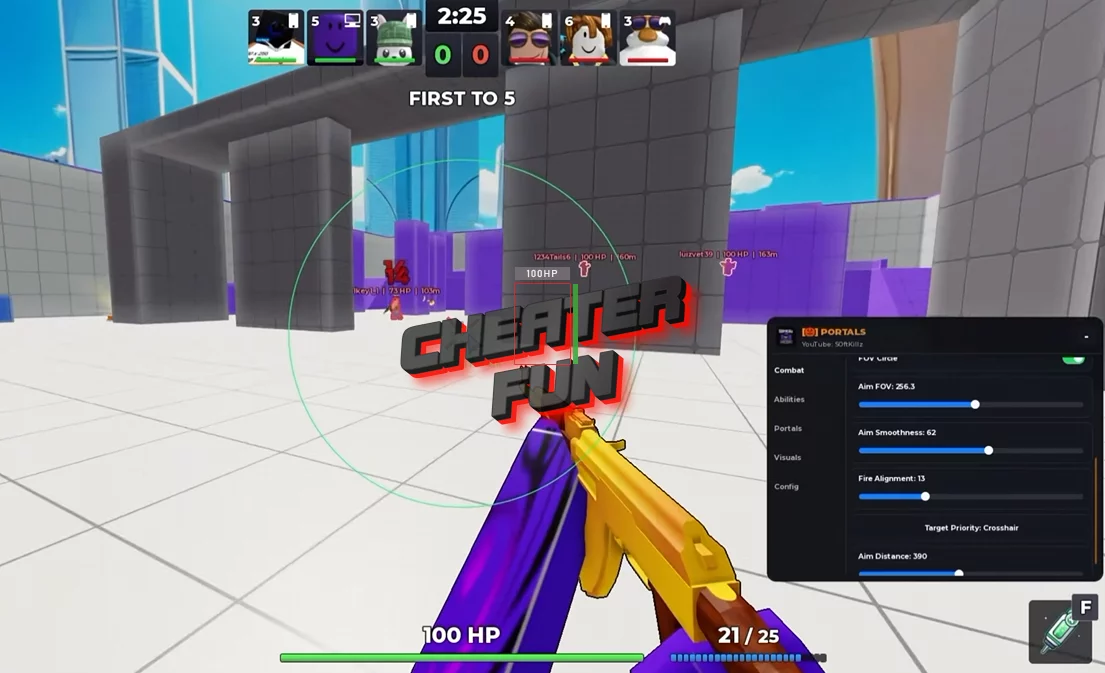
PORTALS Script combines aiming assistance, combat automation, enemy detection, and portal utilities. Features such as Headshot Aim, Aim Smoothness, and Fast Aim provide customizable targeting options, while Auto Fire and Auto Reload automate parts of weapon handling.
Defensive tools such as Auto Heal Below and Auto Defensive Portal are designed to help respond to dangerous situations. The script also includes configuration controls, a redeem-code option, and visual settings for customizing your gameplay.
About PORTALS
PORTALS is a fast-paced deathmatch shooter where outsmarting your opponent can be just as important as landing the perfect shot. Use portals to reposition, surprise enemies from unexpected angles, and turn the arena into your own tactical playground.
Every fight is a chance to outmaneuver the other team. A well-timed portal can help you escape a dangerous situation, close the distance on an opponent, or create an opening for a decisive attack. Good aim and smart ability usage can make all the difference when the action gets intense.
PORTALS Script SoftKillz Hub | HEADSHOT AIM, AUTO ABILITY, AIMBOT, AUTO HEAL, AUTO PORTAL, ESP
loadstring(game:HttpGet("https://gist.githubusercontent.com/user2084375/ef0c1434dc71b6bec4349ee57b04f1b5/raw/66f8d272ceecb1117226b0c7fd72a5850403399f/gistfile1.txt"))()PORTALS Script Features
🎯 Aim & Targeting
Headshot Aim – Focuses targeting on enemy head hitboxes.
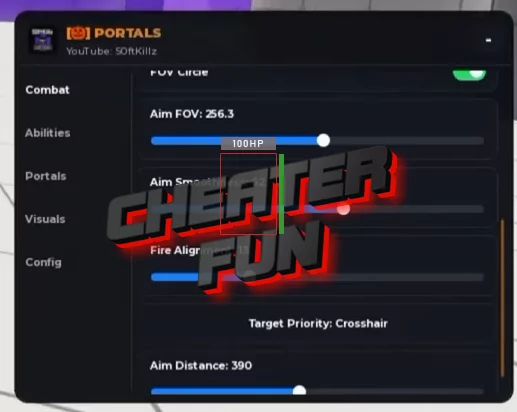
Aim Smoothness – Adjusts how smoothly aiming assistance moves toward a target.
Fast Aim – Provides a faster aiming option.
Aim Distance – Configure the maximum distance for aiming assistance.
Aim FOV – Set the field of view used for targeting.
FOV Circle – Displays a circle representing the selected aiming field of view.
Visible Check – Checks whether a target is visible.
Fire Alignment – Provides an option to align firing with the selected target.
🔫 Combat Automation
Auto Fire – Automatically fires when conditions are met.
Auto Reload – Automatically reloads your weapon.
Enemy Range – Configure the range used for enemy-related features.
Enemy ESP – Helps locate enemies around the map.
Use Ability – Provides an option for using available abilities.
Auto Ability – Automates ability usage.
🌀 Portal Controls
Auto Defensive Portal – Automates defensive portal actions.
Quick Portal – Provides faster portal activation.
Close Portals – Closes active portals.
❤️ Survival & Escape
Auto Heal Below – Automatically heals when health falls below a selected threshold.
Escape HP % – Configure the health percentage used for escape behavior.
⚙️ Configuration & Codes
Auto Execute Config – Automatically executes the selected configuration.
Load Config – Loads a saved configuration.
Save Config – Saves your current configuration.
Redeem PORTALS300 – Provides an option to redeem the PORTALS300 code.
👁️ Visuals & Utility
Fullbright – Improves visibility in darker areas.
Anti AFK – Helps prevent inactivity-related interruptions.


0 comments
Information
Users of Guests are not allowed to comment this publication.
If you have a problem, write to us.