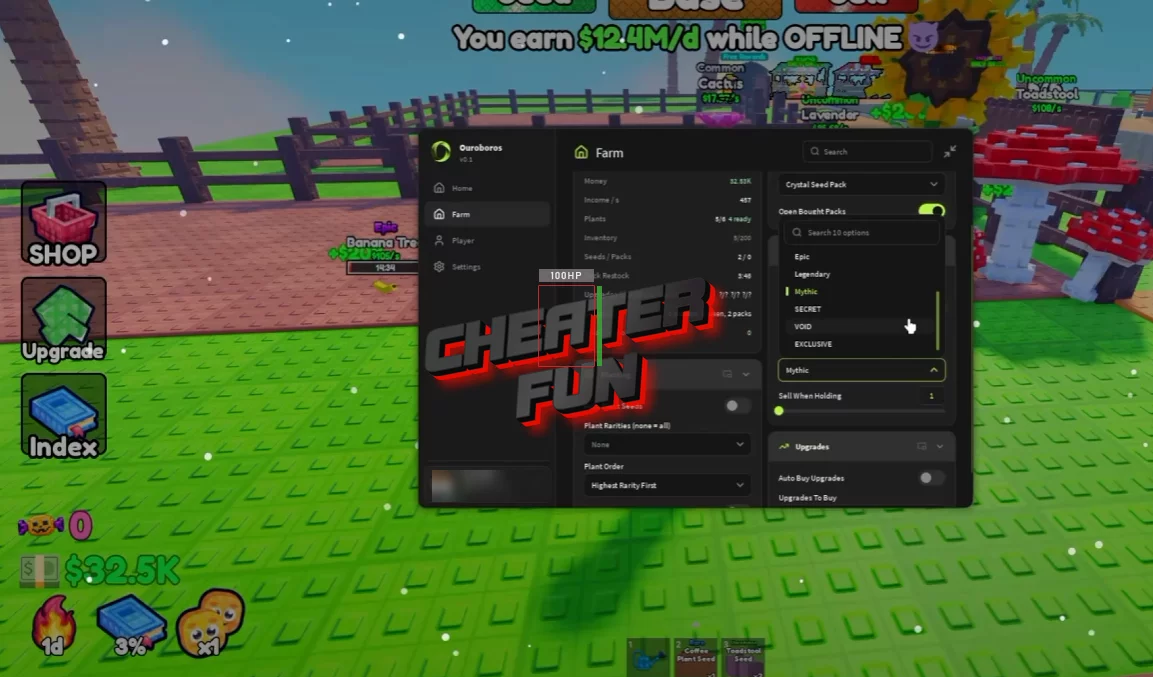
Grow a Plant Script is designed to take care of the repetitive work involved in running your garden. It can automatically purchase seed packs, open them, plant seeds, collect fully grown plants, and sell plants or seeds.
The filtering options give you more control over your collection, too. You can choose which pack to buy, set planting preferences, and keep plants of a certain rarity or higher rather than selling everything indiscriminately.
About Grow a Plant
Your first harvest might be tiny, but there's nothing stopping your little garden from turning into a serious money-maker. In Grow a Plant, you open seed packs, plant whatever you've discovered, water your crops, and let your collection grow into something worth selling.
Grow a Plant Script Ouroboros Hub | AUTO BUY, AUTO OPEN, AUTO SELL, AUTO PLANT
loadstring(game:HttpGet("https://raw.githubusercontent.com/joustingmatch/Ouroboros/main/loader.lua"))()Grow a Plant Script Features
🌾 Seeds & Planting
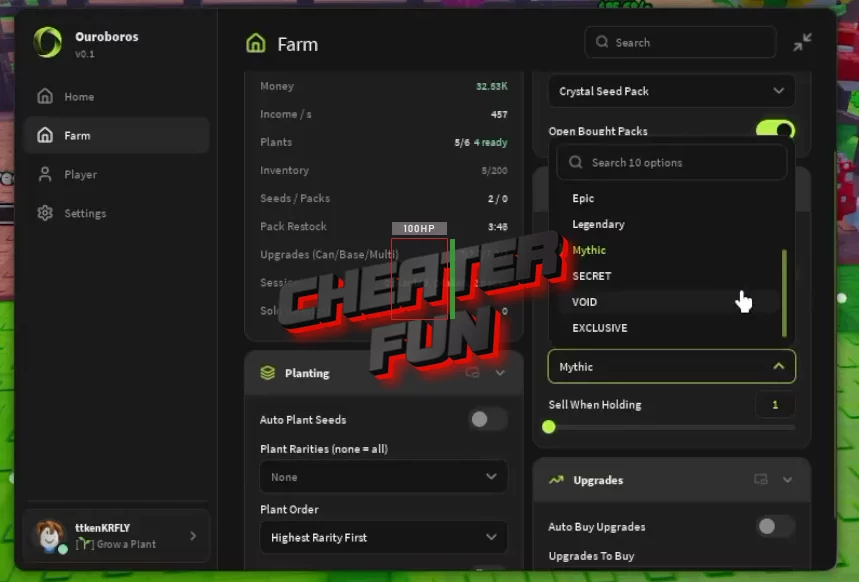
Auto Plant Seeds – Automatically plants available seeds.
Auto Buy Packs – Automatically purchases seed packs.
Pack Selection Dropdown – Select the pack you want to purchase.
Open Bought Packs – Opens packs you've already bought.
Plant Order – Configure the order in which plants are handled.
🌿 Growing & Harvesting
Auto Take Fully Grown – Automatically collects fully grown plants.
Auto Buy Upgrades – Automatically purchases available upgrades.
💰 Selling & Rarity Filters
Auto Sell – Automates selling activities.
Sell Plants / Sell Seeds – Choose whether to sell plants or seeds.
Sell When Holding – Provides a selling option based on what you're holding.
Plant Rarity Filter – Filter plants by rarity.
Keep Rarity And Above – Preserve plants at or above your selected rarity while allowing lower-rarity plants to be sold.
