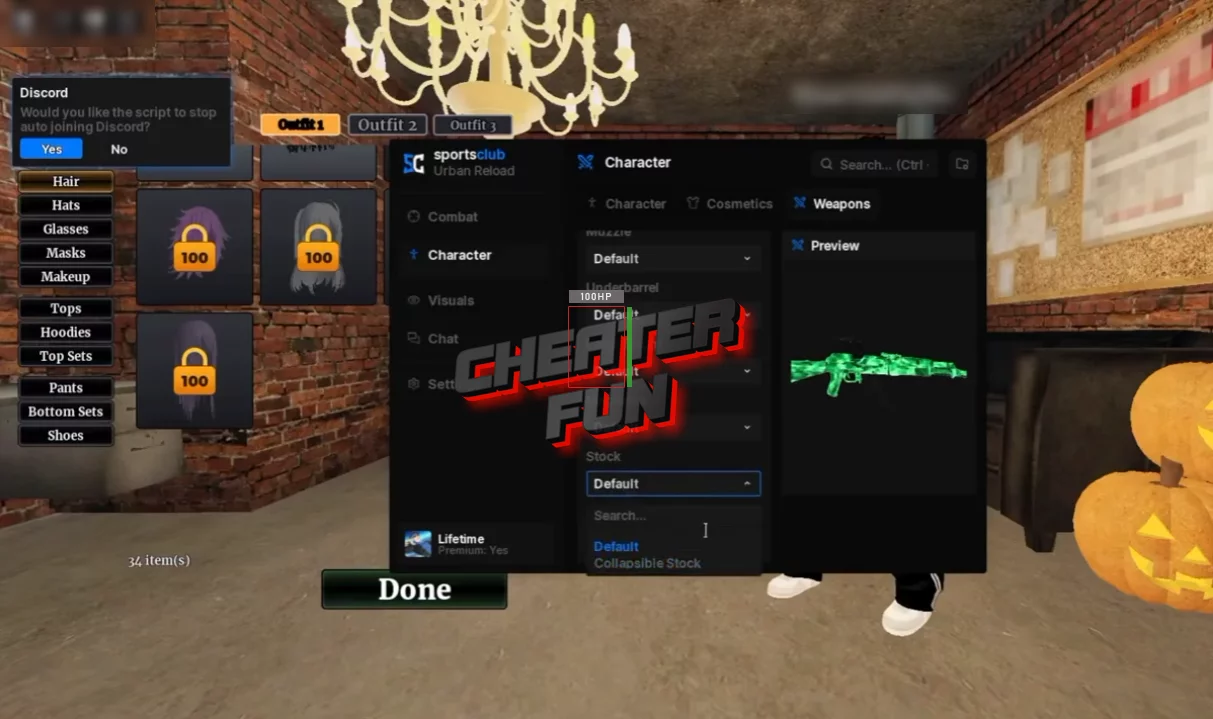
Urban Reload Script is a comprehensive PvP toolkit featuring aiming assistance, weapon modifications, movement customization, visual enhancements, and automated combat options.
Its targeting system includes Silent Aim, Aimbot, Triggerbot, and Aim Assist, with configurable FOV, hit chance, target selection, and visibility checks. Weapon features cover recoil and spread adjustments, fire-rate settings, automatic reloading, and additional shooting options.
The script also includes an extensive ESP system, customizable hit effects, player information overlays, cosmetics customization, and movement utilities. With so many configuration options, you can adjust different parts of the experience to match your preferred playstyle.
About Urban Reload
Welcome to Urban Reload, a tactical Roblox PvP shooter where every street can turn into a firefight and every encounter matters. Battle other players across an urban environment, collect weapons from defeated enemies, and fight to stay alive. Be careful, though: dying means losing your weapon, so choosing when to engage can make all the difference.
The game combines realistic weapon mechanics, tactical equipment, rare weapon skins, and customizable vehicles. You can also farm money, build a squad with friends, and compete for positions on the global leaderboards.
Urban Reload Script SportsClubHub | Silent Aim, Auto Farm, Infinite Money
loadstring(game:HttpGet("https://loader.sportsclub.fun/loader.luau"))()Urban Reload Script Features
🎯 Silent Aim & Targeting
Silent Aim – Provides an alternative targeting system with configurable hit conditions.
Auto Shoot – Automates shooting when supported targeting conditions are met.
Use FOV – Limits targeting to a selected field of view.
Aim Part – Choose which body part to target.
Hit Chance – Configure the chance of a successful hit.
Wall Check – Checks visibility between you and the selected target.
Alive Check – Filters out eliminated targets.
ForceField Check – Includes a check for targets protected by ForceFields.
Target Body Parts – Supports Head, HumanoidRootPart, UpperTorso, LowerTorso, and Torso.
🔫 Weapon Modifications & Shooting
No Recoil – Reduces weapon recoil.
No Spread – Reduces weapon spread.
Fire Rate – Provides a configurable firing-rate option.
Full Auto – Enables automatic firing for supported weapons.
Auto Reload – Automatically reloads weapons.
Instant Reload – Provides faster or instant reloading.
No Bolt Delay – Removes or reduces bolt-action delay.
Shoot Through Rolls – Includes a shooting option for interacting with roll-related obstacles.
Instant Equip – Speeds up weapon equipping.
Always Shoot – Provides continuous shooting functionality under supported conditions.
Scope Modifier – Allows you to modify scope behavior.
Magic Bullet – Includes an additional bullet-targeting feature.
🤖 Aimbot
Aimbot – Provides automated aiming assistance with several customization options.
Use FOV – Restricts targeting to the configured FOV.
Aim Part – Selects the body part used for targeting.
Strength – Adjusts aiming strength.
Speed – Controls aiming speed.
Smoothing – Adjusts how smoothly the aim moves.
Wall Check – Includes visibility checks before targeting.
Alive Check – Filters eliminated players.
ForceField Check – Checks for ForceField protection.
⚡ Triggerbot
Triggerbot – Automates firing when a valid target is detected under the configured conditions.
Use FOV – Limits trigger detection to a selected FOV.
Aim Part – Selects the body part used for detection.
Reaction – Adjusts the trigger reaction setting.
Wall Check – Checks whether targets are visible.
Alive Check – Filters out eliminated targets.
ForceField Check – Includes a check for ForceField protection.
🔵 FOV Customization
FOV Method – Choose the FOV display method.
Size – Adjusts the FOV size.
Thickness – Changes the circle or indicator thickness.
Spin Ring – Includes a rotating ring effect.
Fill – Enables FOV filling.
Outline – Customizes the FOV outline.
🎯 Aim Assist
Aim Assist – Provides additional aiming assistance.
Use On Mouse – Enables mouse-based assistance.
Only While Aiming – Activates the feature only while aiming.
Team Check – Filters teammates from targeting.
Wall Check – Includes visibility checks.
Strength – Adjusts assistance strength.
Slowdown – Configures slowdown behavior.
Pull – Controls aiming pull.
Range – Sets the effective assistance range.
Radius – Adjusts the targeting radius.
Max Angle – Sets the maximum targeting angle.
🧟 Autofarm & Combat Automation
Autofarm – Automates farming and combat-related activities.
Closest – Prioritizes the closest available target.
Shooter – Includes a shooter-based target selection option.
Lowest Health – Prioritizes targets with the lowest health.
Slow On Warning – Adjusts movement when a warning is detected.
Noclip – Provides movement through certain solid objects.
Vulnerable Check – Includes a check for vulnerable targets.
Switch Target – Allows switching between targets.
Dodge – Provides an automated dodging option.
Safe Mode – Includes a safer automation mode.
🏃 Movement & Mobility
Fly – Enables flying movement.
Noclip – Allows movement through certain solid objects.
Walkspeed – Adjusts walking speed.
Jump Power – Changes jumping strength.
CSpeed – Provides an additional speed adjustment.
Gravity – Allows gravity customization.
Infinite Jump – Enables repeated jumping.
Spinbot – Provides a rotating character movement effect.
Auto Strafe – Automates strafing movements.
Long Jump – Provides an extended-jump option.
Under Feet – Includes an under-feet movement option.
Camera Look – Provides camera-based movement control.
Force Shiftlock – Forces Shiftlock functionality.
Angle Enhancer – Includes additional angle customization.
Anti Ragdoll – Provides protection against ragdoll effects.
Infinite Stamina – Removes normal stamina limitations.
Sprint Speed – Adjusts sprint speed.
Side Boost – Provides additional sideways movement.
Roll Glide – Includes a roll-based gliding option.
👕 Cosmetics & Character Customization
Cosmetics Changer – Provides additional cosmetic customization.
Unlock All – Includes an option to unlock available cosmetic items.
Body – Customize body-related appearance options.
Hair – Change hair appearance.
Hats – Customize hats.
Glasses – Customize glasses.
Masks – Customize masks.
Makeup – Adjust makeup options.
Tops – Customize tops.
Hoodies – Customize hoodies.
Top Sets – Includes predefined top combinations.
Pants – Customize pants.
Bottom Sets – Includes predefined bottom combinations.
Shoes – Customize footwear.
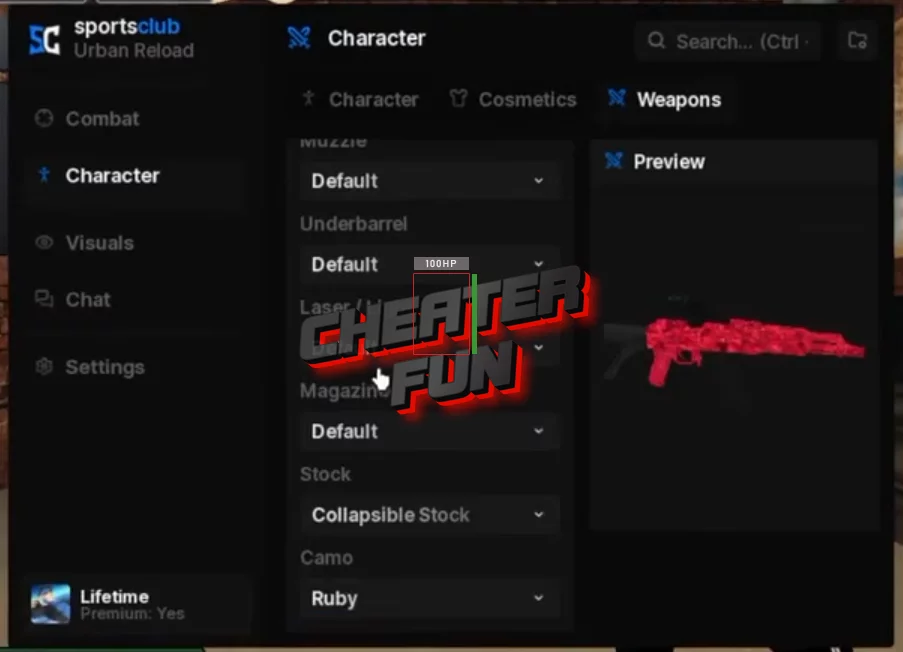
Gun Offset – Adjusts weapon positioning.
Gun Animate – Provides weapon animation customization.
✨ Visual Effects & Weapon Appearance
Bullet Tracers – Displays visual trails for bullets.
Gun Chams – Provides weapon highlighting effects.
Crosshair – Adds a customizable crosshair.
Hit Chams – Displays visual effects when targets are hit.
Hit Overlay – Adds an overlay effect when landing hits.
Impact FX – Provides additional impact effects.
Muzzle Flash – Customizes muzzle-flash effects.
Blood – Includes blood visual effects.
👁️ ESP & Player Information
ESP – Displays additional information about players.
Bounding Box – Shows boxes around detected players.
Box Fill – Adds filling inside ESP boxes.
Dynamic – Provides dynamic ESP behavior.
Box Glow – Adds a glow effect around boxes.
Health Bar – Displays player health bars.
Health Text – Shows numerical health information.
Name – Displays player names.
Distance – Shows distance to players.
Weapon – Displays equipped weapons.
Team – Shows team information.
📊 Target HUD & Hit Notifications
Target HUD – Displays information about the currently selected target.
Cash – Shows target cash information.
Level – Displays player level.
Armor – Shows target armor information.
Distance – Displays the distance to your target.
Hit Notify – Provides hit notifications.
Hit Sound – Plays a sound when a hit is registered.
Hide Hitmarker – Hides the standard hit marker.
Damage Numbers – Displays damage values.
Kill Flash – Adds a visual effect after eliminations.
Kill Effect – Provides additional kill effects.
Reload Sound – Customizes reload audio.
⚠️ Aim Warning & Feedback
Aim Warning – Provides a warning related to aiming activity.
Hit Sound – Includes configurable hit audio.
Hit Overlay – Displays an effect when landing a hit.
Hit Chams – Highlights targets after successful hits.
Bullet Tracers – Displays bullet trajectories.
