TrenchLine Tower Defense Script is a comprehensive automation toolkit focused on battlefield management, troop deployment, combat optimization, and match progression.
Its Smart Deploy system helps organize units according to road coverage, placement styles, and predefined priorities. Auto Upgrade supports several strategies, including Balanced, Damage First, Cheapest First, and Highest Level First, while custom limits let you control how far individual units can be upgraded.
About TrenchLine Tower Defense
The infection is spreading, and your defenses are the only thing standing between humanity and total collapse. TrenchLine Tower Defense is a cooperative Roblox strategy game where you build defensive lines, deploy different military units, and survive increasingly dangerous waves of infected enemies.
Your job is to create an effective battlefield using riflemen, machine gunners, snipers, mortar crews, tank units, helicopter gunships, and now naval forces. Every unit has a role, so choosing the right positions and upgrade priorities is essential if you want to hold the line.
TrenchLine Tower Defense Script Barrage Hub | SMART DEPLOY, AUTO UPGRADE, AUTO CALL-IN, ESP
loadstring(game:HttpGet("https://barrage.cc/loader"))()TrenchLine Tower Defense Script Features
🪖 Smart Deployment & Battlefield Coverage
Smart Deploy – Automates troop deployment with maximum road coverage.
Style Presets – Provides predefined deployment configurations.
Live Placement Queue – Displays the order of upcoming unit placements.
Deploy Coverage – Supports Front, Middle, and Base End deployment positions.
Placement Queue Preview – Shows the upcoming placement sequence.
Deploy Assist – Provides additional assistance when positioning units.
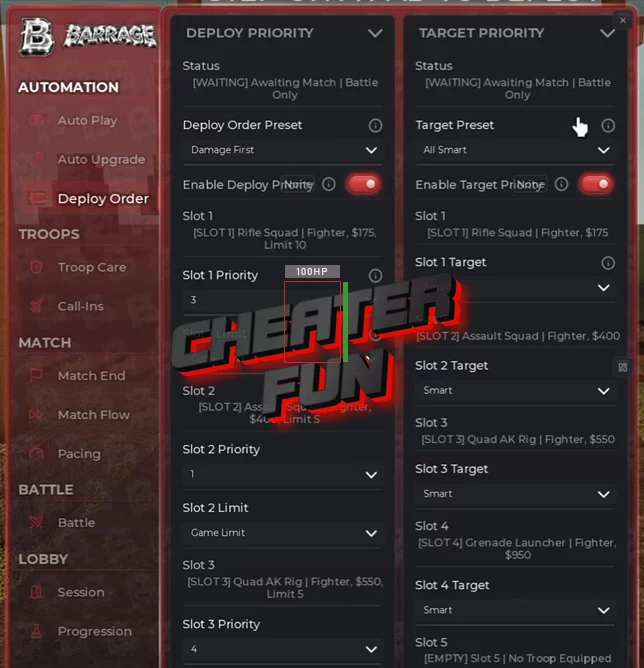
Deploy Priority – Lets you configure the order in which troops are deployed.
⬆️ Auto Upgrade & Unit Management
Auto Upgrade – Automatically upgrades deployed units using configurable strategies.
Balanced – Distributes upgrade priorities across your units.
Damage First – Prioritizes units with damage upgrades.
Cheapest First – Purchases the least expensive available upgrades first.
Highest Level First – Prioritizes units with the highest current levels.
Upgrade Priority – Provides additional controls for upgrade ordering.
Max Level Per Slot – Sets individual upgrade limits for each unit slot.
Target Priority – Configures which enemies receive attack priority using smart targeting rules.
Auto Loadout – Automatically manages your selected troop loadout.
🔧 Repairs, Sorties & Combat Assistance
Auto Repair – Automates repairing damaged units.
Revive Downed Troops – Automatically revives downed troops when supported.
Auto Sortie – Automates sortie-related activities.
Rocket Battery – Includes support for rocket battery actions.
Gunship – Provides automation for gunship-related activities.
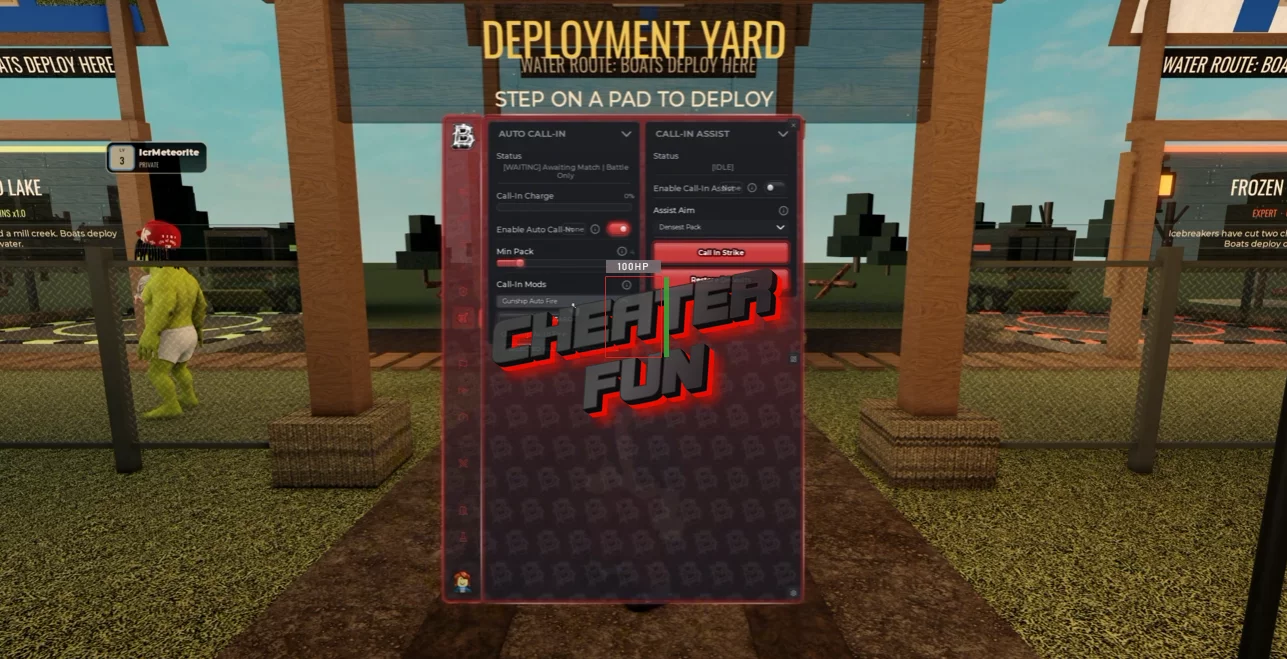
Auto Call-In – Automatically activates call-in abilities against the densest enemy groups.
Call-In Assist – Provides additional assistance with call-in abilities.
Unit Sell – Includes an option to sell deployed units.
🎮 Match & Wave Automation
Match Start – Automates starting matches.
Difficulty Vote – Automatically handles difficulty voting.
Auto Skip – Automates skipping eligible waves.
Skip From – Configures the wave from which skipping begins.
Skip Until – Sets the wave limit for automatic skipping.
Boss Hold – Prevents automatic skipping during selected boss encounters.
Game Speed – Provides a gameplay-speed adjustment.
Infinite Mode Leave – Includes an automatic leaving option for Endless mode.
Match End – Provides automation for match-ending activities.
Emergency Leave – Allows you to leave a match under configured conditions.
Auto Join Solo Quick Play – Automatically joins solo Quick Play sessions.
🧠 Research, Perks & Progression
Auto Research – Automates available research activities.
Fleet Command – Supports research related to Fleet Command.
Sixth Slot – Includes progression options for unlocking the sixth unit slot.
Uniforms – Supports uniform-related research and unlocks.
Auto Perks – Automatically handles available perk selections.
Mission Rewards – Automates claiming mission-related rewards.
Bonus Rewards – Supports collecting available bonus rewards.
📍 Custom Placement & Strategy Management
Custom Placement – Allows you to configure your own troop positions.
Saved Positions – Saves custom battlefield placement locations.
Share Codes – Provides shareable codes for custom placement configurations.
Macro Strategy Recorder – Records unit placement and other supported battlefield actions.
Run Saved Strategy – Replays a previously saved strategy.
👁️ ESP & Battlefield Visualization
Zombie ESP – Highlights infected enemies around the battlefield.
Troop ESP – Displays additional information about deployed troops.
Path Visuals – Shows enemy movement paths.
Placement Visuals – Displays additional placement-related information.