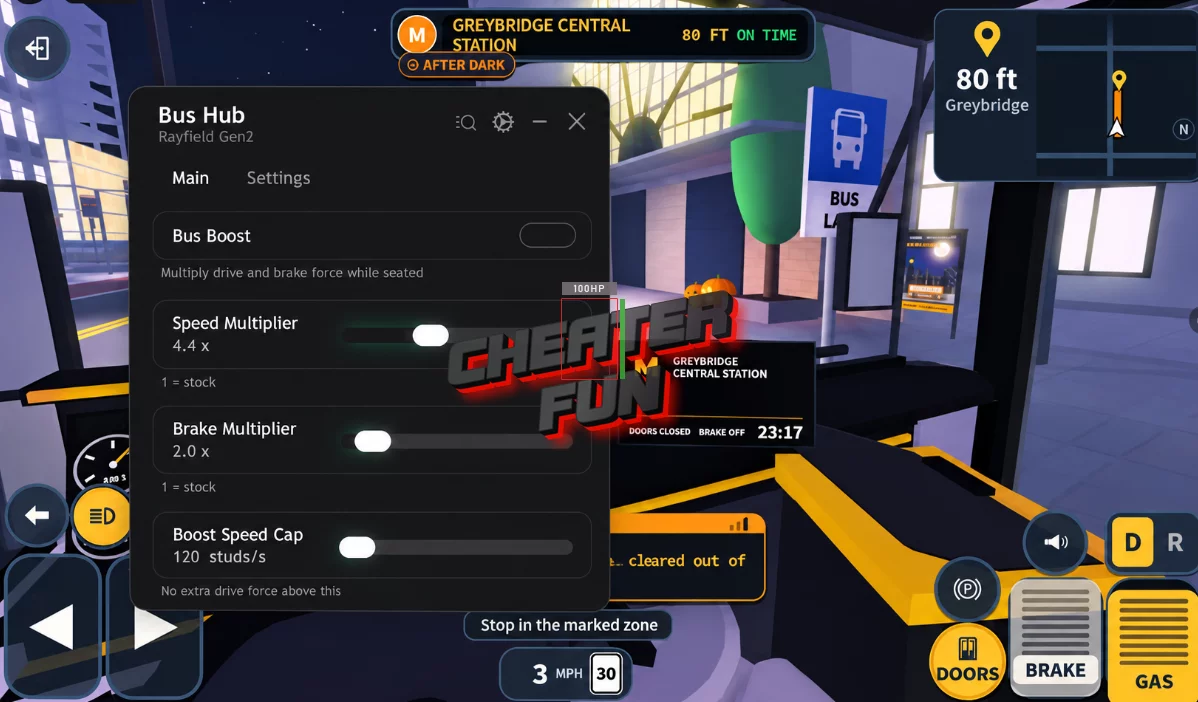
My Bus Script focuses on vehicle performance and driving customization. It gives you control over several bus-related settings, including acceleration boosts, speed limits, and braking power.
With options like Bus Boost, Overspeed Push, and adjustable Speed and Brake Multipliers, you can customize how your bus performs on the road. Whether you're trying to complete routes more efficiently or simply experimenting with different driving settings, the script offers useful controls for your vehicle.
About My Bus
Welcome to My Bus, where you're behind the wheel of a city bus in the unusual town of Graybridge. Pick up passengers, collect fares, follow your assigned schedule, and keep your routes running smoothly. Just remember to stay calm when things around the city start getting strange!
There are 7 different routes to master, each giving you another opportunity to earn S Points and improve your driving skills. As you progress, you can unlock new buses, upgrade essential components like the engine, brakes, and doors, and customize your vehicles to match your style.
My Bus Script Bus Hub | Bus Boost, Overspeed Push and More
loadstring(game:HttpGet("https://raw.githubusercontent.com/NewTabGames/Bus-Hub/refs/heads/main/BusHub.lua"))()My Bus Script Features
🚍 Speed & Boost Controls
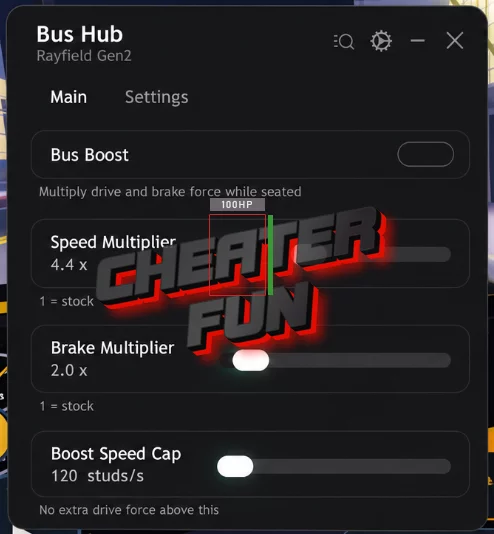
Overspeed Push – Provides an additional push to help your bus exceed its normal speed.
Boost Speed Cap – Adjusts the speed limit applied while using boosts.
Bus Boost – Gives your bus an additional speed boost.
🔧 Vehicle Performance
Brake Multiplier (1–10x) – Adjusts braking strength with a multiplier ranging from 1x to 10x.
Speed Multiplier (1–10x) – Changes your bus's speed multiplier from 1x to 10x.