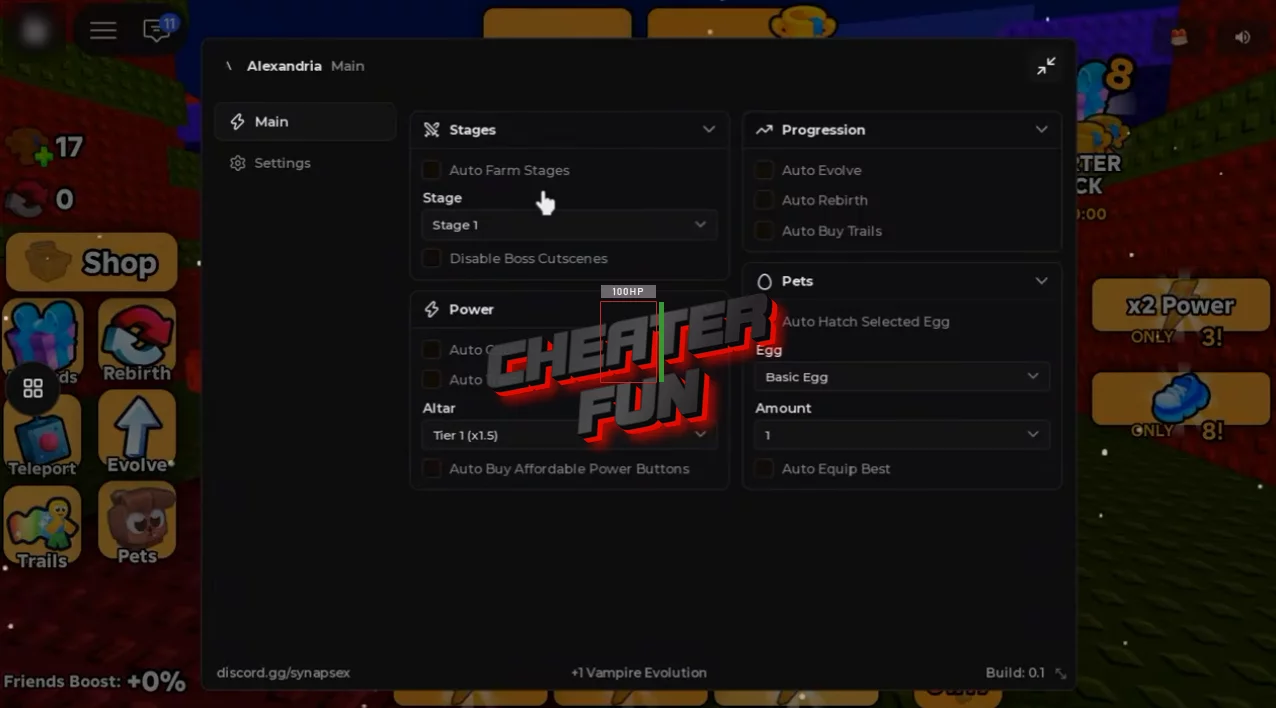
+1 Vampire Evolution Script includes automation features for training, hatching eggs, farming stages, and upgrading your character. Auto Click and Auto Train help build your power, while Auto Farm Stages automates stage progression.
You can also automate rebirths, evolve your vampire, purchase affordable power buttons, and equip your best available pet. Several dropdown menus provide additional control over egg selection, altar settings, progression limits, and purchase amounts.
About +1 Vampire Evolution
Ready to become the most powerful vampire? In +1 Vampire Evolution, every click gives you more strength, helping you defeat enemies, conquer stages, and unlock powerful new evolutions.
Start by building your power through clicking and treadmill training. Challenge enemies, progress through different stages, and collect wins to unlock new vampire forms. As you grow stronger, you'll gain access to new areas and discover even more opportunities to improve your character.
+1 Vampire Evolution Script Alexandria Hub | Auto Click, Auto Evolve and More
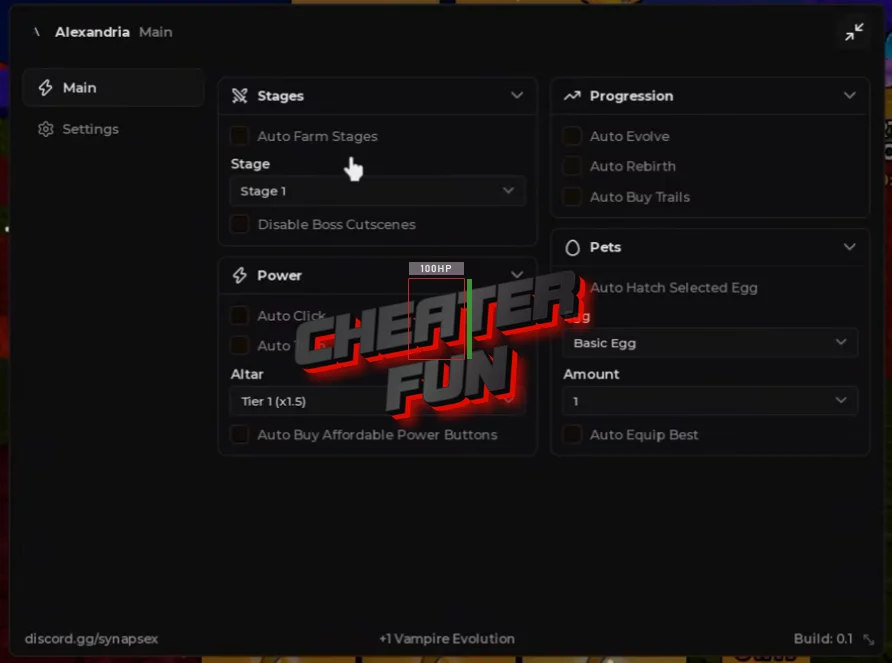
loadstring(game:HttpGet("https://flowauth.net/v1/ui/2e31bcde4daddac08f93224fc3e13f97.lua"))()+1 Vampire Evolution Script Features
🥚 Eggs & Pet Management
Auto Hatch Selected Egg – Automatically hatches the currently selected egg.
Egg Dropdown – Lets you select which egg to hatch.
Equip Best Pet – Automatically equips your strongest available pet.
💪 Training & Power
Auto Train – Automates treadmill training to build power.
Auto Click – Automatically clicks to gain strength.
Auto Buy Affordable Power Buttons – Automatically purchases power buttons you can afford.
Auto Buy Trails – Automates the purchase of available trails.
⚔️ Stages & Progression
Auto Farm Stages – Automates farming through stages.
Stop at Stage Dropdown – Allows you to choose the stage where automated progression should stop.
Auto Evolve – Automates the evolution process.
Auto Rebirth – Automatically performs rebirths to continue your progression.
⚙️ Additional Settings
Altar Dropdown – Provides a dropdown menu for selecting altar options.
Amount Dropdown – Lets you configure the desired amount for supported actions.