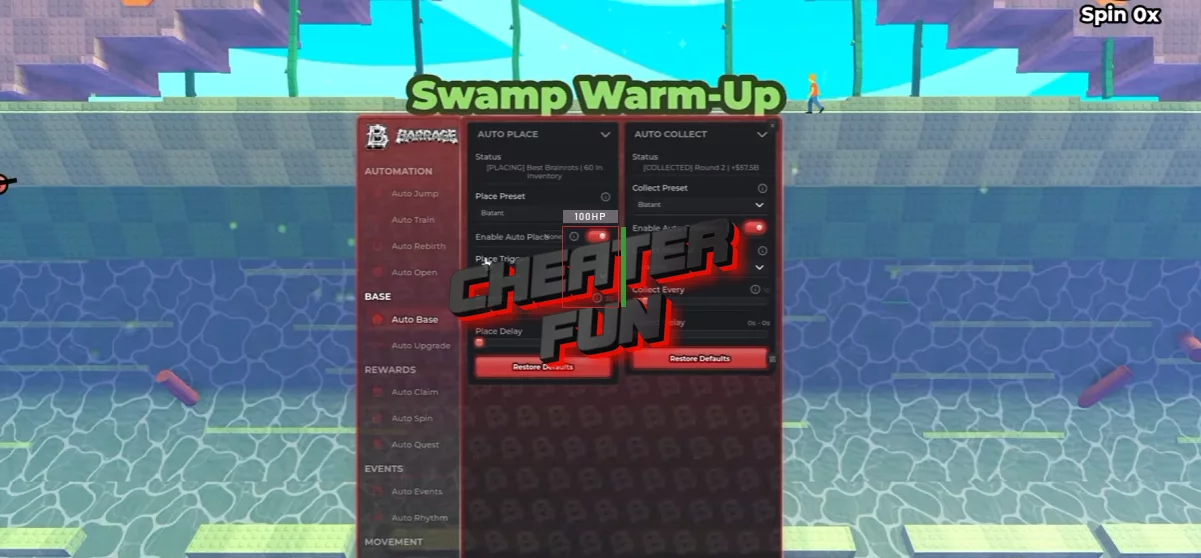
Jump for Cases Script comes with an extensive collection of automation tools covering jumping, training, case opening, selling, rebirths, base management, and event activities.
Its Auto Jump system offers Blatant and Paced presets, customizable kick strength, jump delays, and additional movement options. Auto Train handles strength progression with several training priorities, while Jump Assist provides features such as Auto Boost, Perfect Lock, and Walk Home.
About Jump for Cases
How far can you jump, and what rare creatures will you discover along the way? In Jump for Cases, every jump brings you closer to new cases, rare animals, and powerful mutations!
Train your legs, improve your jumping strength, and launch yourself across the map to reach new progression milestones. Open cases to discover rare animals, collect powerful mutations, and build an impressive collection of creatures. You can place your animals on your plot to generate money and reinvest your earnings into even more upgrades.
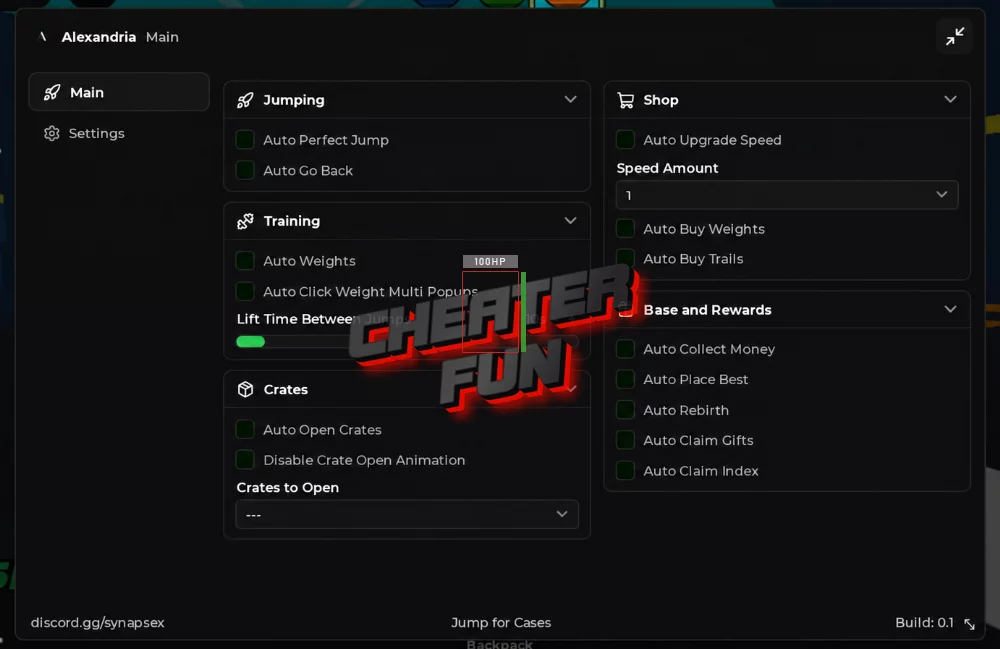
Jump for Cases Script Alexandria Hub (NO KEY) | Auto Perfect Jump, Auto Go Back
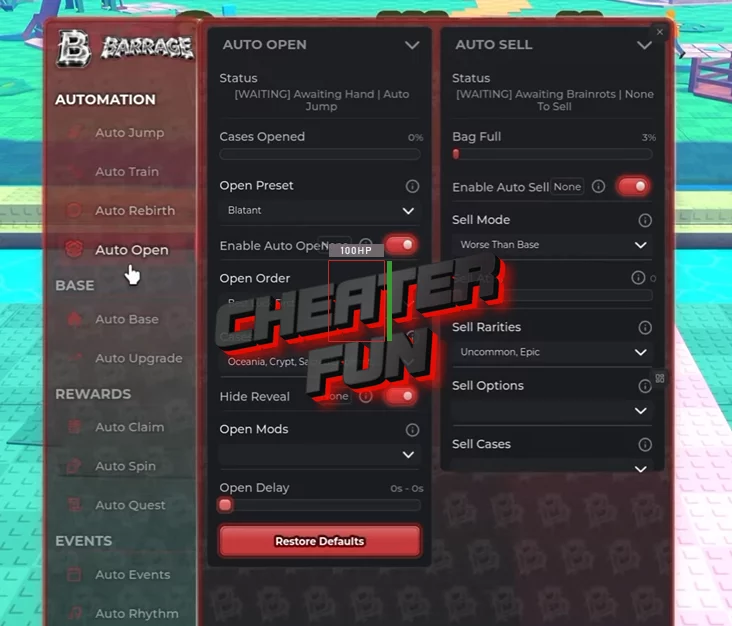
loadstring(game:HttpGet("https://flowauth.net/v1/ui/2e31bcde4daddac08f93224fc3e13f97.lua"))()Jump for Cases Script Barrage Hub | AUTO JUMP, AUTO OPEN, AUTO SELL, AUTO TRAIN, AUTO SPIN
loadstring(game:HttpGet("https://barrage.cc/loader"))()Jump for Cases Script Features
🦘 Auto Jump & Jump Assistance
Auto Jump – Automates jumping to help you progress through the map and reach new areas.
Blatant Preset – Provides an aggressive automatic jumping configuration.
Paced Preset – Offers a more controlled jumping approach.
Auto Boost – Automatically activates available boosts.
Bank Case – Includes an option for banking cases.
Use Free TP Home – Uses the available free teleport home.
Boost Past Cap – Allows boosts to exceed the normal supported cap.
Hit Every Gate – Targets every available gate during progression.
Instant Kick – Automates the kick action.
Skip Flight – Skips the flight sequence.
Lock At – Allows you to configure the target value or position for locking.
Kick Strength – Adjusts the strength of the kick.
Jump Delay – Customizes the delay between jumping actions.
Jump Assist provides additional controls:
Auto Boost – Automates boost activation during assisted jumping.
Perfect Lock – Provides a locking option for more precise jumping.
Walk Home – Automates the return journey home.
💪 Auto Training & Strength Progression
Auto Train – Automates training to increase your character's strength.
Blatant Preset – Provides an aggressive training configuration.
Power First Preset – Prioritizes power-related progression.
Smart Focus – Uses intelligent training prioritization.
Balanced Focus – Distributes training more evenly.
Jumps First Focus – Prioritizes improving jumping progression.
Train First Focus – Prioritizes training activities.
Next Zone – Supports progression toward the next zone.
Next Rebirth – Focuses on reaching the next rebirth milestone.
Zone Or Rebirth – Provides a combined zone and rebirth progression option.
Jumps Per Turn – Configures the number of jumps per training turn.
Max Train Time – Sets the maximum training duration.
Hold Weight For – Configures how long weights should be held during training.
📦 Auto Case Opening
Auto Open – Automates opening available cases.
Best Luck First – Prioritizes cases based on the best available luck.
Most Owned First – Prioritizes cases you own in the greatest quantity.
Every Case – Supports opening all available case types.
Hide Reveal – Hides the case reveal animation.
Instant Reveal – Displays case results instantly.
🐾 Auto Sell & Brainrot Management
Auto Sell – Automatically sells selected Brainrots using customizable rules.
Worse Than Base – Sells Brainrots below your configured base rarity or quality.
Rarities – Allows you to select which rarities should be sold.
Both – Combines the available selling conditions.
Sell At – Configures the selling threshold.
Keep Mutated – Protects mutated Brainrots from being sold.
Keep Neon – Keeps Neon Brainrots in your collection.
📈 Auto Progress & Purchases
Auto Progress – Automates general progression using different modes:
Everything – Enables broader progression automation.
Gear Only – Focuses on equipment-related progression.
Buy Speed – Automatically purchases speed upgrades.
Buy Trails – Automatically purchases available trails.
Buy Weights – Automatically purchases training weights.
Equip Best Title – Automatically equips your best available title.
Travel Worlds – Automates travel between available worlds.
Cash Reserve – Allows you to configure how much cash to keep.
🔄 Auto Rebirth
Auto Rebirth – Automatically performs rebirths when progression requirements are met.
Stop At Rebirths – Allows you to configure the rebirth limit where automation should stop.
🏠 Base & Collection Management
Auto Place – Automates placement of collected Brainrots at your base.
New Brainrot – Places newly obtained Brainrots automatically.
Every Interval – Allows you to configure automatic placement at selected time intervals.
Auto Collect – Automates collection of available base resources.
Base Pad – Collects rewards from the base collection pad.
Plates – Supports automatic collection from available plates.
Auto Upgrade – Automates base development and upgrades.
Base Floors – Supports automatic floor upgrades.
Slot Levels – Automates upgrades for available base slots.
🚀 Auto Expeditions
Auto Expedition – Automates expedition-related activities.
Best Unlocked – Selects the best available unlocked expedition.
Safest – Prioritizes safer expedition options.
Riskiest – Selects the riskiest available expedition.
Longest – Prioritizes the longest expedition duration.
Shortest – Prioritizes the shortest expedition duration.
New comments
{
"dwViewMatrix": 16245574,
"dwLocalPlayerPawn": 79020112,
"dwEntityList": 41011370,
"m_hPlayerPawn": 2348,
"m_iHealth": 814,
"m_lifeState": 852,
"m_iTeamNum": 999,
"m_vOldOrigin": 5284,
"m_pGameSceneNode": 820,
"m_modelState": 320,
"m_boneArray": 118,
"m_nodeToWorld": 16,
"m_sSanitizedPlayerName": 2168
}
Join Shika Discord cuz i don't think they will update this cheat in this website it's been a long time since the last "Free Update"
pls udpate or u guys know another cheat working
ı love you pls update :)
thanks