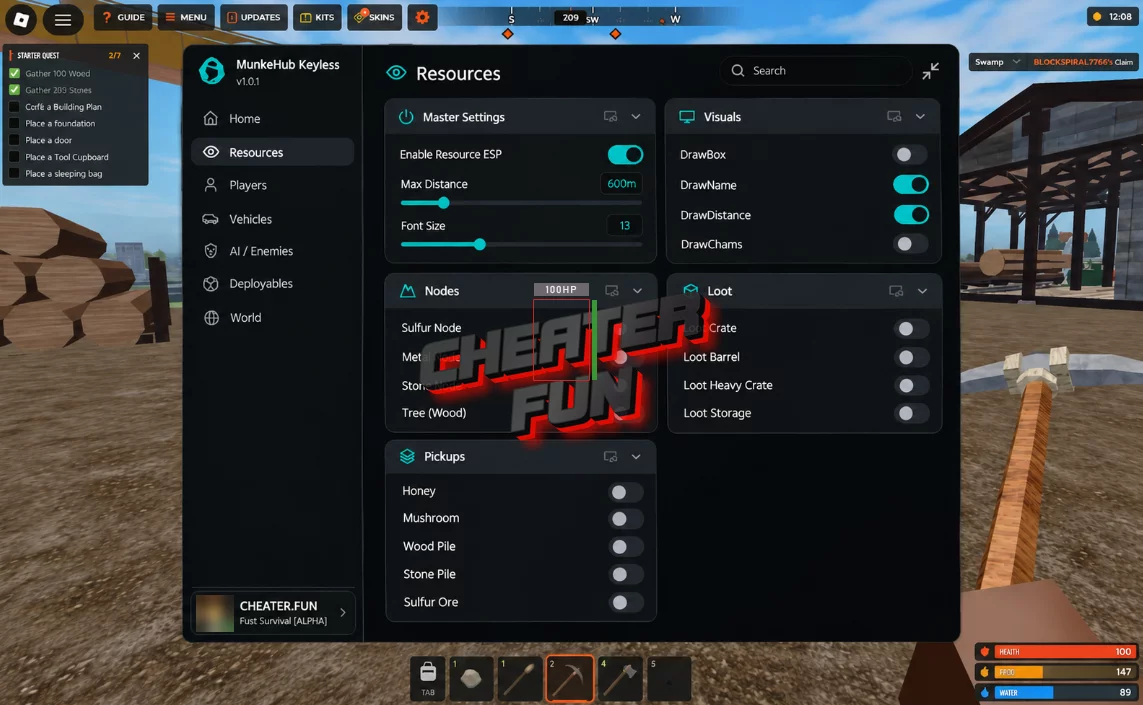
Fust Survival Script focuses on advanced ESP, environmental customization, loot detection, and player and base tracking.
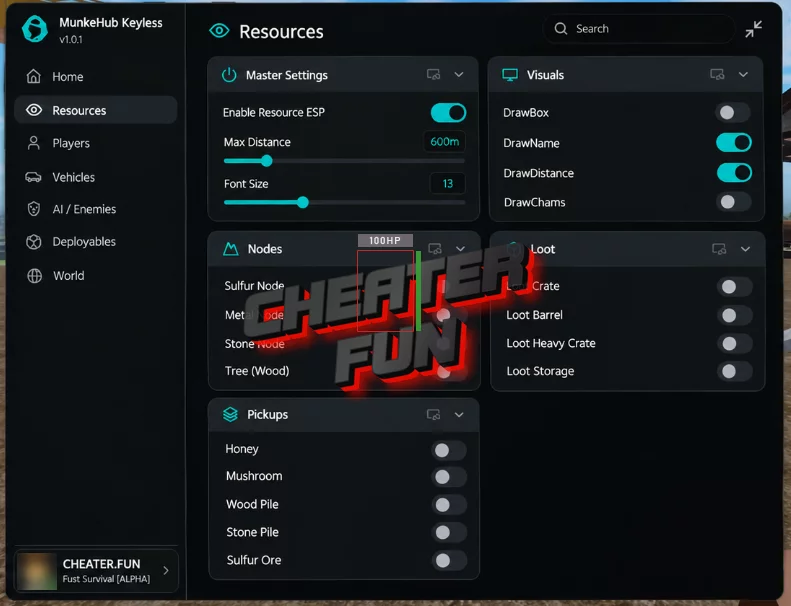
Use Chams and different ESP options to highlight players, sleepers, vehicles, loot, pickups, and resource nodes. Name ESP, Health Bar, Distance ESP, and State Tracking provide additional information about entities around you.
About Fust Survival
Survive, build, and raid your way through a dangerous open world in Fust Survival! Start your adventure on the beach with nothing but a rock and a torch, then gather the resources you need to survive and establish your own base.
Collect wood, stones, and ores to craft essential tools and equipment. Build a furnace to smelt metal, expand your facilities, and construct a base strong enough to withstand attacks from other players.
Fust Survival Script Munke Hub (Keyless) | ESP, Fullbright, Base Tracking
loadstring(game:HttpGet("https://pastebin.com/raw/RvaNtbnw",true))()Fust Survival Script Features
👁️ ESP & Player Detection
Chams (Highlights) – Highlights relevant entities to make them easier to identify.
Name ESP – Displays player names.
Health Bar – Shows additional health information for detected entities.
Sleeper ESP – Highlights sleeping or inactive player characters.
Box ESP – Displays boxes around detected entities.
Distance ESP – Shows distance information for ESP targets.
State Tracking – Displays additional information about entity states.
Owner Recognition – Helps identify the owners of relevant entities.
Distance Limits – Allows you to configure the maximum detection distance.
🚗 Vehicles, Loot & Resources
Vehicle ESP – Highlights vehicles throughout the environment.
Loot – Provides visual assistance for locating loot.
Pickups – Highlights available collectible items.
Nodes – Displays resource nodes to help identify gathering locations.
Base Tracking – Provides tracking information for player bases.
🎨 Filters & Visual Customization
Custom Filters – Allows you to configure which entities and objects are displayed.
Customizable Filters – Provides additional control over filtering preferences.
Visual Customization – Lets you adjust the appearance of visual elements.
Color Pickers – Allows you to select custom colors for supported ESP elements.
Style Settings – Provides additional interface and ESP appearance options.
Distance Limits – Customizes detection ranges for supported features.
🌤️ Environment & Visibility
Fullbright – Brightens dark environments for improved visibility.
Clear Water – Changes water visibility.
No Fog – Removes fog effects.
No Shadows – Disables shadows.
Remove Foliage – Removes foliage to improve visibility.
Force Time – Allows you to customize the in-game time.
Disable Post-FX – Disables post-processing visual effects.

0 comments
Information
Users of Guests are not allowed to comment this publication.
If you have a problem, write to us.