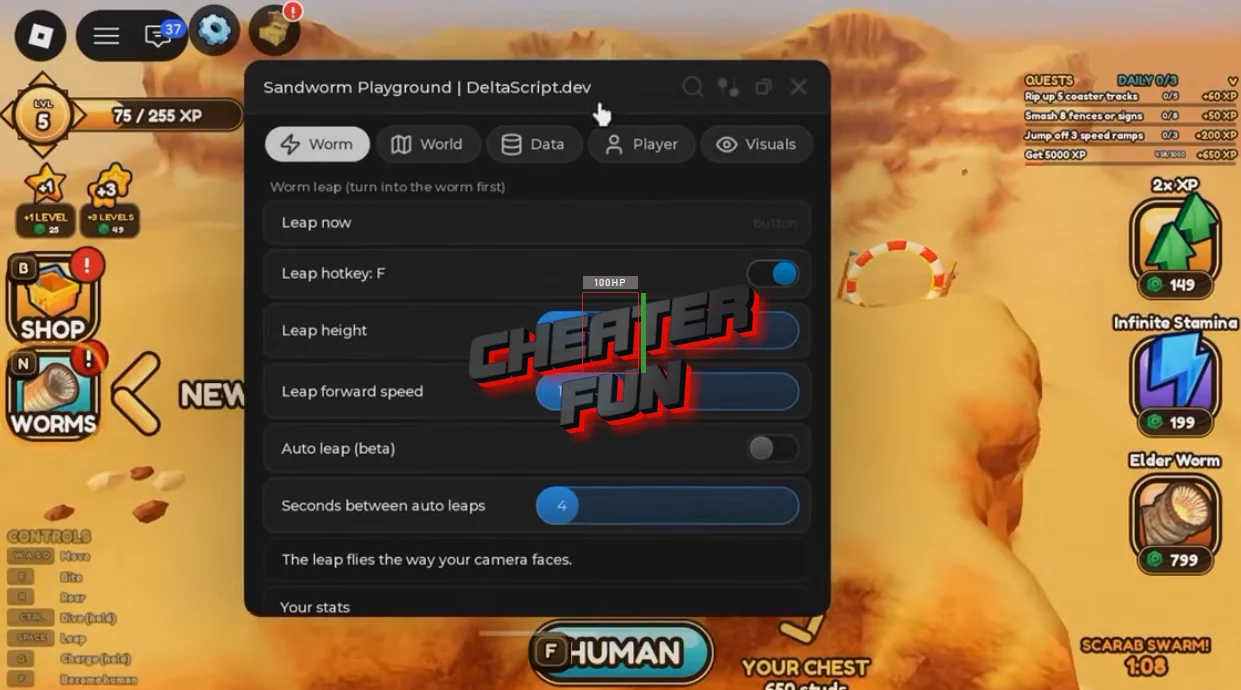
Sandworm Playground Script includes customizable worm movement, jumping automation, player tracking, and additional gameplay utilities.
Adjust your worm's jump power and distance, configure an automatic jumping feature, or assign a custom keybind for manual jumps. You can also locate villagers, track racers and players, and access dedicated buttons for Big Wheel and Coaster rides.
About Sandworm Playground
Become a giant sandworm and destroy everything in your path in Sandworm Playground! This chaotic destruction game lets you take control of a massive worm, smash objects across the map, earn experience, and unlock new creatures.
The gameplay is simple but addictive: explore the world, create enormous destruction, collect XP, and discover new sandworms as you progress. Every destroyed object brings you closer to unlocking another worm and expanding your collection.
Sandworm Playground Script DarkSpawner Hub | Worm Leap, Auto Leap, NPC ESP, Fly
loadstring(game:HttpGet("https://darkspawnerscript.com/scripts/sandworm-playground.lua?v=" .. tick()))()Sandworm Playground Script Features
🐛 Worm Jump Customization
Configure your sandworm's jumping behavior with adjustable settings:
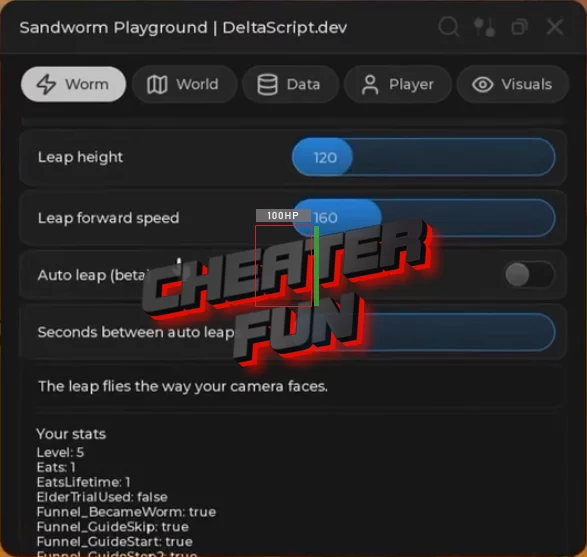
Custom Worm Jump Power – Customize the jump power of your worm.
Worm Jump Distance Slider – Adjust the distance covered by worm jumps.
F Key Jump Bind – Use the F key as a custom jump control.
Automatic Worm Jump – Automatically performs worm jumps.
👥 Villager & Racer Markers
Locate important characters and activities around the playground:
Villager Markers – Displays markers for villagers around the map.
Go to Nearest Villager – Provides an option to move to the nearest villager.
Racer Markers – Highlights racers with visual markers.
🎡 Rides & Activities
Access ride-related features with dedicated controls:
Big Wheel Ride Button – Provides a button for the Big Wheel ride.
Coaster Ride Button – Provides a button for the Coaster ride.
📊 Player Information & Markers
Live Player Stats – Displays live player statistics.
Player Markers – Highlights players with visual markers.
🪽 Movement Mods
Customize movement and explore the map with additional mobility options:
Flight – Enables flying.
Wall Clip – Provides a wall-clipping movement option.
Infinite Jumping – Allows repeated jumping without normal jump limitations.
🌟 Visual Enhancements
Brightness Boost – Increases environmental brightness for improved visibility.
🛡️ Utilities & Safety
Idle Kick Protection – Helps prevent inactivity kicks during extended sessions.
Emergency Stop (K) – Quickly activates the emergency stop using the K key.

0 comments
Information
Users of Guests are not allowed to comment this publication.
If you have a problem, write to us.