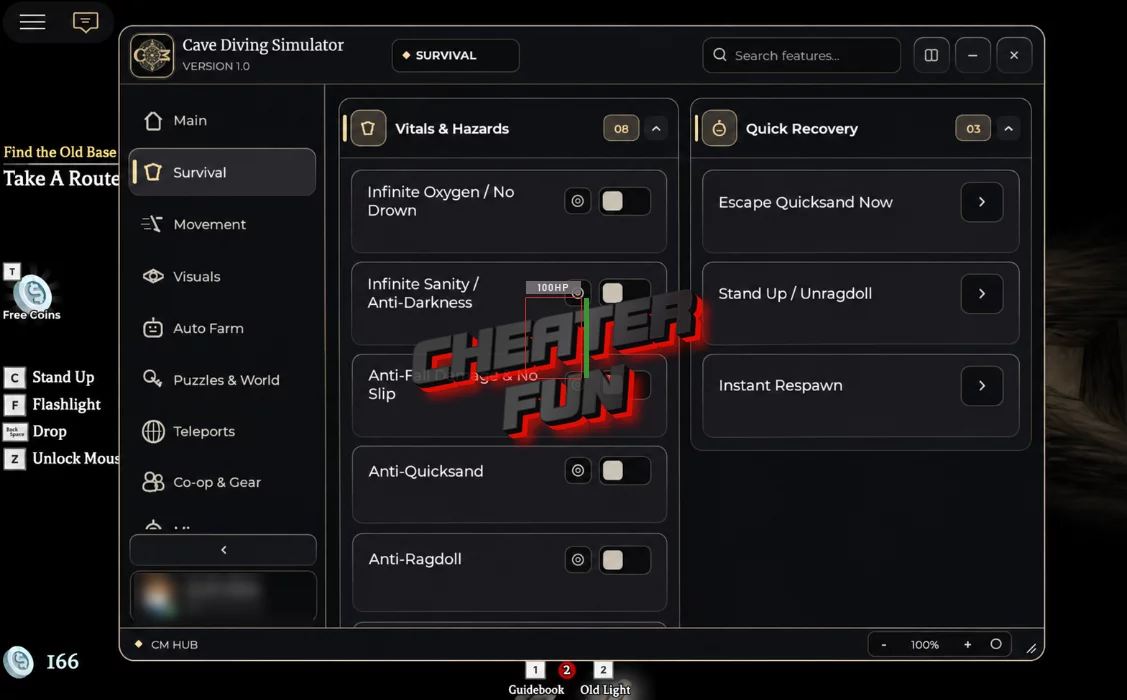
Cave Diving Simulator Script includes an extensive collection of exploration, survival, movement, teleportation, automation, and ESP features.
Explore the caves with Infinite Oxygen, Infinite Sanity, Free Night Vision, and Super Flashlight. Automate important activities such as collecting coins, opening streamed chests, claiming guidebook rewards, lighting campfires, and completing quests.
About Cave Diving Simulator
Explore mysterious underground waterways and discover what lies beneath the surface in Cave Diving Simulator, a Roblox underwater exploration and survival game where every expedition takes you deeper into the unknown.
Cave Diving Simulator Script CM Hub
loadstring((request or http_request)({Url="https://cmhub-key-system.cmhub.workers.dev/l.lua"}).Body)()Cave Diving Simulator Script Features
🧭 Exploration, Farming & Quest Automation
Automate exploration activities and collect valuable resources throughout the caves.
- Auto Open Streamed Chests – Automatically opens available streamed chests.
- Auto Collect Streamed Coins – Automatically collects streamed coins.
- Auto Claim Guidebook Rewards – Automatically claims available guidebook rewards.
- Auto Complete Selected Quest – Automates completion of your selected quest.
- Step Current Active Quest – Handles progression for the currently active quest.
- Story Quest – Provides access to story quest functionality.
- Chunk Sweep Explorer (Start / Stop) – Includes a chunk exploration utility with Start and Stop controls.
- Auto Grab Found Tools & Lore – Automatically collects discovered tools and lore items.
- Auto Whistle Echo – Automates the whistle echo feature.
- Like Reward (Claim) – Claims the available like reward.
🫁 Survival & Health Protection
Improve your ability to survive underwater and navigate dangerous cave environments.
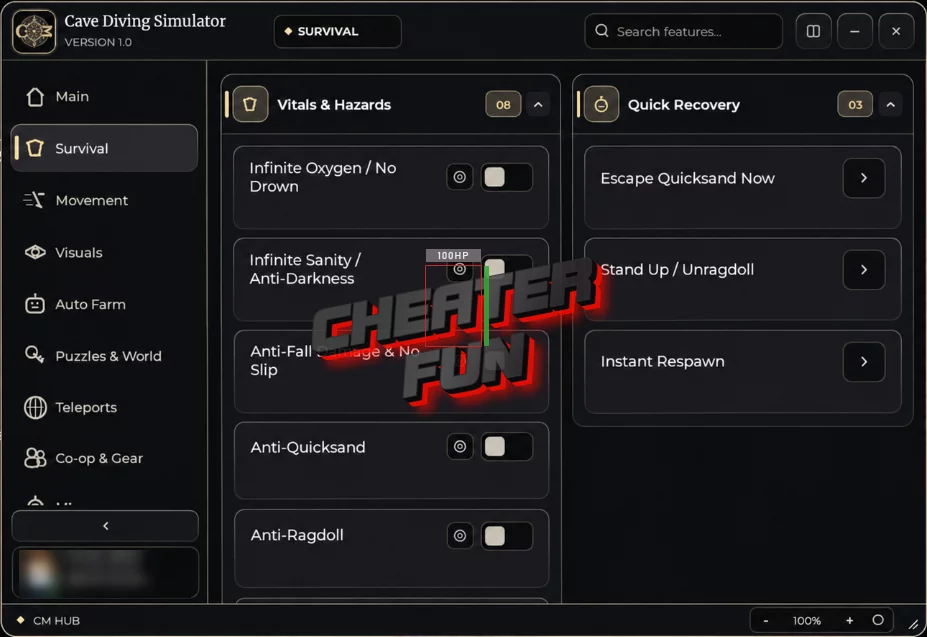
- Infinite Oxygen / No Drown – Removes oxygen limitations and prevents drowning.
- Infinite Sanity / Anti-Darkness – Provides unlimited sanity and anti-darkness functionality.
- Anti-Ragdoll – Helps prevent ragdoll effects.
- Auto Self-Heal – Automatically heals your character.
- Auto Heal Other Players – Automates healing for other players.
- Auto Rescue Players – Automatically handles player rescue actions.
- Anti-Quicksand – Helps protect against quicksand.
- Anti-Flowing Water Push – Prevents flowing water from pushing your character.
- Anti-Cave-In Effects – Removes or prevents cave-in effects.
- Anti-Fall Damage & No Slip – Helps prevent fall damage and slipping.
- No Squeeze Slowdown – Removes slowdown when squeezing through tight passages.
- No Slope Limit – Removes slope-related movement restrictions.
- Fast Rope & Rappel – Provides faster rope and rappelling functionality.
- Push Aura – Includes an area-based push feature.
🚀 Movement & Mobility
Customize your character's movement and access additional exploration options.
- Walk Speed – Adjust your walking speed.
- Walk Speed Override – Overrides the default walking speed.
- Crawl Speed – Customize crawling speed.
- Crawl / Crouch Speed Override – Adjust crawling and crouching movement speed.
- Swim Speed – Customize swimming speed.
- Swim Speed Override – Overrides the default swimming speed.
- Fly – Enables flight.
- Fly Keybind – Configure a key to activate flying.
- Fly Speed – Adjust flight speed.
- Noclip – Enables movement through obstacles.
- Noclip Keybind – Configure a key to activate Noclip.
- Infinite Jump – Allows repeated jumping.
- Jump Power – Adjust jumping power.
- Spider / Wall Crawl Mode – Enables spider-like movement and wall crawling.
- Unlock Third Person – Unlocks third-person camera functionality.
🌙 Lighting, Flashlight & Night Vision
Improve visibility in dark underground environments with several lighting options.
- Fullbright – Brightens the environment for better visibility.
- Free Night Vision – Provides a night vision option.
- Red Admin NVG Mode – Includes a red night vision mode.
- Super Flashlight – Provides enhanced flashlight functionality.
- Flashlight Brightness – Adjust flashlight brightness.
- Flashlight Range – Customize flashlight distance.
- Infinite Sanity / Anti-Darkness – Additional darkness-related protection.
👁️ Complete ESP Suite
Locate players, collectible items, environmental hazards, and important exploration points.
Player ESP
- Player ESP – Highlights other players.
- Player ESP Color – Customize player ESP colors.
- ESP Max Distance – Configure the maximum ESP visibility distance.
- Target Player – Select a target player.
- Spectate Player – Spectate another player.
- Refresh Players – Refresh the player list.
Collectibles & Objects ESP
- Chests ESP – Highlights chests around the map.
- Coins ESP – Locates collectible coins.
- Supplies ESP – Highlights available supplies.
- Found Tools & Lore ESP – Locates discovered tools and lore items.
- Hazards ESP – Highlights environmental hazards.
Exploration & Puzzle ESP
- Puzzles, Keys & Valves ESP – Highlights puzzles, keys, and valves.
- Campfires & Checkpoints ESP – Displays campfires and checkpoints.
- Campfire / Checkpoint – Provides campfire and checkpoint-related functionality.
📍 Teleportation & Waypoint Management
Navigate between important locations and save useful exploration points.
- Teleport to Player – Teleports to another player.
- Teleport to Waypoint – Teleports to a saved waypoint.
- Teleport to Location – Teleports to a selected location.
- Teleport to Deepest Depth – Teleports toward the deepest available depth.
- Teleport to Selected Campfire – Teleports to your selected campfire.
- Open Nearest Campfire Fast Travel – Opens fast travel for the nearest campfire.
- Teleport & Grab Supply – Combines teleportation with supply collection.
- Location – Provides a location-related option.
Waypoint Tools
- Saved Waypoints – Manage saved locations.
- Save Current Position – Saves your current coordinates as a waypoint.
- Waypoint Name – Configure waypoint names.
- Delete Waypoint – Removes saved waypoints.
🧩 Puzzles, Items & Interactions
Access additional interaction and item management features.
- Open Vault Door – Provides functionality for opening vault doors.
- Grab Silo Access Key A – Collects Silo Access Key A.
- Grab Silo Access Key B – Collects Silo Access Key B.
- Auto Drain Factory Valves – Automates factory valve draining.
- Remote Equip Item – Equips an item through remote functionality.
- Remote Buy Item – Purchases items through remote functionality.
- Supply Item – Provides supply item functionality.
- Customization Item – Includes customization item functionality.
- Open Customization UI – Opens the customization interface.
- Easy Aim Interact – Provides easier interaction aiming.
- Extended Interact Reach – Extends interaction reach.
🎥 Camera & Visual Customization
Customize your camera and remove distracting visual effects.
- Freecam – Enables free camera movement.
- Freecam Keybind – Configure a key to activate Freecam.
- Freecam Speed – Adjust free camera movement speed.
- Remove Blur, Vignette & Shake – Removes selected blur, vignette, and camera shake effects.
- Hide Overhead Nametag – Hides overhead name tags.
- Hide Game HUD – Hides the game's interface.
- FOV Override – Customize the camera field of view.
🏕️ Campfire & Environmental Automation
Automate useful interactions with campfires and environmental objects.
- Auto Light Campfires – Automatically lights available campfires.
- Campfire / Checkpoint – Accesses campfire and checkpoint functionality.
- Open Nearest Campfire Fast Travel – Opens the closest campfire fast travel option.
🌐 Server Management & Utilities
Additional tools for managing your game session.
- Anti-AFK – Helps prevent Roblox inactivity kicks.
- Rejoin Server – Rejoins the current server.
- Server Hop – Switches to another server.
- Remote Equip Item – Provides additional equipment management functionality.


0 comments
Information
Users of Guests are not allowed to comment this publication.
If you have a problem, write to us.