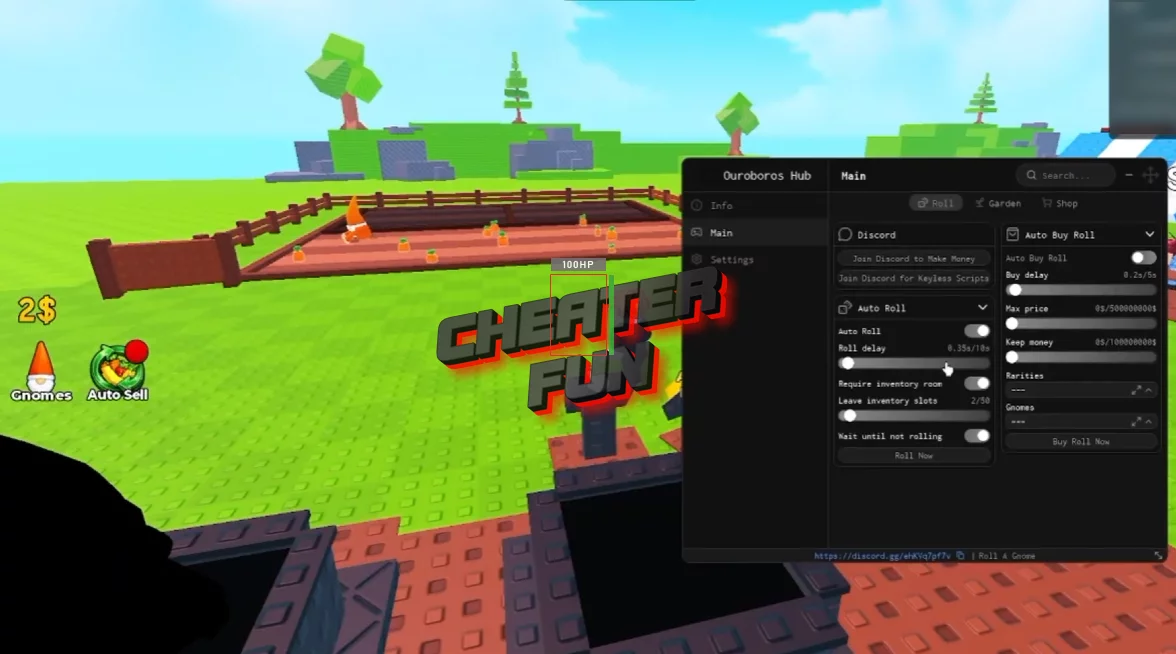
The Roll A Gnome Script helps automate the repetitive rolling and purchasing process, while configurable delays, spending limits, inventory settings, and rarity filters give you more control over how the grind works. Find better gnomes. Grow better crops. Make more money. Expand your garden.
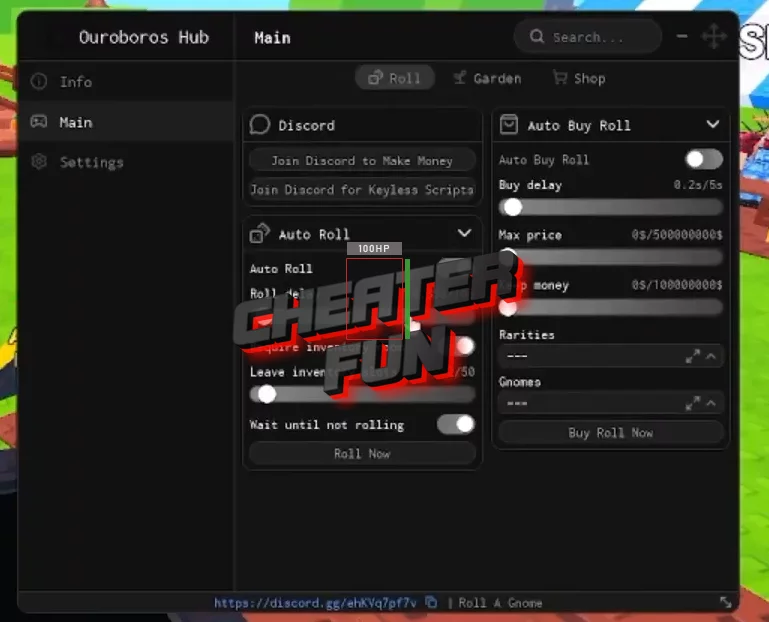
Auto Roll can keep the process going for you while you chase better and rarer gnomes without sitting there clicking the roll button over and over. Auto Buy Roll lets you automate additional rolls based on your settings. You can control things like the maximum price, how much money to keep, and which rarities you're interested in.
About Roll A Gnome
In Roll A Gnome, your garden isn't just sitting there waiting for you to do everything manually. You roll for gnomes, place the best ones in your garden, and let them grow crops that can eventually turn into a pretty serious source of income.
The fun part is chasing better and rarer gnomes. You might start with a basic little helper, but the more you roll, the better your garden can become.
Roll A Gnome Script Ouroboros Hub - Auto Roll, Auto Sell, Auto Buy, Auto Rebirth and More
loadstring(game:HttpGet("https://raw.githubusercontent.com/joustingmatch/Ouroboros/main/loader.lua"))()Features
Auto Roll
Auto Buy Roll
Roll Delay
Buy Delay
Maximum Price
Keep Money
Rarity Selection
Gnome Selection
Inventory Space Check
Leave Inventory Slots
Wait Until Not Rolling
More Features
