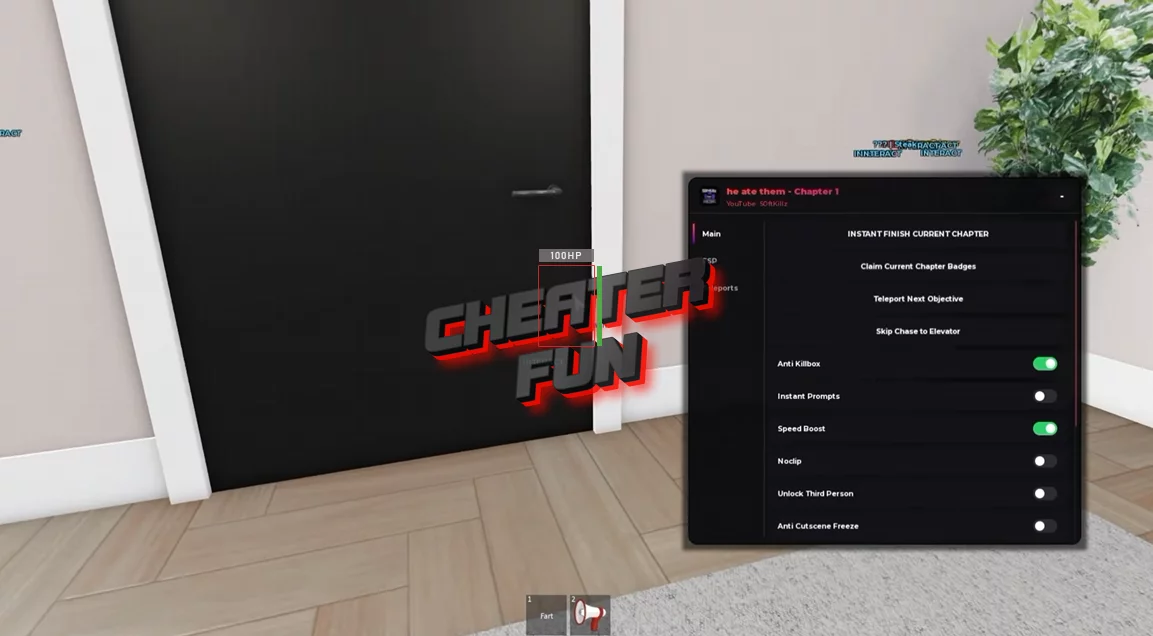
He Ate Them Script provides visual assistance, movement options, and chapter progression tools to make navigating the horror experience easier. Monster ESP, Objective ESP, and Prompt ESP help locate enemies, objectives, and interactive objects, while Teleport Next Objective provides a shortcut toward the next task.
The script also includes options for skipping a chase sequence, instantly finishing the current chapter, claiming chapter badges, and reducing disruptive horror effects such as jumpscares, camera shake, and screen effects.
About He Ate Them
He Ate Them is an episodic survival horror experience created by GavinToBlame, featuring familiar characters from the creator's community, including Steak, Cruz, Romy, and Splink. What starts as an ordinary visit to a residential building quickly turns into a nightmare when a harmless prank takes a terrifying turn.
He Ate Them Script SoftKillz Hub | Instant Finish Current Chapter
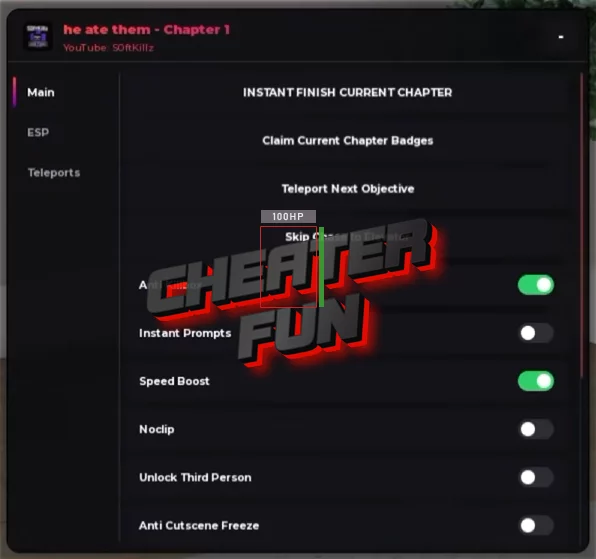
loadstring(game:HttpGet("https://gist.githubusercontent.com/user2084375/ef0c1434dc71b6bec4349ee57b04f1b5/raw/66f8d272ceecb1117226b0c7fd72a5850403399f/gistfile1.txt"))()He Ate Them Script Features
👹 Monster & Objective Detection
- Monster ESP – Helps locate the monster around the map.
- Objective ESP – Highlights important objectives.
- Prompt ESP – Reveals interaction prompts.
- Trigger ESP – Highlights relevant triggers.
🧭 Chapter Progression & Teleports
- Skip Chase To Elevator – Skips the chase sequence to the elevator.
- Teleport Next Objective – Teleports toward the next objective.
- Instant Finish Current Chapter – Instantly completes the current chapter.
- Claim Current Chapter Badges – Claims badges associated with the current chapter.
- Teleports – Provides additional teleport options.
👁️ Visuals & Horror Effects
- Fullbright – Improves visibility in dark areas.
- Anti Jumpscare Visual – Disables or reduces jumpscare visuals.
- No Vignette / Sleep FX – Removes vignette and sleep-related visual effects.
- Always Flashlight – Keeps the flashlight enabled.
- Disable Camera Shake – Disables camera shake.
- Unlock Third Person – Unlocks third-person camera view.
🛡️ Survival & Movement
- Anti Killbox – Provides protection against killbox hazards.
- Anti Backrooms Event – Helps bypass the Backrooms event.
- Anti Cutscene Freeze – Prevents freezing during cutscenes.
- Speed Boost – Increases movement speed.
- Noclip – Allows movement through obstacles.
- Instant Prompts – Makes interactions instant.

0 comments
Information
Users of Guests are not allowed to comment this publication.
If you have a problem, write to us.