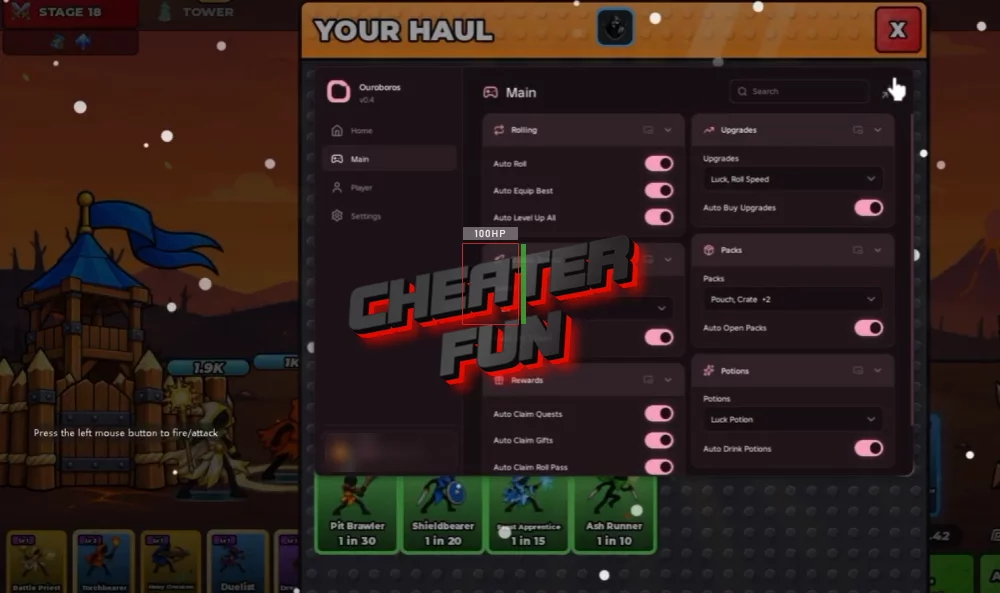
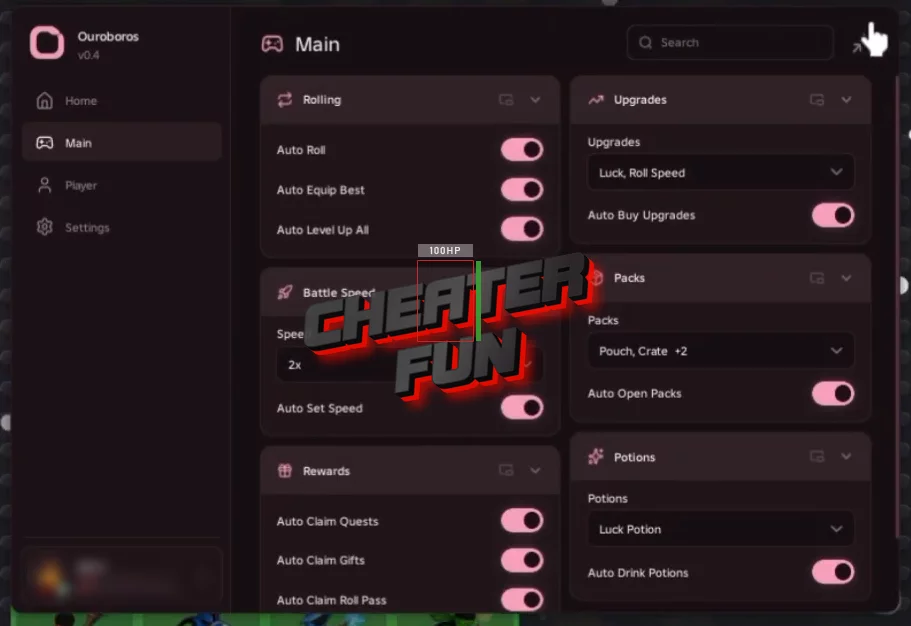
Roll A Stickman Script focuses on automating card collection, team management, upgrades, and reward claiming. Auto Roll handles the repetitive rolling process, while Auto Equip Best and Auto Level Up All help manage your stickman army. It also includes automation for reward cards, packs, potions, quests, and the Roll Pass. Battle speed controls and gameplay utilities round out the feature set, making it easier to manage longer farming sessions.
About Roll A Stickman
A powerful stickman army doesn't appear overnight. In Roll A Stickman, your next big upgrade could come from a single roll - if luck is on your side. Collect cards, build your lineup, and send your stickmen into battle against enemies and powerful bosses to keep strengthening your team.
Roll A Stickman Script Ouroboros Hub | Keyless, AutoRoll, AutoWave, AutoFarm
loadstring(game:HttpGet("https://raw.githubusercontent.com/joustingmatch/Ouroboros/main/loader.lua"))()Roll A Stickman Script Features
🎲 Rolling & Card Collection
Auto Roll – Automatically performs rolls to collect cards.
Auto Open Reward Cards – Automatically opens available reward cards.
Auto Open Packs – Automatically opens available packs.
⚔️ Army & Battle Management
Auto Equip Best – Automatically equips the best available units.
Auto Level Up All – Automatically levels up all eligible units.
Auto Set Battle Speed – Automatically sets the battle speed.
⬆️ Upgrades & Potions
Auto Buy Upgrades – Automatically purchases available upgrades.
Auto Drink Potions – Automatically uses available potions.
