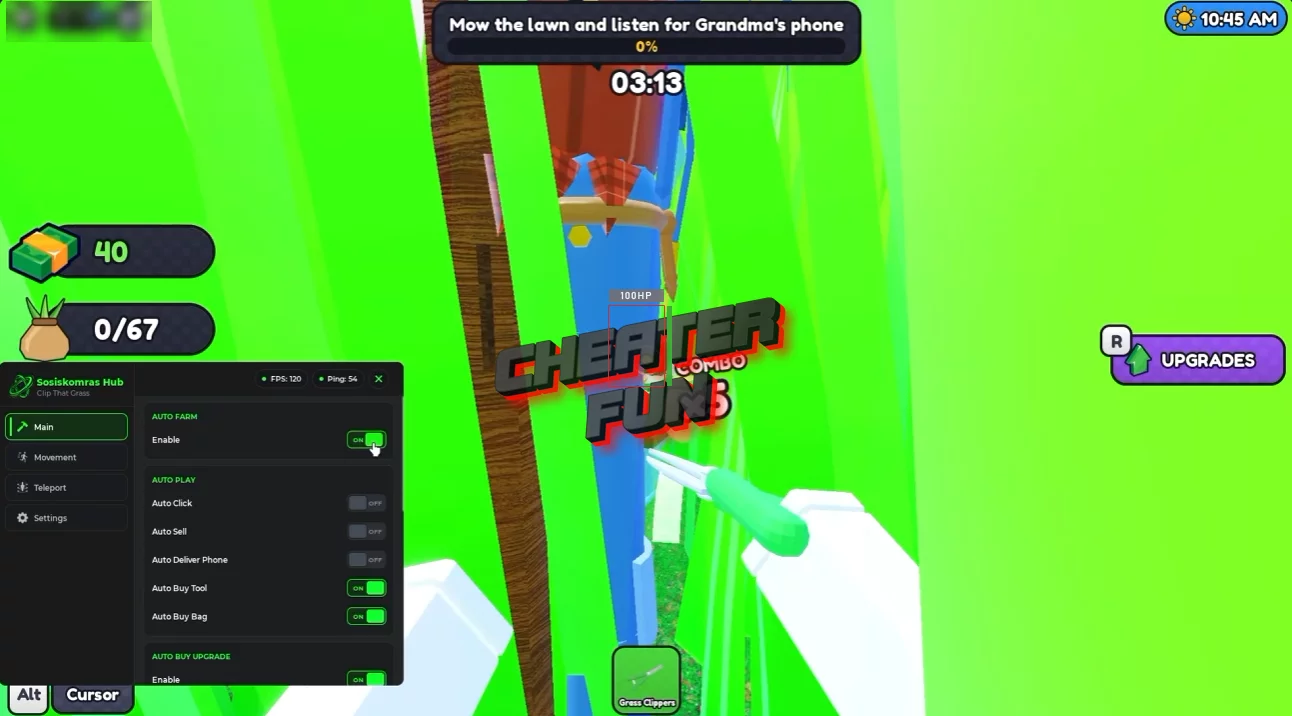
Clip That Grass Script focuses on automating the main farming and progression loop. Auto Farm and Auto Click help automate repetitive grass-cutting activities, while Auto Sell handles selling and Auto Upgrade helps improve your setup.
You can also use Auto Buy and Auto Buy Upgrade to automate supported purchases, while Teleport provides an additional navigation option. Together, these features are designed to reduce repetitive tasks as you work toward better tools and a more efficient garden-clearing setup.
About Clip That Grass
Grandma has lost her phone somewhere in the overgrown garden, and it's up to you to find it! In Clip That Grass, you start with a tiny pair of nail scissors and work your way through thick grass, clearing paths, collecting clippings, and earning money to improve your tools.
The gameplay is simple, but there's always something to work toward. Fill your bag with grass, sell your haul for cash, and unlock better equipment as you progress. With 20 tools to discover, ranging from basic scissors to futuristic lawnmowers, you can gradually turn a slow gardening job into a much faster operation.
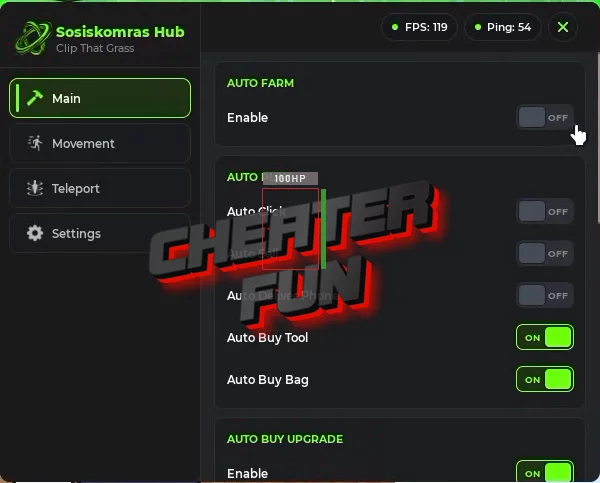
Clip That Grass Script Sosiskomras Hub | Auto Farm, Auto Upgrade, Auto Buy
loadstring(game:HttpGet("https://raw.githubusercontent.com/Biskus0/ClipThatGrass/refs/heads/main/Loading.lua"))()Clip That Grass Script Features
✂️ Grass Cutting & Farming
Auto Farm – Automates farming activities to help collect grass.
Auto Click – Automates repeated clicking for supported gameplay actions.
💰 Selling & Earnings
Auto Sell – Automates selling collected grass to support your earnings.
🛠️ Tools & Upgrades
Auto Upgrade – Automates available upgrades.
Auto Buy – Automates supported purchases.
Auto Buy Upgrade – Automates the purchase of available upgrades.
📍 Movement & Navigation
Teleport – Provides a teleportation option for moving between supported locations.
