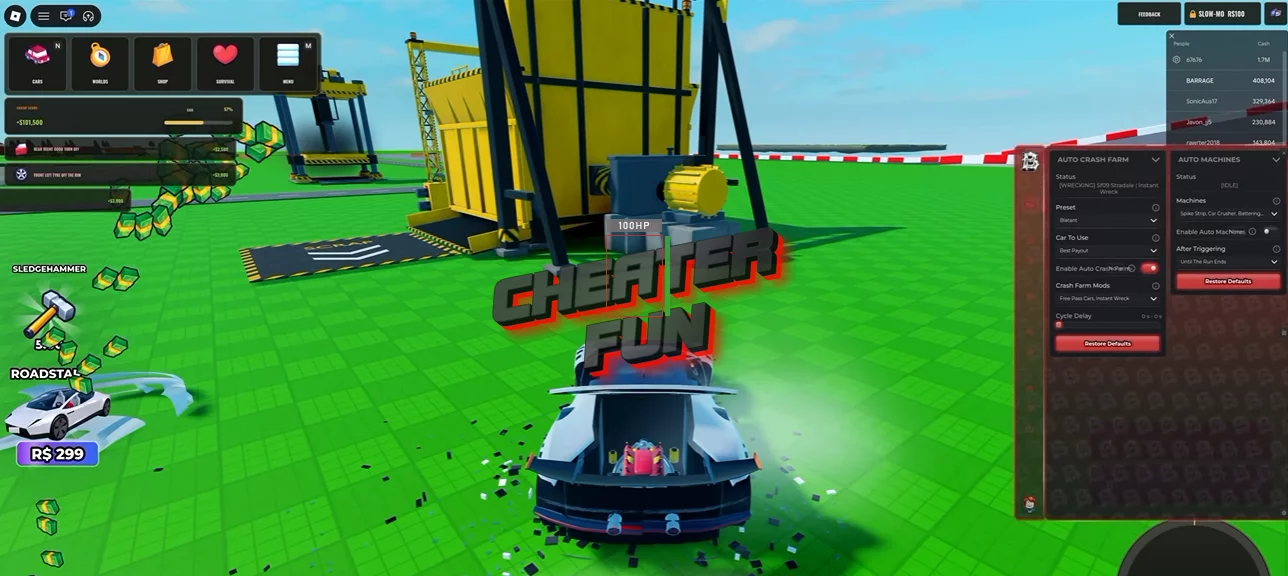
WRECKED Script comes packed with automation features for crash farming, vehicle purchases, machine management, and performance upgrades.
Its Auto Crash Farm system offers Blatant, Subtle, and Custom presets, along with options for selecting the best payout car and controlling cycle delays. You can also automate destructive machines, purchase vehicles using different strategies, and upgrade performance parts across your collection.
About WRECKED
How much damage can you cause before a car completely falls apart? In WRECKED, you get to find out! Jump into a world of destructive experiments where vehicles become test subjects for some seriously powerful machinery.
Put cars through massive hammers, crushing machines, shredders, and bulldozers. Smash vehicles into obstacles, watch metal bend and parts break, or use explosives and powerful weapons to create spectacular destruction. The game features realistic collision physics, satisfying impacts, and plenty of different ways to wreck your vehicles.
WRECKED Script Barrage Hub (NO KEY) | AUTO CRASH FARM, INSTANT WRECK, AUTO CLAIM, RAPID FIRE, AUTO FLIP
loadstring(game:HttpGet("https://barrage.cc/loader"))()WRECKED Script Features
💥 Auto Crash Farming
Auto Crash Farm – Automates vehicle destruction and crash farming.
Blatant Preset – Provides a more aggressive crash-farming configuration.
Subtle Preset – Offers an alternative, more conservative farming setup.
Custom Preset – Allows you to configure your own farming preferences.
Best Payout Car – Selects the vehicle with the best available payout.
Free Pass Cars – Includes options for using free-pass vehicles.
Instant Wreck – Instantly wrecks the selected vehicle.
Cycle Delay – Allows you to customize the delay between farming cycles.
🔨 Automatic Machines
Auto Machines – Automates interactions with available destruction machines.
Every Free-Cycle Machine – Supports all available machines with free cycles.
Leave At Once – Automatically leaves after using the selected machines.
🚘 Vehicle Purchases & Upgrades
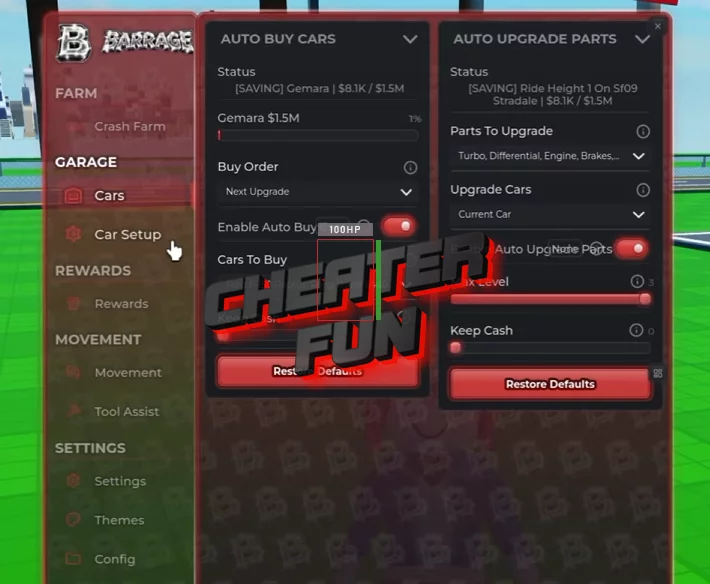
Auto Buy Cars – Automatically purchases available vehicles.
Cheapest First – Prioritizes the cheapest available cars.
Highest Payout – Prioritizes vehicles with the highest payout.
Next Upgrade – Automates purchasing the next available vehicle upgrade.
Keep Cash – Allows you to configure how much money to keep.
Auto Upgrade Parts – Automatically purchases available performance upgrades.
Every Performance Part – Supports upgrading all available performance parts.
All Owned Cars – Applies upgrades across your owned vehicles.
Current Car – Upgrades your currently selected vehicle.
Max Level – Allows upgrades to reach the maximum available level.
🔧 Vehicle Settings & Recovery
Car Settings – Provides additional vehicle configuration options.
Seatbelt – Includes seatbelt-related settings.
Car Collisions – Allows you to customize vehicle collision behavior.
Recovery Assist – Provides automated vehicle recovery options.
Auto Flip – Automatically flips an overturned vehicle.
Auto Re-Enter – Automatically re-enters your vehicle.