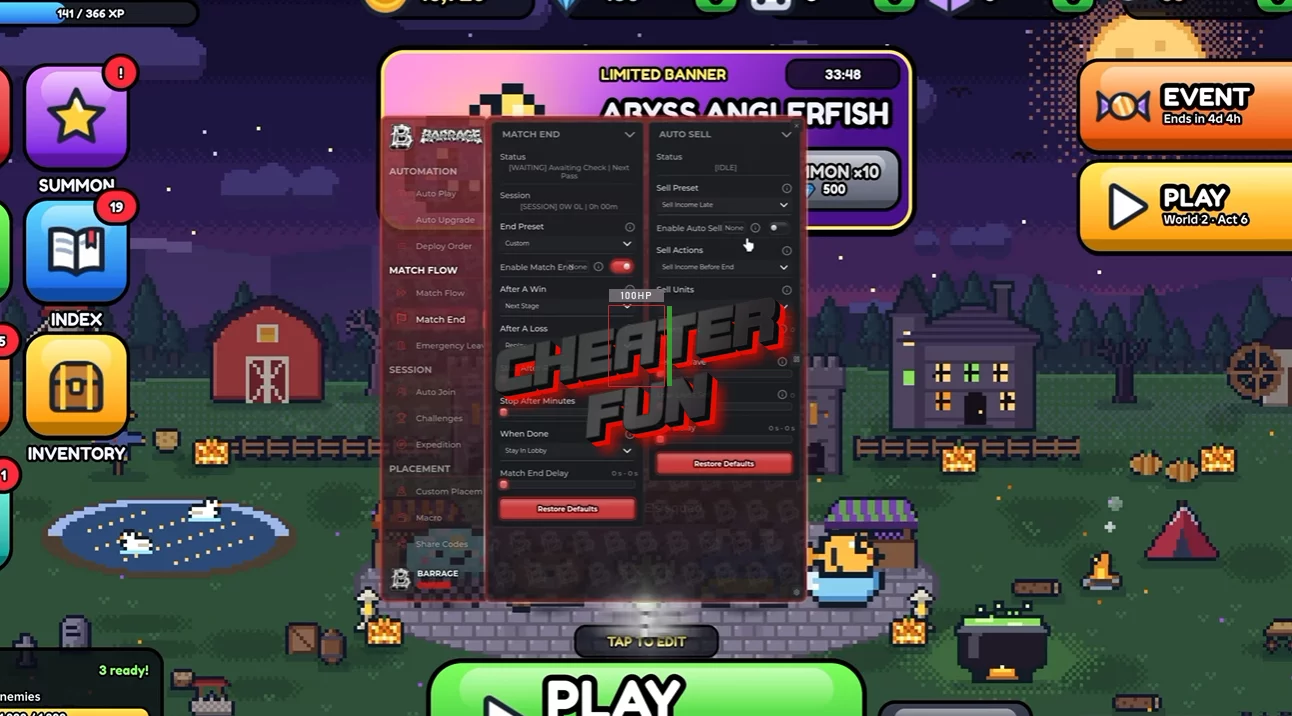
8-Bit Tower Defense Script features an extensive automation system covering tower placement, economy management, upgrades, enemy targeting, abilities, raids, expeditions, and unit progression.
Its Auto Play system includes Patient and Blatant presets, customizable spending priorities, and economy management options. Smart Deploy handles unit positioning with different placement strategies, while Auto Upgrade manages upgrades according to your preferred priorities.
About 8-Bit Tower Defense
Build your ultimate pixel army and defend the world against the invading forces of the Void! In 8-Bit Tower Defense, you'll summon powerful heroes, assemble your team, and strategically deploy units to stop increasingly dangerous enemy waves.
Collect more than 50 different units across several rarities, including Rare, Epic, Legendary, Mythic, and Secret. Develop your Mythic units into stronger forms, unlock new abilities, and discover powerful combinations to improve your defensive strategy.
8-Bit Tower Defense Script (NO KEY) Barrage Hub | AUTO PLAY, AUTO SKIP, AUTO SUMMON, AUTO ABILITY
loadstring(game:HttpGet("https://barrage.cc/loader"))()8-Bit Tower Defense Script Features
🎯 Auto Play & Economy Management
Auto Play – Automates tower defense gameplay with different configurations.
Economy Presets – Choose between Patient and Blatant playstyles.
Income Early – Prioritizes early income generation.
Save For Top Pick – Reserves resources for a preferred high-value unit.
Spend When Hit – Provides a spending condition based on the selected hit trigger.
Money Reserve – Allows you to configure how much money to keep available.
🏰 Smart Deployment & Unit Placement
Smart Deploy – Automates unit placement with several strategies:
Front Line – Prioritizes front-line placement.
Hold The Gate – Focuses on defending the gate.
Max Coverage – Attempts to maximize unit coverage.
Spread Out – Distributes units across available positions.
Path Start – Configures placement relative to the beginning of the enemy path.
Path End – Configures placement near the end of the path.
Best Coverage Placement – Prioritizes positions with the best coverage.
Unit Spacing – Adjusts spacing between deployed units.
Placement Queue – Manages the order of unit placements.
Show Deploy Coverage – Displays unit deployment coverage.
📈 Auto Upgrade & Upgrade Priorities
Auto Upgrade – Automatically upgrades deployed units using different strategies:
Upgrade Rush – Prioritizes upgrading units as quickly as possible.
Carry – Focuses on your main damage-dealing unit.
Even – Distributes upgrades more evenly.
Deploy First – Prioritizes deploying units before upgrading.
Upgrade Selection – Choose how upgrades are prioritized:
Best Value – Selects upgrades based on their value.
Cheapest First – Prioritizes the least expensive upgrades.
Highest Damage – Prioritizes upgrades providing the highest damage.
Lowest Level First – Upgrades units with the lowest current level first.
Upgrade Timing – Provides additional control over when upgrades happen.
Max Level – Allows units to be upgraded to their maximum available level.
Replace Weakest – Replaces your weakest unit when supported.
Upgrade Priority – Select from different upgrade priorities:
- Damage First
- Damage Only
- Farms First
- Farms Max
- Loadout Order
Per Slot Max Level – Allows maximum upgrade levels to be configured individually for each slot.
Farm Upgrades – Includes farming-related upgrade management:
Payback – Considers upgrade payback.
Skip Farms In Last Waves – Skips farming upgrades during the final waves.
💰 Deployment Priority & Slot Management
Deploy Priority – Selects which units should be deployed first:
- Cheapest
- Priciest
- Strongest
- Income First
Slot Limits – Allows you to configure deployment limits for available unit slots.
Top Pick Wait – Adds a waiting condition for preferred unit selections.
👹 Enemy Targeting & Combat Priorities
Target Priority – Configures how your units prioritize enemies.
Boss Killer – Prioritizes boss enemies.
Leak Safe – Focuses on preventing enemies from reaching the end of the path.
Balanced – Provides balanced targeting behavior.
Smart – Uses intelligent target selection.
First – Targets the first enemy.
Last – Targets the last enemy.
Strongest – Prioritizes the strongest enemy.
Weakest – Prioritizes the weakest enemy.
Closest – Targets the nearest enemy.
⏭️ Auto Skip & Game Speed
Auto Skip – Automates wave-skip decisions with different modes:
Rush – Prioritizes faster progression.
Careful – Uses a more cautious skipping strategy.
Prep Only – Skips only during preparation conditions.
Hold On Boss – Prevents skipping during boss encounters.
Hold After Leak – Pauses skipping after an enemy leaks through.
Game Speed – Adjusts the game speed:
- 1x
- 1.5x
- 2x
Slow On Boss Waves – Automatically slows the game during boss waves.
🔄 Match Management & Auto Restart
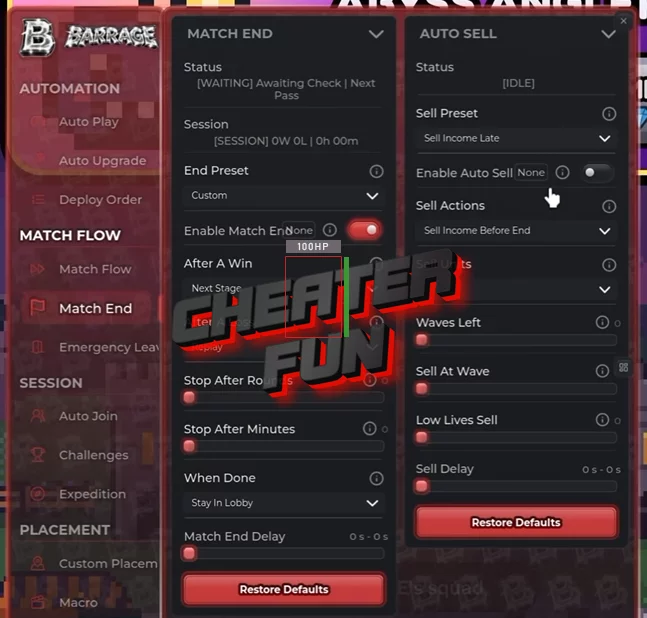
Match End – Configures what happens after a match:
- Next Stage
- Replay
- Return To Lobby
Stop After Rounds – Stops automation after a configured number of rounds.
Stop After Minutes – Sets a maximum session duration.
Auto Sell – Provides automated selling options:
- Emergency Sell
- Income Before Boss
Emergency Leave – Configures automatic departure conditions:
- Base Health
- Boss Path Progress
Leave At Wave – Sets a specific wave at which to leave.
Deep Run – Provides an option for longer farming sessions.
Replay At Wave 50 – Includes a replay condition based on reaching Wave 50.
🌍 Auto Join & Game Mode Selection
Auto Join – Automatically joins selected game modes and activities.
Story Stage – Joins available story stages.
Farm Highest Cleared – Prioritizes the highest stage you've already completed.
Infinite – Supports Endless Mode participation.
Raid – Joins available raids.
Endless Manor – Supports the Endless Manor mode.
Smart Progression – Selects activities according to progression settings.
Difficulty Selection – Supports:
- Normal
- Nightmare
- Legend
Party Invites – Includes party invitation management.
🏆 Challenges, World Bosses & Expeditions
Auto Challenge – Automates available challenges:
- Daily
- Rotating
- Weekly
World Boss – Provides automated World Boss participation.
Leave Match For Portal – Leaves the current match to access a World Boss portal.
Auto Expedition – Automates expedition activities with different strategies:
Elites First – Prioritizes elite enemies.
Fights First – Prioritizes battles.
Safest – Selects safer expedition options.
Relic Picks – Provides options for selecting relic rewards.
Set Positions – Allows you to configure preferred expedition positions.
Map Configs – Supports saved map configurations.
🎥 Macro Recording & Automation
Macro Record and Play – Records and replays gameplay macros.
Record Script Automations – Allows you to record supported automated actions.
Import Codes – Imports existing macro or configuration codes.
Export Codes – Exports your recorded configurations for reuse.
🖱️ Deployment & Upgrade Assistance
Deploy Assist – Provides additional unit placement assistance:
One Tap – Simplifies placement with a one-tap action.
Swarm – Provides a dedicated swarm deployment option.
Near Mouse – Places units near your cursor.
Upgrade Assist – Provides additional assistance with upgrading deployed units.
✨ Auto Abilities & Special Attacks
Auto Ability – Automatically activates available unit abilities with different priorities:
Boss Killer – Prioritizes abilities against bosses.
Big Waves – Uses abilities during large enemy waves.
Defend Base – Activates abilities to protect the base.
Panic On Leak – Activates emergency abilities when enemies leak through.
Final Wave Dump – Uses available abilities during the final wave.
Hotbar Abilities – Supports abilities assigned to the hotbar.
🎃 Events & Seasonal Farming
Auto Event – Automates event-related activities.
Candy Farm – Supports automated candy farming.
Manor Grind – Automates progression in Manor-related activities.
Curse Pick – Provides curse selection options:
Easiest – Prioritizes easier curses.
Most Candy – Prioritizes curses offering more candy.
Event Summon – Automates event-related summoning.
Event Shop – Provides automation for event shop purchases.
⭐ Auto Summon & Unit Collection
Auto Summon – Automates summoning units from available banners.
Featured Banners – Supports featured banner summoning.
Standard Banners – Supports standard banner summoning.
Stop When Found – Stops automatic summoning when the selected unit is found.
Auto Sell Units – Automates selling unwanted units.
Auto Team – Automates team management.
Auto Level – Automatically levels up available units.
Trait Reroll – Automates trait rerolling.
Stat Reroll – Automates stat rerolling up to SS rank.
Auto Evolve – Automates unit evolution.
Auto Ascend – Automates unit ascension.
🛒 Shops & Purchases
Raid Shop – Provides automated interactions with the Raid Shop.
Titan Shop – Automates available Titan Shop purchases.
New comments
{
"dwViewMatrix": 16245574,
"dwLocalPlayerPawn": 79020112,
"dwEntityList": 41011370,
"m_hPlayerPawn": 2348,
"m_iHealth": 814,
"m_lifeState": 852,
"m_iTeamNum": 999,
"m_vOldOrigin": 5284,
"m_pGameSceneNode": 820,
"m_modelState": 320,
"m_boneArray": 118,
"m_nodeToWorld": 16,
"m_sSanitizedPlayerName": 2168
}
Join Shika Discord cuz i don't think they will update this cheat in this website it's been a long time since the last "Free Update"
pls udpate or u guys know another cheat working
ı love you pls update :)
thanks