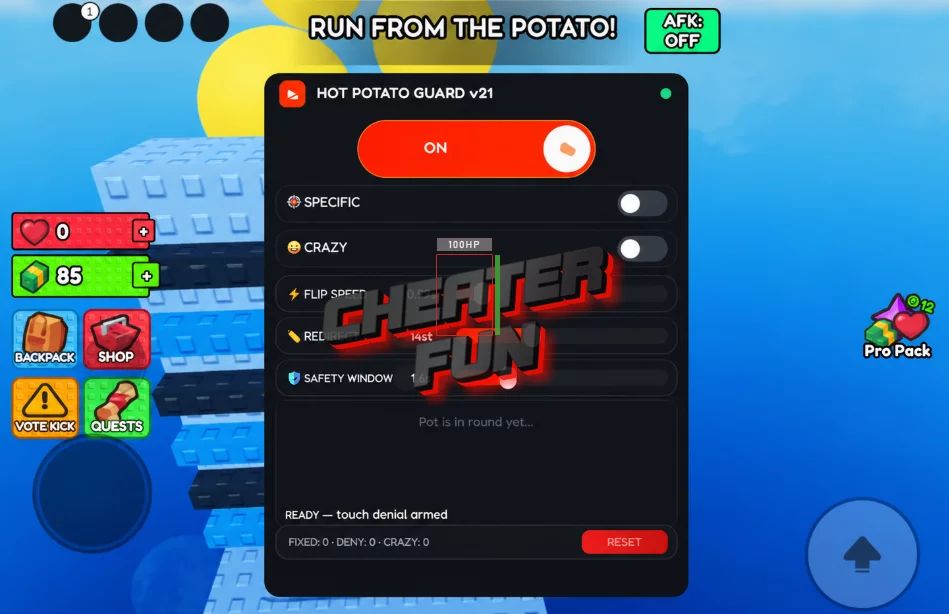
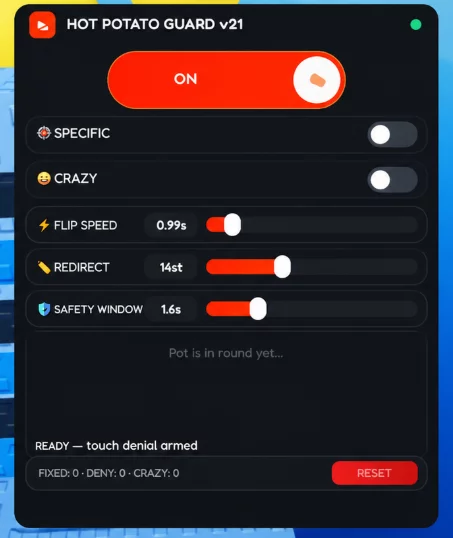
Hot Potato Script focuses on automated potato passing, player targeting, and reliable interaction handling. Its Auto Pass feature allows you to pass the potato to a randomly selected player, while Target Exact Player lets you choose a specific opponent.
Additional options include Zero Movement Pass, Touch Injection, and Last Millisecond Safeguard, offering different approaches to handling passing actions and their timing.
About Hot Potato
One potato, multiple players, and a countdown that can end your round in an explosion! Welcome to Hot Potato, a chaotic multiplayer Roblox game where your only objective is to pass the potato before it blows up.
Grab the potato, tag another player, and try not to be the one holding it when the timer reaches zero. Every round is packed with fast reactions, unexpected movement, and constant chaos. Survive long enough to make it into the final two, where you'll face off in a final duel for the victory.
Hot Potato Script GUI (Keyless) | Auto Pass, Target Player, Attribute Mode
loadstring(game:HttpGet('https://raw.githubusercontent.com/Breakkeruffle/hot-potato-transfer-tool/main/hot-potato-transfer-tool.lua'))()Hot Potato Script Features
🥔 Automated Passing & Target Selection
Auto Pass to Random Player – Automatically passes the potato to a randomly selected player.
Target Exact Player – Allows you to select a specific player as your passing target.
Zero Movement Pass – Provides a passing option designed to avoid additional character movement.
Touch Injection – Includes touch-based interaction handling for passing actions.
⏱️ Timing & Safeguards
Last Millisecond Safeguard – Provides an additional safeguard for passing actions near the end of the countdown.
Attribute Mode – Offers an alternative attribute-based operating mode.
Place Mismatch Handling – Includes handling for place-related mismatches to improve compatibility.
⚙️ Interface & Script Settings
RightCtrl Hide GUI – Press Right Ctrl to hide or show the script interface.
Unload Revert – Unloads the script and provides an option to revert its changes.
Open Source – The script source code is available.
Keyless – No script key is required.

0 comments
Information
Users of Guests are not allowed to comment this publication.
If you have a problem, write to us.