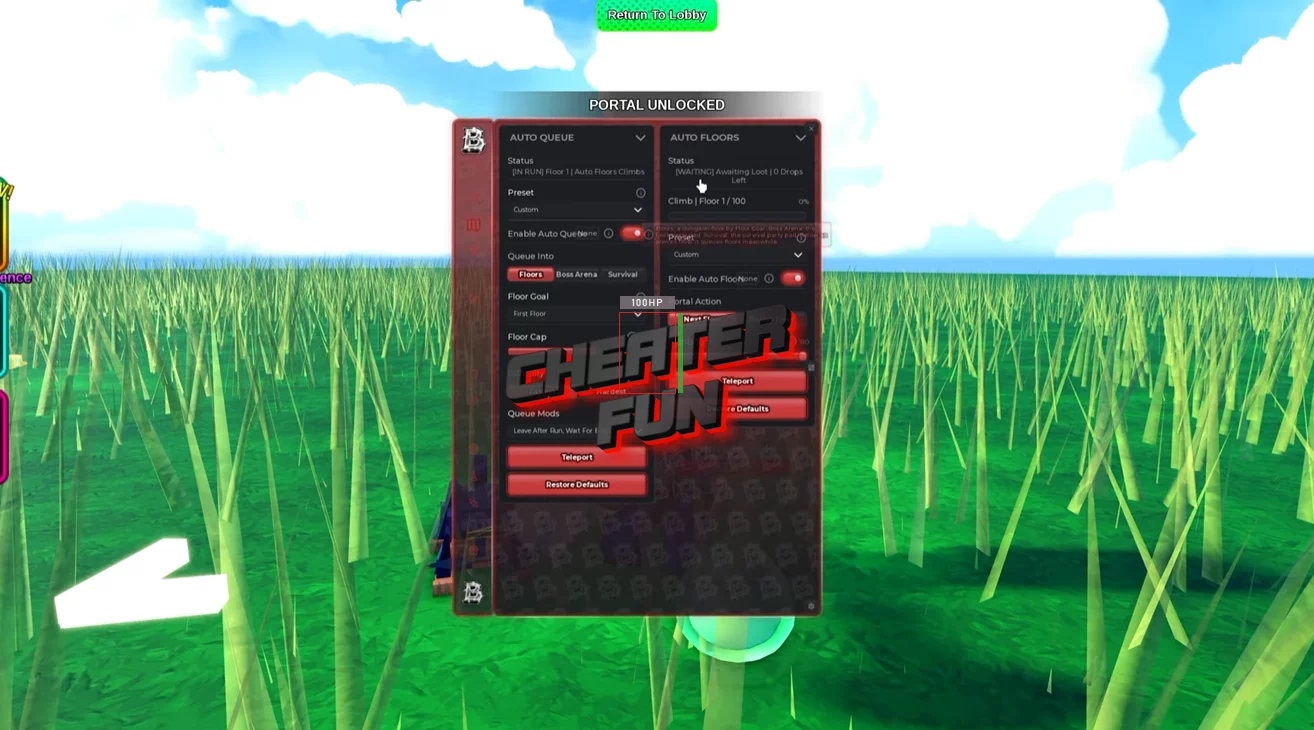
Reborn an Adventurer Script comes with an extensive collection of automation and customization options for dungeon progression, combat, survival, and character development.
Set up farming presets for faster clears or boss hunting, automate dodging and parrying, collect loot, manage dungeon runs, and upgrade your fighter. You can also automate magic progression, equipment management, crafting, quests, rewards, and much more.
About Reborn an Adventurer
Enter dangerous dungeons, discover powerful auras, and build your own legendary fighter in Reborn an Adventurer! Battle increasingly powerful enemies, collect coins and valuable loot, unlock limited-edition weapons, and take on challenging bosses as you work your way through new dungeon floors.
Your adventure begins with combat, but becoming truly powerful takes more than just swinging a weapon. Complete quests for Sage Orlin to unlock magic, develop your character, discover new spells, and improve your equipment. Every dungeon presents tougher enemies and better rewards, giving you another reason to push further.
Reborn an Adventurer Script Barrage Hub | AUTO FARM, AUTO DODGE, AUTO QUEUE, AUTO FLOORS, AUTO SUMMON
loadstring(game:HttpGet("https://barrage.cc/loader"))()Reborn an Adventurer Script Features
🗡️ Auto Farm & Combat Automation
Auto Farm – Automatically fights enemies and farms dungeon content.
Fastest Clear, Rapid Clear & Boss Hunter Presets – Choose a farming setup based on fast dungeon clears or boss-focused runs.
Target Priority – Select Nearest, Lowest Health, or Bosses First to determine which enemies are targeted.
Auto Special – Automatically uses special attacks.
Auto Sprint – Enables automatic sprinting during farming.
Heavy Attacks – Includes heavy attack automation.
Rapid Swing – Speeds up automated weapon swings.
Wand Spells – Automates wand spell usage during combat.
Attack Positioning – Choose Behind, In Front, Left, Right, Overhead, or Orbit positioning around targets.
Lock Onto – Lock onto selected enemies.
Attack Distance – Customize the preferred distance for attacking.
Swing Gap – Adjust the interval between weapon swings.
🛡️ Auto Dodge, Parry & Survival
Configure how your character reacts to incoming attacks with several defensive options:
Auto Dodge – Automatically dodges incoming attacks.
Every Attack – Dodge whenever an attack is detected.
Bosses Only – Focuses dodging on boss attacks.
Wide Berth – Provides a wider approach to avoiding danger.
Boss Attacks, Enemy Attacks & Projectiles – Choose which threats trigger defensive actions.
Dash When Cornered – Automatically dashes when cornered.
Instant Dodge – Uses an immediate dodge response.
Keep Spacing – Maintains distance from enemies.
Parry When Cornered – Attempts to parry when surrounded or cornered.
Return After Dodge – Returns to the previous position after dodging.
🏰 Auto Queue & Dungeon Runs
Automate dungeon matchmaking, floor selection, and different types of runs:
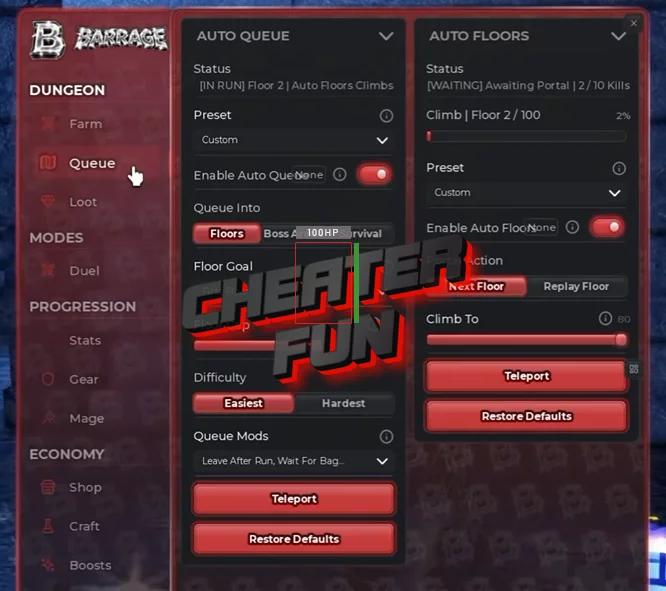
Auto Queue – Automatically queues for selected activities.
Floors, Boss Arena & Survival – Choose between regular floors, boss arena sessions, and survival runs.
Push Floors – Automates progression through dungeon floors.
Boss Runs – Focuses on boss encounters.
Loot Rotation – Includes a dedicated loot-rotation option.
Survival Runs – Automates survival sessions.
Highest Unlocked & Loot Floors – Choose between your highest unlocked floor and loot-focused floors.
Floor Cap – Set a maximum floor limit.
Step Down After Death – Steps down after a death.
Auto Skip Waves – Automatically skips eligible waves.
📈 Auto Floors & Progression
Auto Floors – Automates floor progression.
Climb – Includes an automatic climbing option.
Chapter One – Provides a Chapter One progression option.
Replay Floor – Automatically replays a selected floor.
Climb To 80 – Includes a dedicated option for climbing to floor 80.
💎 Auto Loot & Collection
Make dungeon rewards easier to manage with automated pickup and loot filtering:
Auto Loot – Automatically collects loot drops.
Every Drop – Collects every available drop.
Bag Saver – Includes an option to preserve inventory space.
Fast Pickup – Speeds up the loot collection process.
Loot Priority – Choose Nearest, Most Valuable, or Rarest items.
Loot From Anywhere – Collects eligible loot without needing to be close to it.
🃏 Auto Cards & Character Builds
Auto Cards – Automates card selection.
Damage First – Prioritizes damage-focused cards.
Tank First – Prioritizes tank-oriented cards.
Rarest Card – Selects cards based on rarity.
🏆 Auto Duel & Fighting Assistance
Auto Duel – Automates duel participation.
Pick Kit – Automatically selects a kit for duels.
Requeue – Automatically queues again after a duel.
Fight Assist – Provides additional assistance during fights.
📊 Auto Stats & Skills
Customize character development with automatic stat and skill allocation:
Auto Stat Points – Automatically distributes available stat points.
Game Balance – Includes a balanced stat allocation preset.
Glass Cannon – Offers a damage-focused stat preset.
Tank – Offers a defensive stat preset.
Auto Skills – Automates skill selection and purchasing.
Damage First – Prioritizes damage-related skills.
Cheapest First – Prioritizes lower-cost skills.
Bigger Bag – Prioritizes bag-related upgrades.
⚔️ Auto Equipment & Upgrades
Auto Equip – Automatically manages your available equipment.
Sword – Automatically equips a sword.
Armor – Automatically equips armor.
Pet – Automatically equips a pet.
Aura – Automatically equips an aura.
Auto Upgrade – Automates available character or equipment upgrades.
🧙 Auto Mage & Magic Progression
Unlock magic and automate the activities related to Sage Orlin:
Auto Mage – Automates selected mage progression tasks.
Talk To Sage – Automatically talks to Sage Orlin.
Place Runes – Automates rune placement.
Enter Seal – Automatically enters the seal.
Lessons – Automates available lessons.
✨ Auto Spells & Aura Rolls
Auto Spells – Automates spell-related actions.
Free Rolls – Automatically uses available free rolls.
Gem Rolls – Automates rolls using gems.
Upgrade Spells – Automatically upgrades available spells.
💰 Auto Sell, Buying & Crafting
Manage your inventory and resources without handling every transaction manually.
Auto Sell:
Max Coins – Includes a selling option focused on maximizing coins.
Never Full – Helps manage inventory before it becomes full.
Keep Recipe Items – Preserves items needed for recipes.
Sell In Lobby – Automates selling in the lobby.
Sell Now – Provides an option to sell immediately.
Purchases & Item Creation:
Auto Buy – Automates purchases of Swords, Wands, and Armor.
Auto Craft – Automates crafting.
Auto Forge – Automates forging.
Auto Summon – Supports both x1 and x10 summoning.
Auto Potions – Automates potion-related actions.
🎁 Auto Rewards, Codes & Quests
Auto Claim – Automatically claims available rewards.
Daily Rewards – Claims daily rewards.
Stay Rewards – Claims stay-time rewards.
Egg Rewards – Claims available egg rewards.
Group Rewards – Claims group rewards.
Auto Codes – Automates code redemption.
Auto Quests – Automates available quests.
Auto NPC Quests – Handles quests given by NPCs.

0 comments
Information
Users of Guests are not allowed to comment this publication.
If you have a problem, write to us.