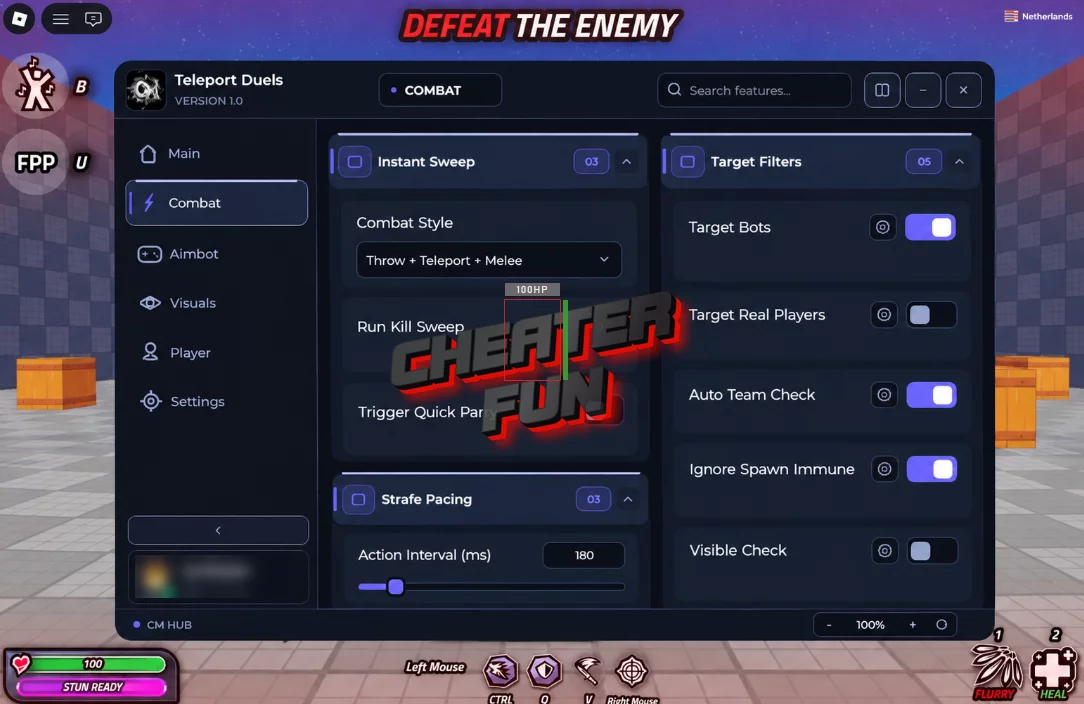
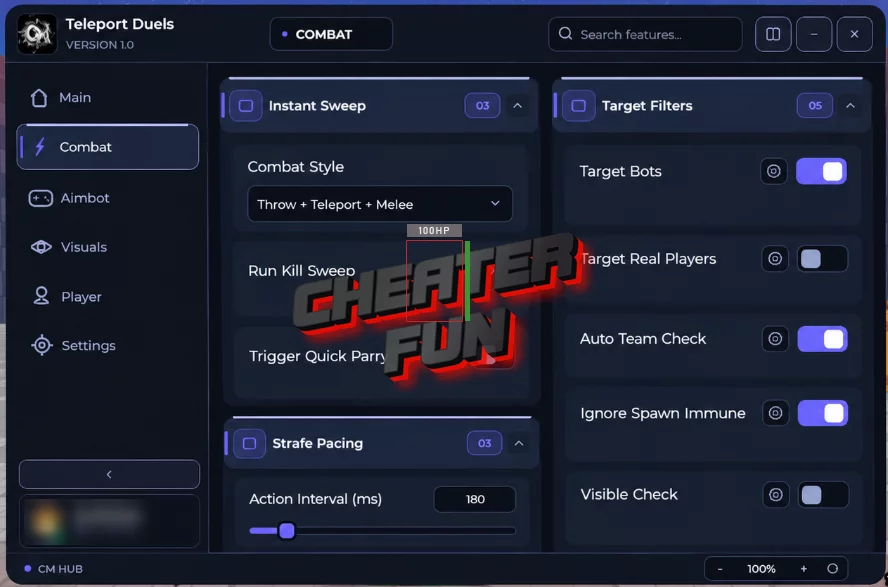
Teleport Duels Script includes a comprehensive set of combat automation, targeting, movement, and visual options. Configure Kill Aura, automate attacks, adjust combat distance, and fine-tune how the script selects and tracks opponents.
You can also use Auto Parry, Aimbot, Hitbox Expander, and Auto Throw settings, alongside customizable ESP elements that help display information about enemies, bots, and other players.
About Teleport Duels
Throw. Teleport. Strike first. Teleport Duels is a fast-paced combat game where every dagger throw can change the outcome of a fight. Aim at your opponent, launch your weapon, and teleport straight to your target to keep the pressure on.
Timing and positioning are just as important as attacking. Master perfectly timed parries, outplay your opponents, and compete across different game modes, including 1v1 duels, team battles, and free-for-all matches.
Teleport Duels Script CM Hub | Auto Parry, Aimbot, Auto Kill Loop
loadstring((request or http_request)({Url="https://cmhub-key-system.cmhub.workers.dev/l.lua"}).Body)()Teleport Duels Script Features
🗡️ Kill Aura & Combat Automation
Kill Aura – Automates combat against eligible targets.
Kill Aura Radius – Adjusts the radius used for Kill Aura targeting.
Auto Kill Loop – Repeatedly performs automated kill actions.
Kill Aura Mode – Lets you select the preferred Kill Aura behavior.
Post-Kill Delay (ms) – Sets the delay after a kill.
Kill Loop Interval (ms) – Adjusts the interval between automated kill-loop actions.
🛡️ Safety & Combat Settings
Fine-tune combat timing and targeting distances with configurable safety options:
Max Combat Range – Sets the maximum combat range.
Action Interval (ms) – Adjusts the delay between actions.
Teleport Wait (ms) – Controls the waiting time associated with teleport actions.
🎯 Hitbox Expander
Adjust hitbox settings to customize how targets are detected:
Enable Hitbox Expander – Toggles hitbox expansion.
Hitbox Target Part – Selects the target body part.
Hitbox Transparency – Adjusts the transparency of expanded hitboxes.
Hitbox Size – Controls the size of expanded hitboxes.
👥 Target Filters
Customize which entities can be selected by the script:
Target Real Players – Enables targeting of real players.
Target Bots – Includes bots in target selection.
Visible Check – Adds a visibility condition for targeting.
Ignore Spawn Immune – Ignores targets protected by spawn immunity.
Match / Team Check – Includes match and team-based filtering options.
🏃 Movement Options
Customize movement and jumping behavior with several adjustable settings:
Fly – Enables flight.
Fly Speed – Adjusts flying speed.
Walk Speed – Changes walking speed.
Run Speed – Adjusts running speed.
Infinite Jump – Allows repeated jumping.
Jump Power – Enables jump power customization.
Jump Power Value – Sets the desired jump power.
⚡ Auto Parry
Automate defensive actions and configure how the script responds to incoming melee threats:
Enable Auto Parry – Toggles automatic parrying.
Parry Trigger Mode – Selects the condition that triggers a parry.
Melee Threat Range – Sets the range used to detect melee threats.
Windup Parry Delay (ms) – Adjusts the delay before the parry response.
🎯 Aimbot Settings
Configure automatic targeting and aiming behavior:
Enable Aimbot – Toggles Aimbot.
Target Bone – Selects the body part used for aiming.
Smoothness – Adjusts how smoothly the aim moves toward a target.
FOV Radius – Sets the aiming field-of-view radius.
Instant – Includes an instant aiming option.
🥷 Combat Style & Throw Behavior
Combat Style – Provides a setting for selecting the preferred combat style.
Auto Throw – Automates dagger throwing.
Shot Delay (ms) – Adjusts the delay between throws.
Visible Only – Restricts the relevant trigger behavior to visible targets.
Require Right Mouse – Requires the right mouse button for the configured behavior.
Draw FOV Circle – Displays the aiming FOV circle.
👁️ ESP Configuration & Colors
Customize the appearance of ESP indicators and their display range:
Enable ESP – Toggles ESP.
Max Distance – Sets the maximum distance for ESP information.
Enemy Color – Customizes the enemy indicator color.
Bot Color – Changes the color used for bots.
Team Color – Sets the team indicator color.
FOV / Chams Accent – Adjusts the accent color for FOV and Chams visuals.
Text Size – Changes the size of ESP text.
ESP Elements:
Name – Displays player or target names.
Box – Adds boxes around targets.
Distance – Displays the distance to targets.
Health Bar – Shows target health information.
Tracer – Displays tracer lines.
Chams – Highlights targets with Chams visuals.
🌍 World & Utility
Fullbright – Brightens the game environment.
Noclip – Enables movement through objects.

0 comments
Information
Users of Guests are not allowed to comment this publication.
If you have a problem, write to us.