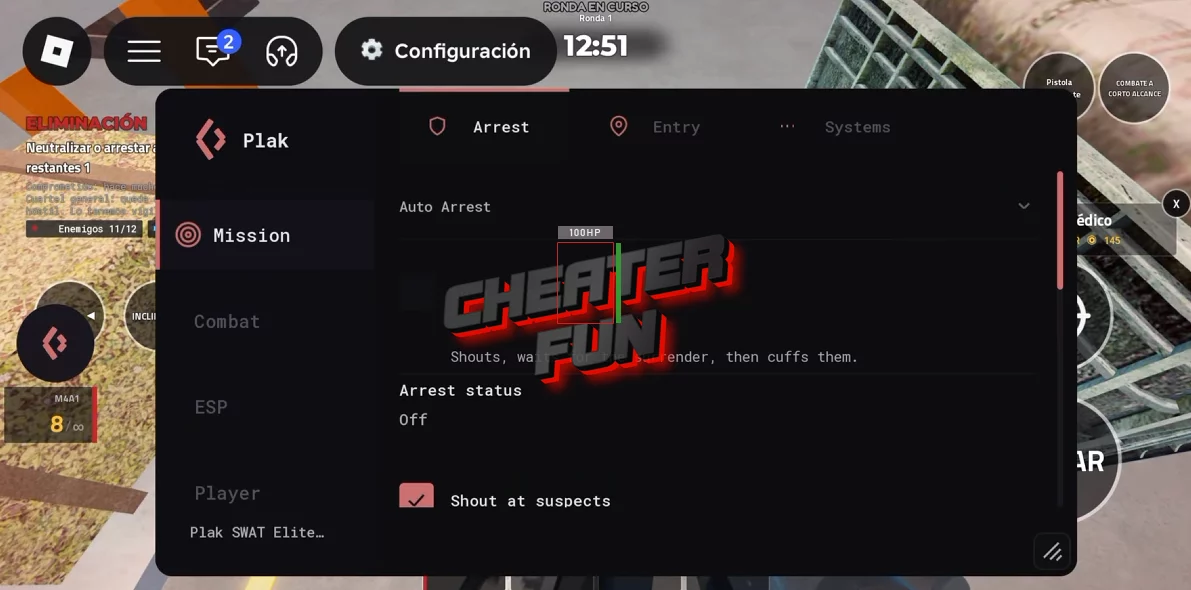
SWAT: Elite Force Script provides an extensive collection of tactical automation, combat assistance, player tracking, and survival features. Automate mission objectives such as arresting suspects, breaching doors, rescuing hostages, collecting evidence, and solving puzzles. The combat suite includes Auto Aim, Silent Aim, Kill Aura, Headshot Only, No Spread, and No Recoil, alongside configurable FOV and wall-check options.
About SWAT: Elite Force
Step into the boots of an elite SWAT officer in SWAT: Elite Force, an intense tactical police simulator where every operation can put your team to the test!
Take on high-risk missions, respond to dangerous threats, and lead your squad through challenging tactical operations. Breach enemy buildings, rescue hostages, apprehend criminals, and secure dangerous locations in realistic law enforcement scenarios.
SWAT: Elite Force Script Plak Hub | Auto Arrest, Silent Aim & Full ESP
loadstring(game:HttpGet("https://api.flowauth.net/v1/loaders/22cb301da4b50eaf7e00d61e44a6ac85.lua"))()SWAT: Elite Force Script Features
🚔 Tactical Operations & Mission Automation
Automate important objectives and tactical interactions during missions:
Auto Arrest – Automatically handles suspect arrests and handcuffing.
Shout at Suspects – Automatically issues commands to suspects to encourage them to surrender.
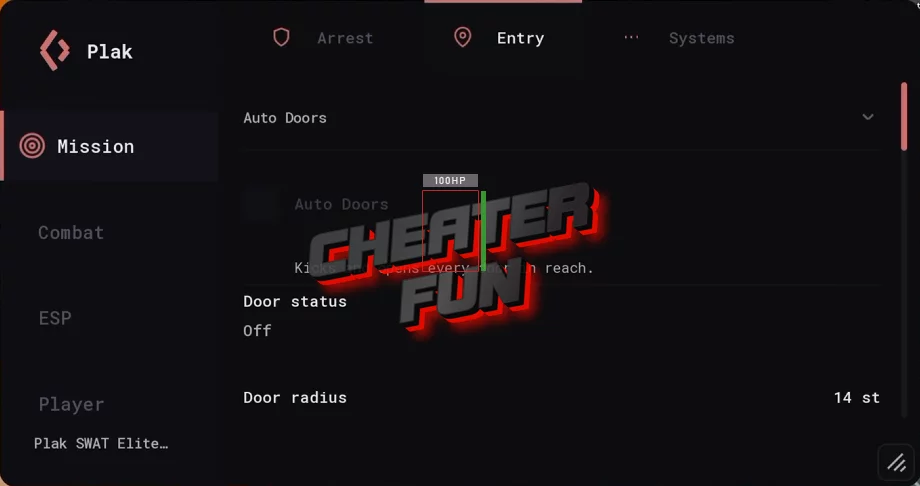
Auto Doors – Automates door-related interactions during operations.
Auto Takedown – Automatically handles takedown actions against targets.
Auto Breach – Automates breaching doors and gaining access to restricted areas.
Auto Evidence – Automatically handles evidence collection and securing.
Auto Puzzle – Automates puzzle-solving objectives during missions.
Auto Rescue – Automatically handles hostage rescue activities.
Auto Cable – Automates cable-related interactions, including cutting cables.
Auto Negotiate – Automates negotiation-related interactions with suspects.
🎯 Combat & Aim Suite
Configure aiming assistance and combat behavior with multiple targeting options:
Auto Aim & Silent Aim:
Auto Aim – Provides automated aiming assistance against hostile targets.
Wallcheck (Aim) – Includes visibility checking for Auto Aim.
Show FOV – Displays the aiming field-of-view circle.
Silent Aim – Provides an alternative aiming option for targeting opponents.
Wallcheck (Silent Aim) – Adds visibility filtering to Silent Aim.
Combat Enhancements:
Kill Aura – Automates attacks against eligible targets within its effective range.
Headshot Only – Focuses attacks on headshots.
No Spread – Includes an option to remove weapon spread.
No Recoil – Includes an option to remove weapon recoil.
👁️ Full Tactical ESP
Track important entities throughout missions with customizable visual indicators, including through walls.
ESP Categories:
Hostiles ESP – Highlights hostile suspects and enemies.
Civilians ESP – Displays civilian locations.
Hostages ESP – Highlights hostages requiring rescue.
VIP ESP – Identifies VIP characters and their locations.
ESP Display Options:
Boxes – Draws boxes around highlighted entities.
Names – Displays target names.
Distance – Shows the distance to each entity.
Health Bars – Displays target health information.
Tracers – Adds visual lines connecting indicators to their targets.
🩺 Survival & Squad Support
Stay alive and help your teammates during dangerous operations:
Auto Medkit – Automatically uses medical kits to restore health.
Auto Revive – Automatically revives fallen players.
Free Token First – Prioritizes free revival tokens before other available options.
Squad Revive – Includes automatic revival support for squad members.
Auto Retry – Automatically retries failed missions to continue progressing.
🏃 Movement & Visual Utilities
Customize movement and improve visibility across different mission environments:
Walk Speed – Adjusts your character's walking speed with a configurable slider.
Jump Power – Changes jumping strength using an adjustable slider.
Fullbright – Brightens dark maps and improves environmental visibility.
Anti-AFK – Helps prevent Roblox inactivity kicks during extended missions.
Print State – Outputs live script diagnostics and current automation information.
🔑 No Key – Instant Use
NO KEY – Listed as a keyless execution option, with no key-system steps or advertising links required according to the provided feature details.

0 comments
Information
Users of Guests are not allowed to comment this publication.
If you have a problem, write to us.