AEUltimate - AdventureQuest, DragonFable, MechQuest Trainer (AQ, DF, MQ)

Project Information

Developer: Flash3113
Status: UNDETECTED
Updated: November 9, 2022 at 8:52 AM
Version: 2.5.0.0

AEUltimate Trainer

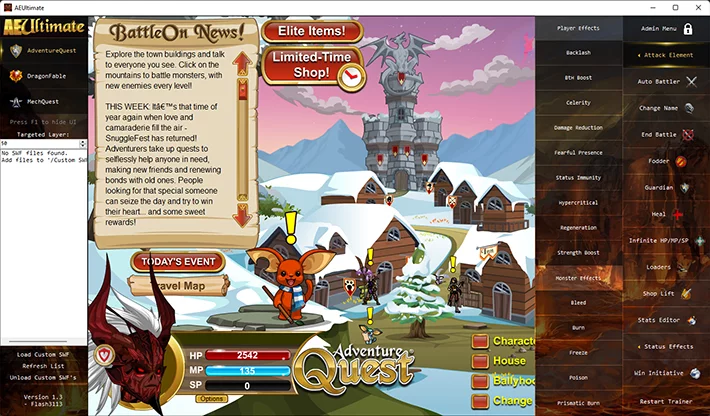
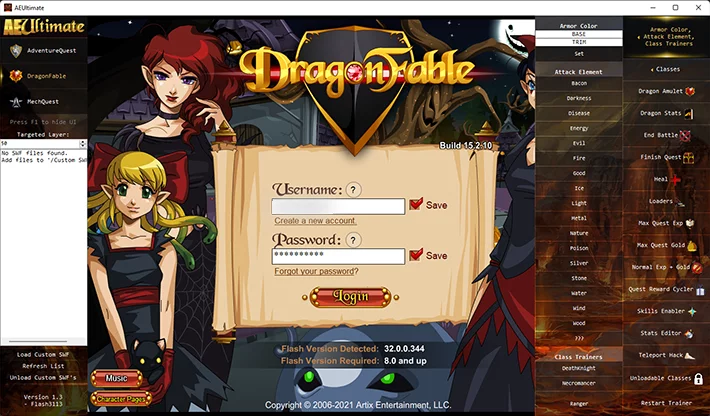
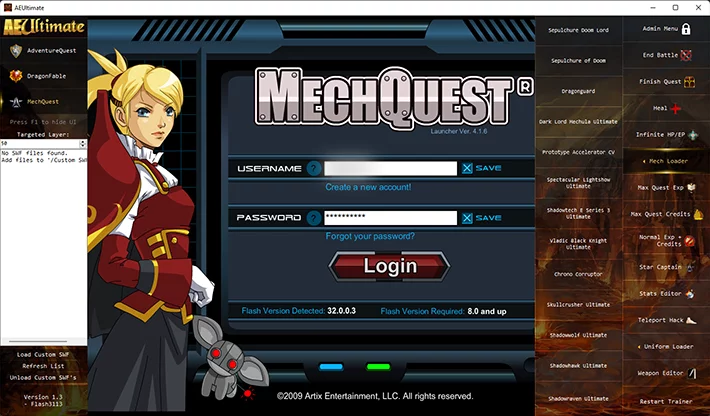
I want to share with you a great free hack for AdventureQuest, DragonFable and MechQuest games. This is a unique trainer created specifically for the game platform Battleon. Using this cheat-trainer you will become available many hidden functions from normal players, such as you can manage the administrator menu, enable Auto Battler, finish the game, heal, Infinite HP/MP/SP and many other functions. Each game has its own unique features to help you get through the gameplay much easier.


Thanks to the developer Flash3113 for providing this free trainer.

AdventureQuest Cheat Free 2022

AdventureQuest Cheat Free 2022DragonFable Free Cheat 2022

DragonFable Free Cheat 2022MechQuest Free Cheat 2022

MechQuest Free Cheat 2022


Free Download AEUltimate - AdventureQuest, DragonFable, MechQuest Trainer (AQ, DF, MQ)

Only authorized users can download files. Please Log in or Register on the website.

Comments: 8 Views: 30 480

8 comments

  1. Z908
    User
     1
     0
    1 December 2022 19:05

    where's the cheat menu ?


  2. pouseylova
    User
     1
     0
    19 November 2022 18:47

    cant install tells the cabinet file_568917E7EF... required for this installation is corrupt and cannot be used


  3. mekanoree
    User
     1
     0
    24 September 2022 10:08

    Can't get it to work, just constantly says it can't find the swf needed?


  4. ShiningArmor
    User
     1
     0
    28 July 2022 09:04

    Hey there Flash, this trainer is incredible! But there's a bug/error when activating Dragon Amulet on Dragon Fable, upon activating this, the game forced me back to character selection screen, then it's said "Character doesn't exist!" when I try to login back using previous character. Please try to fix this, or at least confirm that DA isn't work anymore.


    Big support from me (Sorry about my language)


  5. dean2310
    User
     1
     0
    18 July 2022 05:29

    I miss the old AQ ELITE 

    Doesn't work for me


  6. chrome4926
    User
     1
     0
    20 June 2022 22:55

    Do you have other download links?


  7. iliros
    User
     1
     1
    23 April 2022 10:40

    password?


    1. TheSteelTempest
      User
       1
       0
      1 June 2022 20:50

      123. Look up and u will see


New Comments
all
Viragpina80 Viragpina80

Go to this website  https://valth.run/download

1. Game Setup

  • Open CS2 and change video settings to Fullscreen Windowed or Windowed (the overlay will not appear in exclusive fullscreen).


2. Load the Driver

  • Extract the Valthrun Loader files.
  • Right-click the loader application and select Run as Administrator to initialize the kernel driver.


3. Start the Overlay

  • Launch CS2.
  • Open the CS 2 Enhancements folder and run the Controller executable.


4. Configure ESP

  • In-game, press the PAUSE (or INSERT) key to open the menu overlay.
  • Check the boxes to enable Player ESP (skeletons or 2D/3D boxes).

It will dump the json files on every cs2 update you just need too redo all the steps above. It works like a charm.

Step by step guide:  

You must turn off Core Isolation (Memory Integrity) and Windows Defender Protection for Valthrun to load at first. [1, 2]


This happens because the program uses a standard manual mapper (KDMapper) to inject its stealth kernel driver into Windows memory without an official digital signature from Microsoft. Windows Security blocks this by default to prevent unauthorized low-level modifications. [1, 2, 3]

Because you have changed your system settings to run the program, you should revert them when you are finished playing to keep your PC secure: [1]


1. Turn Core Isolation (Memory Integrity) Back On

Leaving this off makes your system vulnerable to low-level kernel attacks. [1, 2]

  • Open Windows Settings -> Privacy & Security -> Windows Security.
  • Click on Device Security -> Core isolation details.
  • Toggle Memory Integrity back to ON.
  • Note: You must restart your PC for this security layer to reactivate fully. [1, 2, 3, 4]


2. Reactivate Windows Defender Real-Time Protection

  • In Windows Security, click on Virus & threat protection.
  • Click Manage settings under Virus & threat protection settings.
  • Toggle Real-time protection back to ON.

Reactivating these features completely restores your Windows shields to their original


After any update in cs2 you just redo these steps and the softwware automaticly dumps the updated json files. 

You are welcome. Have fun! But use it wisely.

tuna1 tuna1

ı love you pls update :)

Viragpina80 Viragpina80

after the major update cs2 change from decimal format to hexadecimal format so they need to reconfigure the entire esp. It will take time.

Viragpina80 Viragpina80

Needs to be updated bro