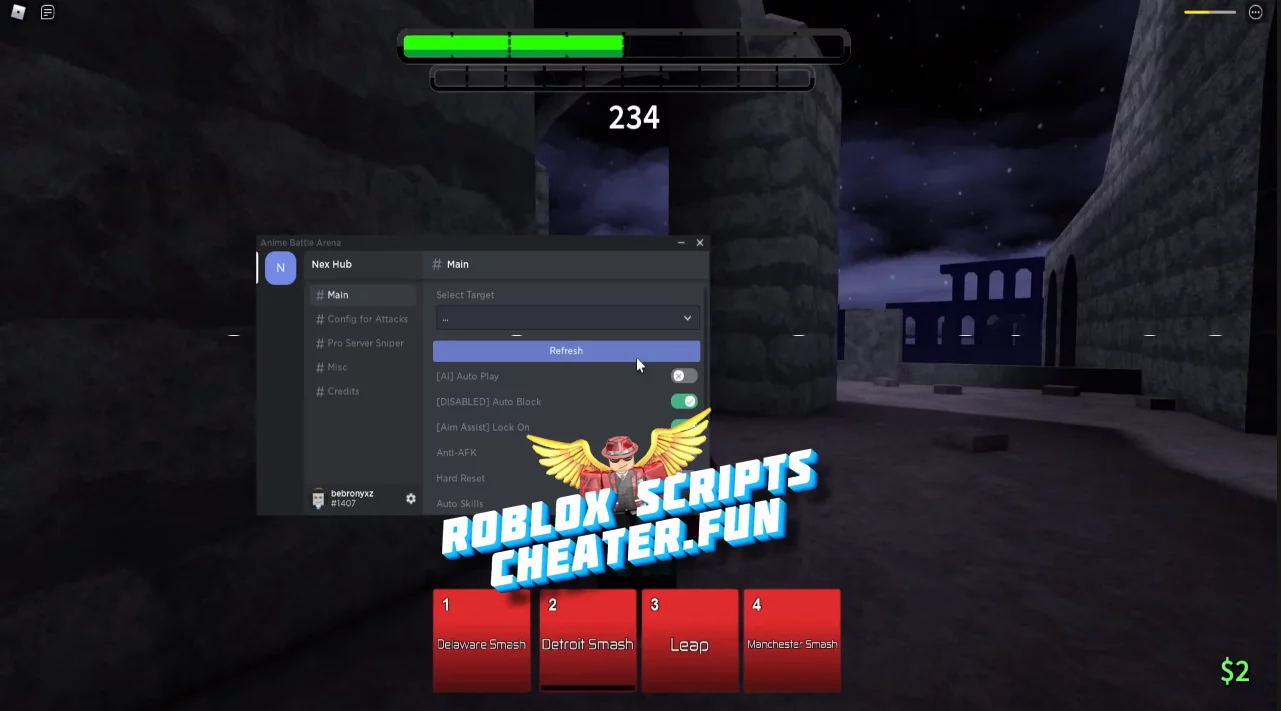
I publish for you the best script for ABA (Anime Battle Arena) simulator in Roblox. Nex Hub is a universal GUI menu with a wide range of functions, such as Auto Play In Arena, Auto Target Players, Anti-AFK, Hard Reset, Auto Skills and many other features.
About ABA (Anime Battle Arena)
Anime Battle Arena (ABA Roblox) is a special Anime mode in which you can become a real warrior and plunge into a world of constant combat. All the characters are endowed with skills and superpowers. Your main task will be to win, get game experience and earn gold. To make your gameplay much easier and faster, we recommend using the scripts and hacks from this page for the game ABA Roblox.
The Best Scripts ABA Roblox 2026
ABA Script BP Hub (2026) | AUTO FARM, AUTO SKILL, AUTO BLOCK
loadstring(game:HttpGet("https://api.luarmor.net/files/v4/loaders/467778b7e06d29cb032367938bfa7210.lua"))()ABA Script Features
🥊 Auto Farm & Combat Automation
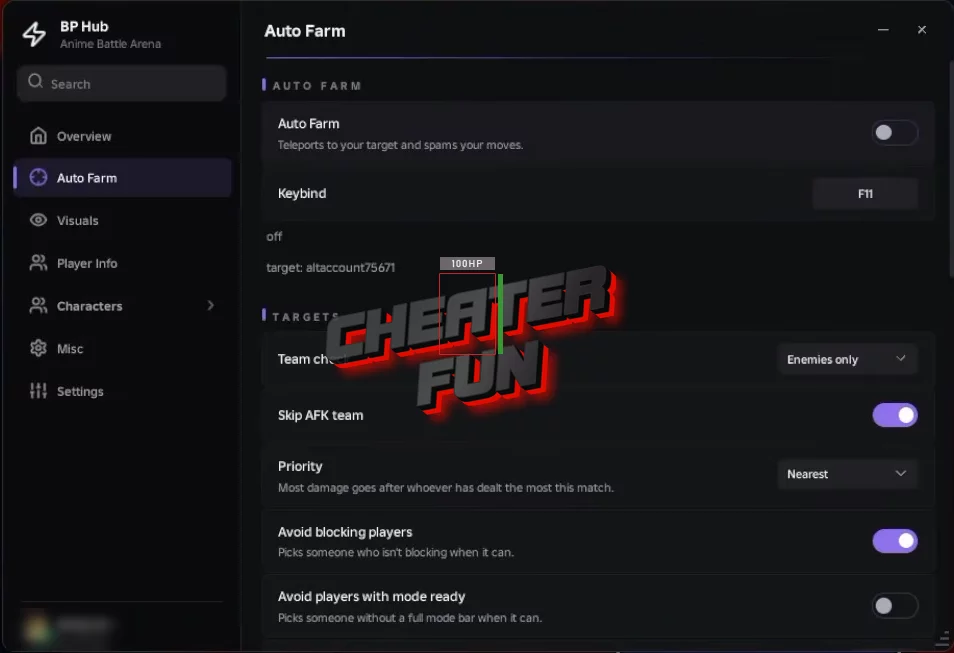
Auto Farm (F11) – Automatically farms opponents.
Target Priority – Choose between Nearest, Lowest HP, Lowest HP %, or Most Damage.
Team Check – Configure teammate filtering during farming.
AFK Skip – Skips AFK players.
Avoid Blocking Players – Avoids players who are currently blocking.
Avoid Mode Ready Players – Excludes players with their mode ready.
Max Range – Configure the maximum farming distance.
Stay on Target – Keeps your character focused on the selected opponent.
Stand Positions – Select Behind, Above, Side, or Front positioning.
Cooldown Detection – Automatically uses only moves that are off cooldown.
Auto Mode (G) – Includes automatic mode functionality.
👁️ Advanced Player ESP (F4)
Track opponents and view their combat information with customizable ESP options.
Outline ESP – Highlights players with outlines.
Name – Displays player names.
Distance – Shows the distance to players.
Health Bar – Displays player health.
Mode Bar – Shows mode information.
Move Cooldowns – Displays ability cooldowns.
Teammate Filter – Configure teammate visibility.
AFK Filter – Filter AFK players.
Distance Filter – Limit ESP based on distance.
Team Colors – Use different colors for teams.
Custom Colors – Configure your own ESP colors.
🎯 Target Panel & Mode Alerts
Target Panel (F5) – Displays detailed information about your selected target.
Target HP – Shows the target's health.
Target Mode – Displays the target's current mode.
Target Cooldowns – Tracks the target's move cooldowns.
Mode Alerts – Provides notifications when enemies or your own character activate their modes.
💥 Auto Black Flash & Character Abilities
Automate special techniques for different characters, including:
Auto Black Flash (F3) – Enables Black Flash automation for any character.
Yuji – Auto Black Flash (F8) – Automates Yuji's Black Flash.
Yuji – Auto Divergent (F9) – Automates Divergent Fist.
Yuji – Auto Skull Smash – Automates Skull Smash.
Nanami – Auto Ratio (F6) – Automates hits on Ratio.
Nanami – 7:3 Black Flash – Includes automated 7:3 Black Flash functionality.
Yusuke – Gun Sweep (F7) – Automates Gun Sweep.
Krillin – Ki Blast Redirect (F10) – Automates Ki Blast redirection.
📊 Player Information & Session Statistics
Monitor player details and track your farming performance.
Player Info – Displays information for every player.
Character – Shows the selected character.
Kills – Tracks player eliminations.
Damage – Displays damage statistics.
Mode – Shows current mode information.
Cooldowns – Displays ability cooldowns.
Session Time – Tracks your session duration.
Gold – Monitors gold earned.
Kills & Deaths – Tracks your combat statistics.
Session Damage – Displays total damage dealt.
FPS Display – Shows current FPS.
Ping Display – Displays network ping.
🛠️ Additional Utilities & Settings
Anti-AFK – Helps prevent Roblox inactivity kicks.
Auto Open Character Tab – Automatically opens your character's tab after spawning.
Panic Key (End) – Quickly turns off all script features.
Rejoin Server – Provides a button to rejoin the server.
Self Check for Game Updates – Checks for game updates.
Themes – Customize the script interface.
Saved Configs – Save and reuse your configurations.


0 comments
Information
Users of Guests are not allowed to comment this publication.
If you have a problem, write to us.