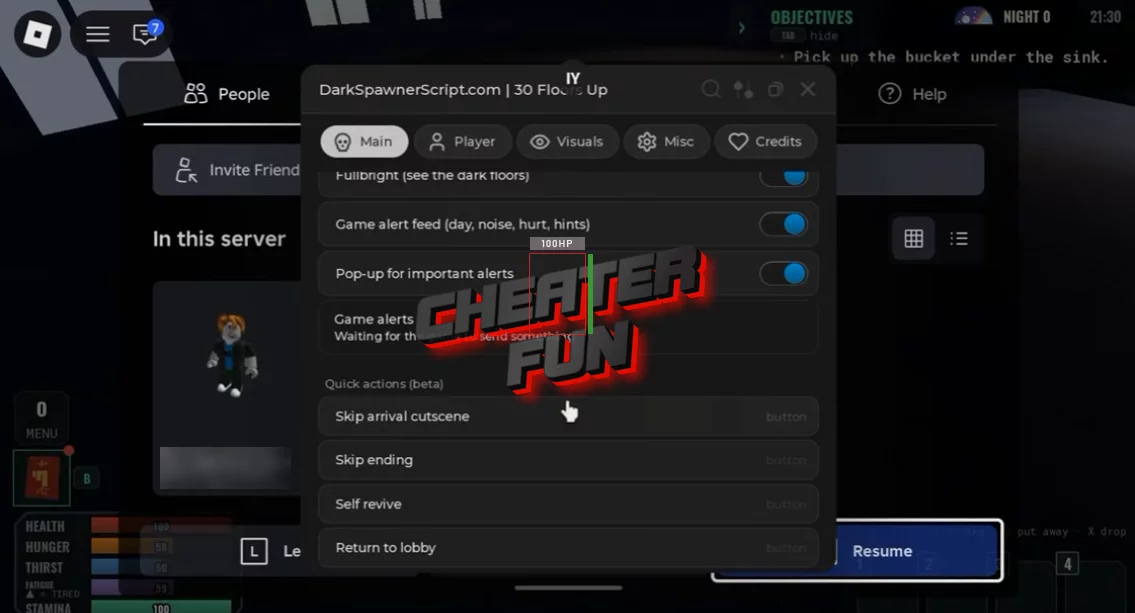
30 Floors Up Script includes survival assistance, zombie detection, movement enhancements, and visual customization tools designed to help you navigate the dangerous apartment building.
Zombie ESP displays enemy names and distances, while the proximity warning system alerts you when a zombie gets too close. You can also monitor the number of nearby zombies and receive important game notifications about the current day, noise, damage, and hints.
Additional features include Fullbright for exploring dark floors, movement options such as Fly and Noclip, and experimental utilities like Self Revive and Skip Ending. The script also provides a Panic Key for quick access to an emergency action.
About 30 Floors Up
Trapped on the 30th floor during a zombie apocalypse, with no rescue in sight. Can you survive for 100 days? In 30 Floors Up, your apartment becomes your last safe place in a world overrun by the undead.
Survival is all about preparation and making difficult decisions. Search for food, stockpile water, reinforce your apartment, and keep the noise down while zombies roam the hallways. Every day brings new challenges, and one careless move could attract unwanted attention.
30 Floors Up Script DarkSpawnerHub (NO KEY) | ESP, Fullbright, Fly, Noclip
loadstring(game:HttpGet("https://darkspawnerscript.com/scripts/30-floors-up.lua?v=" .. tick()))()30 Floors Up Script Features
👁️ Zombie ESP & Detection
Zombie ESP (Name + Distance) – Displays zombie names and their distance from your character.
Warn When a Zombie Gets Close – Sends a warning when a zombie approaches.
Warning Distance – Allows you to customize the distance that triggers proximity warnings.
Count Zombies Near Me – Displays the number of zombies nearby.
Player ESP – Provides additional visual information about other players.
🚨 Alerts & Game Information
Game Alert Feed – Displays important game events, including day progression, noise, damage, and hints.
Pop-up for Important Alerts – Shows pop-up notifications for important events.
Panic Key (K) – Provides a dedicated emergency keybind for quick access to the panic action.
💡 Visual & Lighting Settings
Fullbright – Brightens dark environments, making it easier to explore poorly lit floors.
No Fog / Haze – Removes fog and haze effects.
Field of View – Allows you to customize your camera's field of view.
🏃 Movement Enhancements
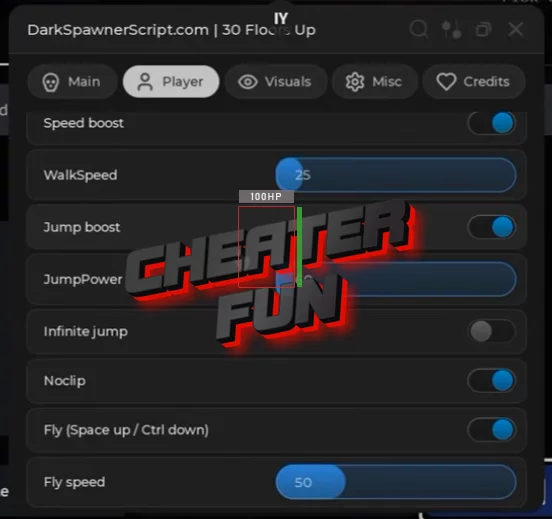
Speed Boost – Increases your movement speed.
Jump Boost – Enhances jumping power.
Infinite Jump – Allows repeated jumping while airborne.
Noclip – Allows movement through certain objects.
Fly – Enables flying movement.
⚡ Experimental & Game Utilities
Skip Arrival Cutscene (Beta) – Skips the arrival cutscene.
Skip Ending (Beta) – Skips the ending sequence.
Self Revive (Beta) – Provides an experimental self-revival option.
Return to Lobby (Beta) – Includes an experimental option to return to the lobby.
Anti-AFK – Helps prevent inactivity-related interruptions.
Rejoin Lobby – Allows you to rejoin the lobby.