Roblox Scripts for Popular Games
ROBLOX SCRIPT LIBRARY
Explore Roblox scripts for popular games, with the details you need before opening a script.
Browse game-specific releases, compare available features, and check each post for its version, status, update date, and executor compatibility. Listings can change as Roblox games and third-party tools are updated, so always review the individual post before using a script.
Game-specific listingsFind scripts by Roblox game
Update informationCheck versions and post dates
Compatibility detailsReview platform and executor notes
—
Scripts on this page
Currently loaded listings
—
Recent popular picks
Published during the last 7 days
PC & Mobile
Platform information
Check compatibility per script
Version & status
Project details
Shown on individual listings
DISCOVER WHAT'S NEW
Last 7 days
Popular new Roblox scripts
Recently published Roblox scripts, ordered by their recorded page views.
Ranking note: this list includes posts published in the last 7 days and sorts them by their total DLE view count. It is not a separate counter of views accumulated only during this week.
ABOUT THE COLLECTION
Find Roblox scripts by game and feature
Explore game-specific scripts
Look for a script through its Roblox game name. Each game can have different mechanics, updates, and script requirements, so choose a listing made for the game you are playing.
Compare available features
Read the feature list before copying a script. Common labels may include ESP, autofarm, teleport, auto collect, and other game-specific options. Availability depends on the individual release.
Check version and status
Use the update date, version, and status shown on each post as a starting point. A recent publication date does not automatically mean every feature has been re-tested after the latest game update.
Before using a third-party Roblox script
Scripts and executors are not official Roblox products. Using them may violate Roblox rules and can put an account at risk of warnings, restrictions, or bans. Only use tools you understand, review the source and compatibility notes, and never share your Roblox password, session cookies, or account credentials.
QUICK CHECKLIST
How to choose a script
- 01Confirm the game
Make sure the script is intended for the exact Roblox experience, not a similarly named game.
- 02Read compatibility and status
Check the platform, supported executor, version, update date, and any known limitations stated by the author.
- 03Review the code and community feedback
Read the post carefully, inspect code where possible, and look at recent comments for reports about broken features or changes.
HELP CENTER
Roblox scripts: frequently asked questions
Quick answers about compatibility, updates, and account safety.
Are third-party Roblox scripts safe to use?
No third-party script can be guaranteed safe or ban-free. Scripts and executors may violate Roblox rules, and files from unknown sources can also create device or account security risks. Review the code and source, and never provide your account credentials or browser cookies.
Are the scripts on this page free?
Many listings provide script code without a direct purchase, but requirements can vary by author or executor. Read the individual post carefully and be cautious of unexpected payment requests, surveys, or pages asking for account details.
How do I know whether a script supports my device?
Check the Compatibility and Requirements information in the individual post. Do not assume that a script listed for Windows will also work on Android, iOS, or macOS.
Why can a Roblox script stop working?
A game update, Roblox client change, executor update, or change to the script itself can affect compatibility. Check the post's latest update date, version, status, and recent community comments.
What should I check before copying a script?
Confirm the game name, read the feature description, check platform and executor requirements, and review any warnings or known issues. Avoid running code you cannot identify or understand.
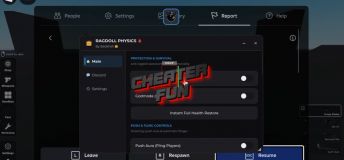
UNDETECTED
KEYLESS
ROBLOX SCRIPT
Ragdoll Physics Script - Fly, Mega Throw, Push Aura, Godmode
GameRagdoll Physics 🩸
TypeRoblox Script
File approved & available
VERSION
1.0.1
DEVELOPER
Badshah, sempai
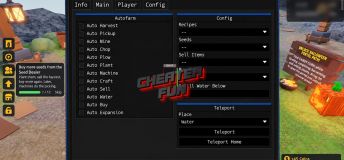
UNDETECTED
KEYLESS
ROBLOX SCRIPT
ABOVE Script - Auto Farm, Auto Mine, Auto Craft, Auto Plant
GameABOVE [💀RUINS]
TypeRoblox Script
File approved & available
VERSION
1.0.1
DEVELOPER
Yuri Hub, Lunacy Hub
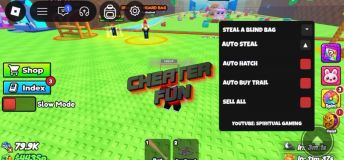
UNDETECTED
KEYLESS
ROBLOX SCRIPT
Steal A Blind Bag Script - Auto Steal, Auto Hatch, Auto Omega
GameSteal A Blind Bag
TypeRoblox Script
File approved & available
VERSION
1.0.0
DEVELOPER
Spiritual Gaming
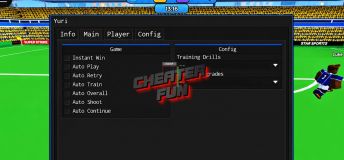
UNDETECTED
KEYLESS
ROBLOX SCRIPT
Be a Soccer Legend Script - Auto Shoot, Instant Win, Auto Train
Game⚽ Be a Soccer Legend
TypeRoblox Script
File approved & available
VERSION
1.0.0
DEVELOPER
Yuri Hub, MYSTRIX HUB
UNDETECTED
KEYLESS
ROBLOX SCRIPT
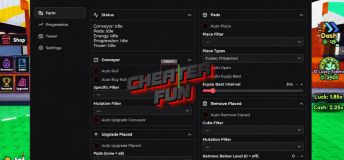
Jujutsu Farm Script - Auto Open, Auto Roll, Auto Place
Game[NEW] Jujutsu Farm
TypeRoblox Script
File approved & available
VERSION
1.0.1
DEVELOPER
Alexandria Hub, Barrage Hub
UNDETECTED
KEYLESS
ROBLOX SCRIPT
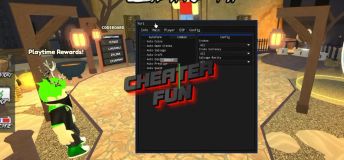
KRN: Crosshair Script - Items ESP, Auto Pickup Gun, Kill Murderer
Game🎃 KRN: Crosshair
TypeRoblox Script
File approved & available
VERSION
1.0.0
DEVELOPER
Yuri Hub
UNDETECTED
KEYLESS
ROBLOX SCRIPT
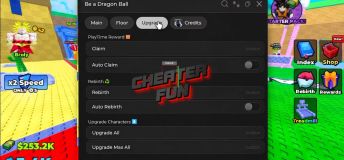
Be a Dragon Ball Script - Auto Rebirth, Auto Escape, Collect Cash
Game[UPD] Be a Dragon Ball
TypeRoblox Script
File approved & available
VERSION
1.0.0
DEVELOPER
KhSaeed90
UNDETECTED
KEYLESS
ROBLOX SCRIPT
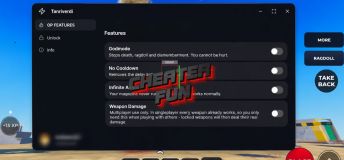
Bloody Ragdoll Physics Script - Godmode, Infinite Ammo, Unlock All
GameBloody Ragdoll Physics 🩸
TypeRoblox Script
File approved & available
VERSION
1.0.0
DEVELOPER
Tanriverdi
UNDETECTED
KEYLESS
ROBLOX SCRIPT
DONT SWIM Script - God Mode, Auto Swim, Auto Collect Coins
GameDONT SWIM 🚫🏊
TypeRoblox Script
File approved & available
VERSION
1.0.0
DEVELOPER
Undocall’s Hub
UNDETECTED
KEYLESS
ROBLOX SCRIPT
Hyper Realistic Ragdoll Script - Godmode, Super Push, Fly
GameHyper Realistic Ragdoll
TypeRoblox Script
File approved & available
VERSION
1.0.0
DEVELOPER
Badshah

New comments
Bitte Aktualisieren....
update this pls
Please add New AbstZdero Hub - MALAM SAMA OPAH
loadstring(game:HttpGet("https://raw.githubusercontent.com/AbstZdero/AbstZdero
-Hub/refs/heads/main/MALAM%20SAMA%20OPAH.luau"))()
update offset pls
{
"dwViewMatrix": 16245574,
"dwLocalPlayerPawn": 79020112,
"dwEntityList": 41011370,
"m_hPlayerPawn": 2348,
"m_iHealth": 814,
"m_lifeState": 852,
"m_iTeamNum": 999,
"m_vOldOrigin": 5284,
"m_pGameSceneNode": 820,
"m_modelState": 320,
"m_boneArray": 118,
"m_nodeToWorld": 16,
"m_sSanitizedPlayerName": 2168
}