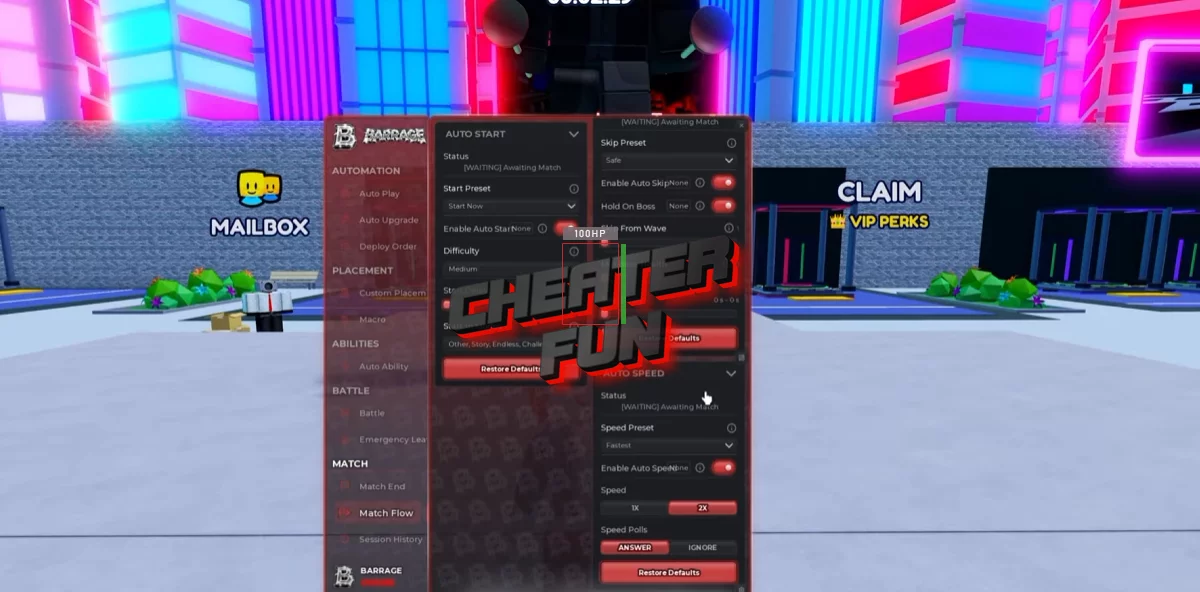
Skibidi Astro Tower Defense Script features an extensive collection of automation, strategy, placement, and customization tools. Unlike basic tower defense scripts, it offers detailed control over how units are deployed, which targets they prioritize, how upgrades are purchased, and how saved strategies are executed.
About Skibidi Astro Tower Defense
Build your ultimate defense team and prepare for an endless invasion in Skibidi Astro Tower Defense, a Roblox tower defense game where strategy, powerful units, and teamwork decide who survives!
Skibidi Astro Tower Defense Script Barrage Hub (2026) | SMART DEPLOY, AUTO UPGRADE, MACRO, AUTO TRAIT, AUTO FUSE
loadstring(game:HttpGet("https://barrage.cc/loader"))()Skibidi Astro Tower Defense Script Features
🧠 Smart Deployment & Placement
Take control of your unit placement with multiple deployment presets, patterns, and coverage settings.
Smart Deploy – Automates unit deployment with additional placement controls.
Blatant Preset – An available deployment preset.
Damage Rush Preset – A damage-focused deployment preset.
Economy Preset – An economy-oriented deployment preset.
Humanized Preset – An alternative deployment preset.
Placement Patterns – Choose between Brick, Diamond, Honeycomb, Random, Square, and Triangle patterns.
Use Saved Positions – Reuse previously saved unit positions.
Cash Reserve – Configure how much cash to reserve.
Unit Spacing – Adjust spacing between deployed units.
Deploy Coverage – Select Whole Lane, Front Half, Middle Half, or Base Guard.
Placement Queue – Manage the order of unit placement.
Auto Walk – Automates walking during gameplay.
Deploy Assist – Provides additional assistance with deployment.
📍 Custom Placement & Strategy Tools
Create, save, and reuse your own tower defense setups.
Custom Placement – Configure custom unit positions.
Export Codes – Export custom placement configurations.
Import Codes – Import saved placement configurations.
Position Markers – Display markers for placement positions.
Strategy Recorder – Record your gameplay strategy.
Run Saved Strategy Macro – Execute previously saved strategies.
Challenge Strategies – Use saved strategies for Challenge mode.
Endless Strategies – Use saved strategies for Endless mode.
⬆️ Auto Upgrade & Priority Controls
Manage your unit upgrades and determine how the script spends available resources.
Auto Upgrade – Automatically upgrades deployed units.
Balanced – Balanced upgrade priority.
Cheapest First – Prioritizes the cheapest available upgrades.
Damage First – Prioritizes damage upgrades.
Finish One First – Completes one unit's upgrades before moving to another.
Strongest First – Prioritizes your strongest units.
Farm Upgrades – Automates farm-related upgrades.
Payback – Includes a payback-based farm upgrade option.
Farms First – Prioritizes farms.
Upgrade Priority – Configure upgrade priorities.
Deploy Priority – Configure deployment priorities.
🎯 Targeting & Boss Management
Customize how your units prioritize enemies and handle difficult waves.
Target Priority – Choose Smart, First, Last, Strong, or Close targeting.
Smart Boss Focus – Provides additional boss-targeting logic.
Smart Leak Guard – Helps manage enemies approaching the base.
Auto Ability – Automates ability usage.
Boss Waves – Configure ability usage around boss waves.
Crowds Only – Use abilities against crowds.
On Cooldown – Activate abilities when they are off cooldown.
Hotbar Abilities – Manage abilities available in the hotbar.
Unit Ranges – Display unit attack ranges.
Enemy Info – View additional enemy information.
🎮 Match Automation & Game Modes
Automate match progression and configure how the script handles different game modes.
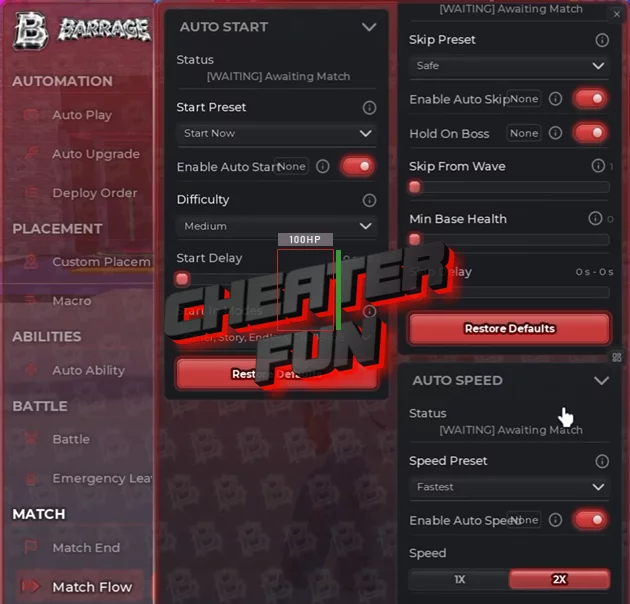
Auto Start – Automatically starts matches.
Auto Skip – Automates wave skipping.
Hold On Boss – Optional setting to hold skipping on boss waves.
Auto Speed – Automates game speed settings.
Leave At Wave – Automatically leaves at a specified wave.
Emergency Leave – Provides an emergency leave option.
Match End – Configure what happens when a match ends, including Replay and Lobby options.
Session History – View previous session information.
Join Queue – Select Medium, Hard, Apocalypse, or Insane difficulty.
Auto Join – Automatically joins Story, Challenges, and Endless modes.
AFK Area – Access the AFK area.
🎲 Summoning, Units & Inventory
Manage your collection and improve your lineup with automated unit-related features.
Auto Summon – Automates unit summoning.
Auto Sell Units – Automatically sells units.
Auto Loadout – Automates loadout management.
Auto Fuse – Automates unit fusion.
Auto Craft – Automates crafting.
Auto Trait – Automates trait management with configurable Wanted Traits.
Auto Items – Automates item-related actions, including Boxes and Boosts.
🛒 Shops, Tokens & Expeditions
Automate additional progression systems and resource management.
Token Shop – Includes an automatic Reroll option.
Gem Shop – Includes Gem Exchange functionality.
Expeditions – Automates expedition-related activities.
Free Trips – Handles available free trips.
Overnight – Provides an overnight expedition option.
👁️ Map & Visual Information
Access additional information about the battlefield and placement locations.
Path Route – Displays path route information.
Path Nodes – Displays path nodes.
Path Direction – Shows path direction.
Valid Spots – Highlights valid unit placement spots.
Build Ground – Displays buildable ground.
Road – Provides road visualization.
Unit Ranges – Shows unit attack ranges.
Enemy Info – Displays enemy information.
🚀 Player Mods & Utilities
Additional movement, performance, and customization options are also included.
Fly – Enables flight.
Infinite Jump – Allows repeated jumping.
Noclip – Enables movement through obstacles.
Speed – Provides a movement speed option.
Discord Webhooks – Includes notifications for Stage Results and Drop Alerts.
Game Settings – Access game-related settings.
Black Screen – Enables a black screen option.
Delete Map – Includes a map removal option.
FPS Cap – Configure the FPS limit.
Anti AFK – Helps prevent Roblox inactivity kicks.
Presets – Save and use configuration presets.
Custom Keybinds – Customize keyboard shortcuts.
PC & Mobile Support – Supports both PC and mobile gameplay.


0 comments
Information
Users of Guests are not allowed to comment this publication.
If you have a problem, write to us.